The demand for continuous recording security cameras is surging as users seek complete, unbroken surveillance coverage. Unlike motion-activated recording, 24/7 monitoring captures every crucial moment, but it also generates significantly more video data. This creates a critical challenge: choosing the right storage solution to ensure reliability and accessibility. This comprehensive guide is designed to demystify the storage needs of continuous recording systems. We will explore the factors that affect storage consumption and compare the most popular options—from SD cards to cloud storage—to help you build a dependable and cost-effective security system that doesn’t miss a beat.
Why Storage Matters for Continuous Recording Security Cameras
Cameras that record 24/7 need a lot of storage space. This is much more than cameras that record only when they sense motion. Picking the right storage system is very important, it ensures your system is dependable, helps you manage costs, and guarantees you can always access your footage when you need it.
How Much Storage Do Continuous Recording Security Cameras Need?
Cameras set to record all the time use far more storage than motion-activated ones. For example, an 8-camera system recording in 4K at 15 frames per second will use about 3TB every 7 days. But if you use motion-activated recording with the same settings, you can cut your storage needs in half or even more.
Storage Time Based on Use:
- Home Cameras (MicroSD/TF cards 32–256GB): Store about 1–14 days of nonstop footage.
- Small Businesses (NVRs 1–4TB): Hold 1–4 weeks of continuous recording.
- Large Business or Industrial Sites (NVRs/DVRs of 4–20TB+): Store 1 month to several months of video.
What Affects Your Storage Needs?
- Number of Cameras: The more cameras you have, the more storage you will need.
- Video Quality: Higher quality video, like HD or 4K, takes up more space.
- Frame Rate: A higher frame rate (like 30 FPS) also uses more storage.
- Codec Type: Using modern codecs like H.265, they can cut storage use by up to 50% compared to H.264 without losing quality.
- How Long You Keep Footage: If you need to keep video for a long time (7, 30, or 90 days), you’ll need more storage.
- Automatic Overwrite: When your storage gets full, the system will record over the oldest clips. I recommend you export important videos so you don’t lose them.
3 Popular Storage Options for Continuous Recording Security Cameras
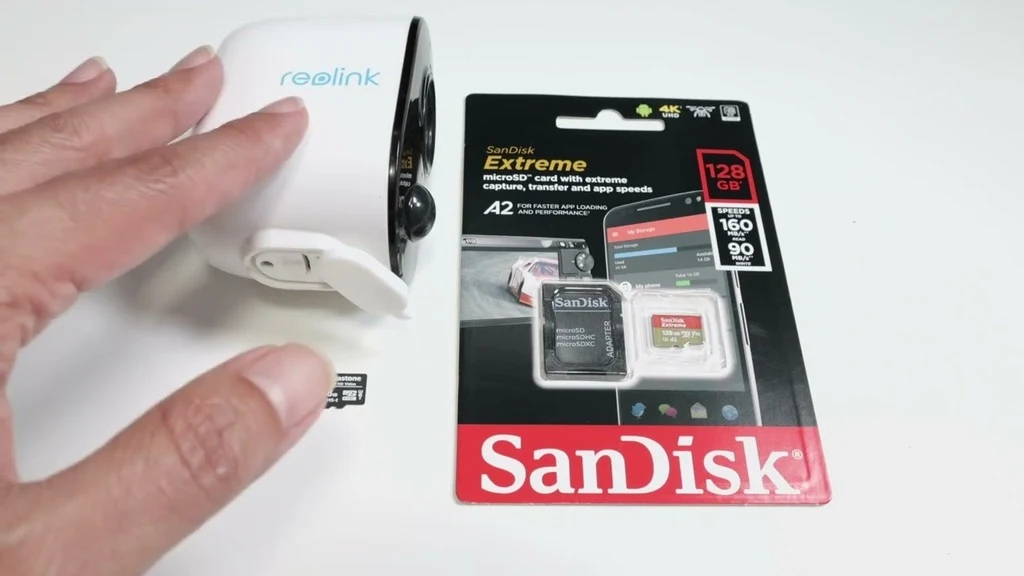
1. SD Card Storage in 24/7 Recording Security Cameras
Many security cameras that record all the time use SD cards. With this method, the camera saves video footage to a removable or built-in SD card. The camera’s software manages the storage for you. When the card is full, it deletes the oldest video to make space. This creates a looped video history.
Key Benefits of SD Card Storage
Simple Setup: You just install the camera and set up the SD card. I find this much easier because you don’t need a DVR, NVR, or to pay for cloud subscriptions.
Standalone Operation: The card stores everything. You can watch past footage from your phone or computer, which is handy because it works even if the camera is not connected to the internet.
Cost Efficiency: SD cards are cheap, with a 32GB card starting under $10. Based on my experience, this saves you money over time compared to cloud storage and lowers your initial setup costs.
SD Card Limitations
Storage Limits: A 128GB card holds about 73 hours of nonstop 4K video. If you use higher video quality or want to keep footage longer, the card will fill up fast.
Risk of Data Loss: You will lose all your video if the camera is stolen, damaged, or the card breaks. Standard cards wear out much faster. I recommend customers use high-endurance or surveillance-rated cards to lower this risk.
No Recovery if Hardware Fails: Once the card is full, the camera overwrites the oldest files. If the camera or card breaks before this happens, you could lose important video for good.
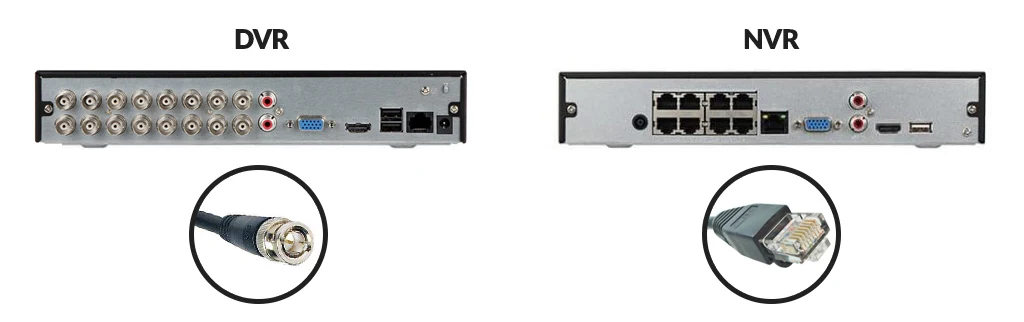
2. DVR and NVR Systems for Continuous Video Storage
Digital Video Recorder (DVR) and Network Video Recorder (NVR) systems are perfect for 24/7 video storage. They are great for saving video locally. Each system captures, stores, and expands in its own way.
How DVR and NVR Systems Manage Continuous Recording
DVRs: These systems connect to analog cameras with coaxial cables. The recorder encodes and saves the video on its internal hard drive. For small to medium businesses, drive sizes between 1TB and 8TB. If you want to store video for longer, you will need to add external drives.
NVRs: These systems use IP cameras. The cameras process and encode video first. Then, they send it over an Ethernet or Wi-Fi connection. NVRs offer more flexible storage, they can support multiple internal hard drives or NAS devices, with storage from 4TB up to 100TB+ for large-scale business use.
Key Advantages of DVR and NVR Systems
Larger Storage Capacities: NVR systems are easy to expand. You can add more drives or link NAS units to increase storage. Some business-grade NVRs can support 32–64 cameras and also handle up to 100TB of storage with RAID arrays for extra data safety.
Centralized Management: All your video streams are kept in one location. This makes it simple to review footage and save important clips.
Enhanced Security: Storing your video locally reduces the risks of network or cloud security breaches. NVRs offer encrypted video, access controls for users, and audit logs that help meet regulatory rules.
Advanced Features (NVR): Advanced tools on NVRs include AI features that can detect people and vehicles. They also come with video analytics and secure access from a mobile or desktop app.
Limitations of DVR and NVR Systems
Additional Hardware Needed: NVR/DVR systems require extra equipment, you will need recorder units, large-capacity hard drives, and UPS backups. For NVRs, you also need enterprise switches with PoE. Most medium to large setups that I’ve worked on require a dedicated closet or server rack.
Installation Complexity: A DVR installation requires running coaxial cables and separate power lines for the cameras. NVRs require solid network cabling, PoE switches, and specific VLAN security setups.
Single Point of Failure: Here is a big risk: if your recorder fails and you don’t have a backup, you could lose all your local footage. I recommend using RAID or another backup solution to keep your video safe.
Scalability Issues: It is more difficult to expand a DVR system because of coaxial cable limits and a fixed number of channels. NVRs scale more easily, but you still need to consider network bandwidth and camera limits per recorder, which is often 48, 64, or 128.
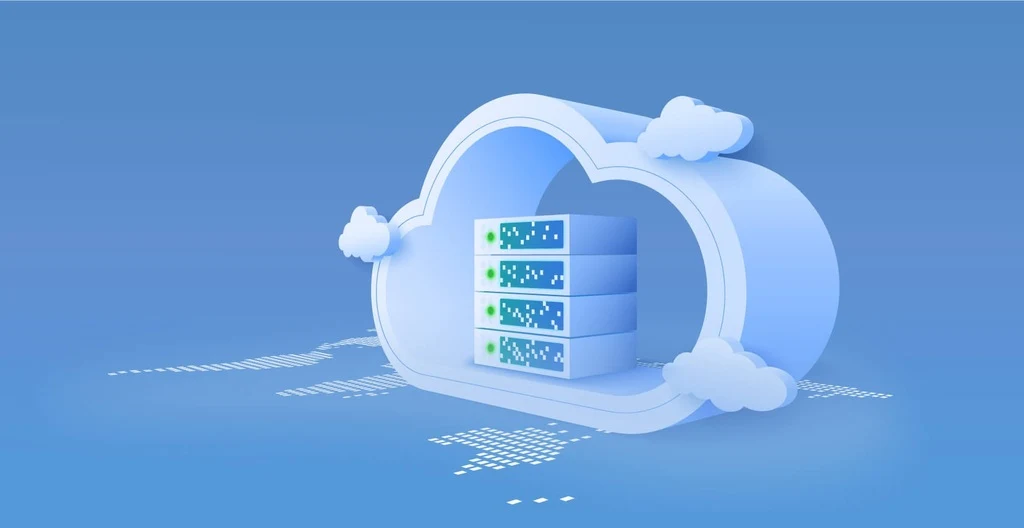
3. Cloud Storage for Continuous Security Cameras
Using cloud storage for your security cameras lets you keep footage offsite. It offers both convenience and better security. Your camera system sends video over the internet to a secure, private cloud server. Cloud storage encrypts your footage as it travels and while it’s stored. It protects your privacy and keeps your data safe.
Key Benefits of Cloud Storage for Security Cameras
Remote Access from Anywhere: You can review live or saved footage on any device, no matter where you are. It is great for managing several locations. It’s also helpful for emergencies when you can’t get to the site.
Automatic Offsite Backup: If a fire, flood, or theft occurs, your important video evidence is protected in the cloud. It won’t be lost with your on-site equipment.
Reduced Theft Risk: Thieves can steal local recorders during a break-in. With cloud storage, there’s almost no risk of losing your data to physical theft.
Scalable Storage: You don’t have to worry about running out of hard drive space, it is very easily to add more storage. This is perfect if you add more cameras or need to keep videos longer to follow specific rules.
Lower Maintenance: Cloud providers take care of the hardware, software updates, and backups. This makes things easier for your IT team.
Disaster Recovery: If you can’t get to your property, you can still access your footage. This is very important for legal or insurance purposes.
Cloud Storage Needs & Costs
High-Quality Video Support: Most good cloud services support 4K video, which gives you clear footage. I have to point out that recording in 4K uses a lot of data and bandwidth.
Flexible Retention Policies: Most plans offer different storage options. For example, Lorex provides 30 days of rolling footage. Videoloft starts at 7 days, and you can pay for longer storage.
Integration with Existing Systems: Many systems, such as Videoloft, let you connect your current cameras. You can use adapters for analog or IP cameras. This means you don’t need to buy all new cameras to get cloud backup.
Unlimited Scalability: Need to add more cameras? Cloud systems support unlimited connections. The provider handles all the technical expansion for you.
Data Consumption: A single 4K camera recording 24/7 can use hundreds of gigabytes of data each month. Some cloud plans are made for motion-activated clips. Others cover full-time recording. I suggest you choose based on your storage needs and budget.
Potential Challenges and Things to Consider
Ongoing Subscription Costs: You will have subscription fees. These charges depend on your camera count, storage time, and resolution. Longer storage and higher resolutions will increase your bill.
Internet Bandwidth Demands: Streaming from several high-resolution cameras requires a stable, high-speed connection. This is a key part of making it work reliably.
Data Privacy and Security: Check your cloud service provider’s security policies, make sure they follow privacy laws. The service should encrypt your video, but I always recommend verifying their security standards yourself.
Connectivity Loss: What happens if your internet goes down? Some systems, like Videoloft’s Cloud Adapter, offer local buffering. It can store footage on-site and upload it when the connection returns. Your real-time backup could be paused during an outage.
Selecting the right storage is the backbone of any effective continuous recording security system. Whether you opt for the simplicity of an SD card, the expansive capacity of an NVR, or the offsite security of the cloud, understanding your needs for capacity, security, and scalability is paramount. By carefully considering the number of cameras, video quality, and retention requirements, you can ensure your footage is always safe and accessible.
Ready to find the perfect continuous recording solution for your business or customers? Contact us today to request the latest product hotlist and exclusive purchasing options for reliable security cameras and storage systems.