Most buying guides for wired home security cameras simply list specs, drop a few affiliate links, and leave you to figure out the rest. This one is different.
If you’re tired of monthly subscription fees, unsure whether PoE or DVR systems are right for your home, or just want a setup that stays online without relying on Wi-Fi, this guide is designed to give you clear, practical answers.
Here’s what you’ll actually get:
A simple breakdown of wired camera system types (PoE vs DVR)
The real installation challenges most guides skip
A transparent look at long-term costs, with no subscription surprises
The wired home security camera setups that still make sense in 2026
No filler, no vague recommendations—just what you need to choose the right system the first time confidently.
Introduction: Why Most Wired Home Security Camera Guides Get It Wrong
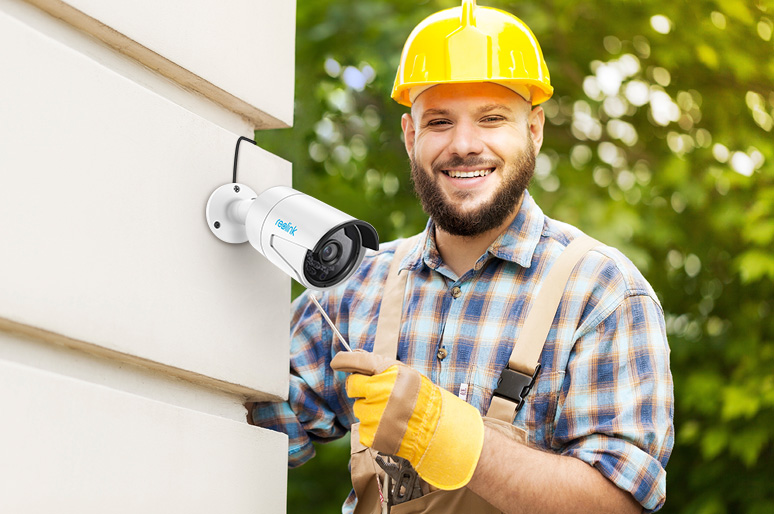
The gap between a spec sheet and a real-world working system is where most users make mistakes when choosing wired home security cameras.
Most buying guides simply list a few camera models, rank them by resolution, and stop there. What they rarely explain is what actually determines whether a system will work in practice: whether your home layout supports a wired installation, whether your cable runs stay within safe limits, or whether a basic 2-camera kit will actually leave critical blind spots around your property.
Yes—wired systems are generally more reliable than wireless setups. There are no Wi-Fi dropouts, no bandwidth congestion, and no missed recordings overnight. But that reliability only exists when the system is properly designed from the start.
Poor camera placement, incorrect camera types for outdoor use, or exposed cabling can all undermine even high-end wired home security cameras systems before they ever deliver real protection.
That’s the gap most guides ignore—and exactly what this guide is built to fix.
Wired Home Security Cameras vs Wireless: Pros, Cons & Real Differences
Here’s the short answer: wired home security cameras prioritize reliability, while wireless cameras prioritize convenience. The right choice depends less on specifications and more on your home layout, usage needs, and long-term expectations.
Quick Comparison
Aspect | Wired (PoE) | Wireless (Wi-Fi) |
|---|---|---|
Reliability | Stable connection, no interference | Dependent on Wi-Fi strength and congestion |
Video Quality | Full bitrate, consistent 4K detail | Often compressed under network load |
Recording | 24/7 continuous recording | Motion-based or event-triggered |
Installation | More planning and cabling are required | Fast setup, no wiring needed |
Maintenance | Low maintenance once installed | Battery charging or replacement is required |
Security Risk | Lower (local-only systems) | Higher if the network is exposed or poorly secured |
What Wired Home Security Cameras Do Better
Wired home security cameras systems are designed for stability and continuous protection:
Consistent uptime with no Wi-Fi interference
True 24/7 recording with no missed events
Full-resolution video without aggressive compression
Local storage with no required subscription fees
PoE systems further simplify installation by carrying both power and data through a single Ethernet cable, which reduces potential failure points compared to wireless setups.
The tradeoff is rigidity. Once installed, the system is fixed in place. Cable routing requires planning, and physical wiring damage can take a camera offline.
Where Wireless Cameras Still Make Sense
Wireless systems are better suited for flexibility-focused scenarios:
Fast, no-drill installation
Easy repositioning without rewiring
Ideal for rental properties or temporary setups
However, this flexibility comes with limitations. Wi-Fi interference, network congestion, and battery dependency can lead to missed recordings or reduced reliability in real-world conditions.
The Clear Decision
Choose wired home security cameras if:
You own your home, need full-property or multi-zone coverage, and want reliable 24/7 recording without monthly subscriptions.
Choose wireless cameras if:
You rent, need flexible placement, or cannot run cables to key camera locations.
Bottom Line
The difference between wired and wireless systems is not just technical—it is operational.
It comes down to whether your security system should prioritize long-term reliability and continuous recording, or short-term flexibility and ease of installation.
PoE vs DVR Wired Home Security Camera Systems: Which One Should You Buy?

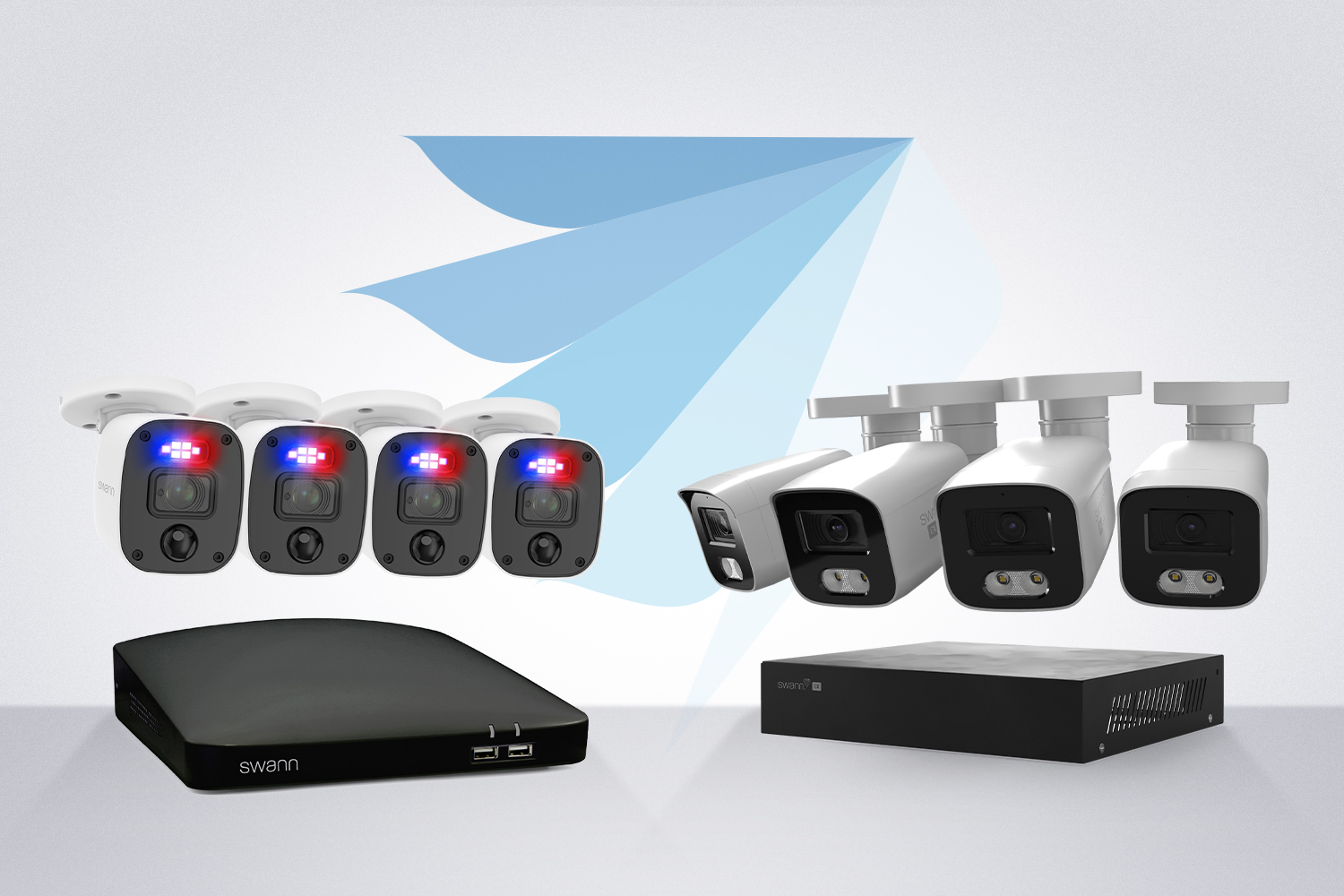
Both PoE and DVR systems are types of wired home security cameras systems, and both eliminate monthly subscription fees by relying on local recording instead of cloud storage. The main difference is how each system is built: modern IP-based PoE systems using a single Ethernet cable, versus traditional analog DVR systems using dual-cable wiring.
How PoE Systems Work
PoE (Power over Ethernet) systems use a single Cat5e or Cat6 Ethernet cable to deliver both power and data to each camera.
One cable per camera
Connects directly to a PoE NVR or network switch
No separate power outlets required
Cleaner installation with fewer potential failure points
This architecture makes PoE the modern standard for most new wired home security cameras installations, especially for homeowners planning long-term or scalable setups.
How DVR Systems Work
DVR systems rely on traditional analog cameras that require two separate connections:
Coaxial cable for video transmission
Separate power cable for electricity
This leads to:
More complex and time-consuming wiring
Higher dependency on nearby power sources
Limited flexibility for system expansion
While DVR systems are still functional and widely used, they are considered a legacy architecture compared to modern IP-based solutions.
PoE vs DVR Comparison
Factor | PoE | DVR |
|---|---|---|
Cabling | Single Ethernet cable | Power + coaxial cable |
Video Quality | Up to 4K with low compression | Lower clarity, analog-based |
Expansion | Easy to scale | Limited and more complex |
Installation | Cleaner and more streamlined | More labor-intensive |
Modern Compatibility | High (IP-based systems) | Lower (legacy systems) |
The Right Choice (Simple Decision Rule)
Choose PoE systems if:
You want a scalable, modern wired home security cameras system with 4K video quality, easier installation, and long-term expandability across multiple zones.
Choose DVR systems if:
You are working with a tight budget, only need 2–3 cameras, or already have existing coaxial wiring installed in your home.
Bottom Line
For most homeowners building a new wired home security cameras system in 2026, PoE is the stronger long-term choice due to its cleaner installation, higher video quality, and significantly better scalability.
Wired Home Security Cameras — Not Always the Right Fit

While wired home security cameras are powerful and highly reliable, they are not the right solution for every situation. In the wrong context, they can lead to unnecessary installation costs, setup complexity, or reduced long-term flexibility.
Understanding when not to choose a wired system is just as important as knowing when to use one.
When You Should Avoid Wired Cameras
You’re renting or planning to move within 12 months
Installing wired systems typically requires drilling and cable routing through walls or ceilings, which may cause property damage or violate lease agreements when moving out.
Your home is small or simple (under ~2,000 sq ft)
For smaller properties, a fully wired home security cameras system may be overkill. In many cases, 1–2 wireless cameras provide sufficient coverage at a lower cost and with greater flexibility.
You need flexible camera placement
Once installed, wired cameras are fixed in place. Relocating them requires re-running cables and reinstalling hardware, making them less suitable for frequently changing layouts.
You want backup coverage during power outages without additional planning
Wired systems depend on continuous power. Without a UPS (uninterruptible power supply), a power outage can temporarily disable your entire security setup.
When Wireless Cameras Make More Sense
In these cases, wireless systems are often the more practical choice:
Battery or solar-powered cameras can continue operating during outages
No drilling, wiring, or permanent installation required
Easy repositioning without tools or rewiring
Faster setup for temporary or evolving environments
Simple Rule of Thumb
Choose wired home security cameras if:
Your priority is long-term reliability, stable 24/7 recording, and a permanent security setup.
Choose wireless cameras if:
Your priority is flexibility, portability, or minimal installation effort.
Unified Decision Framework: How to Choose a Wired Home Security Camera System
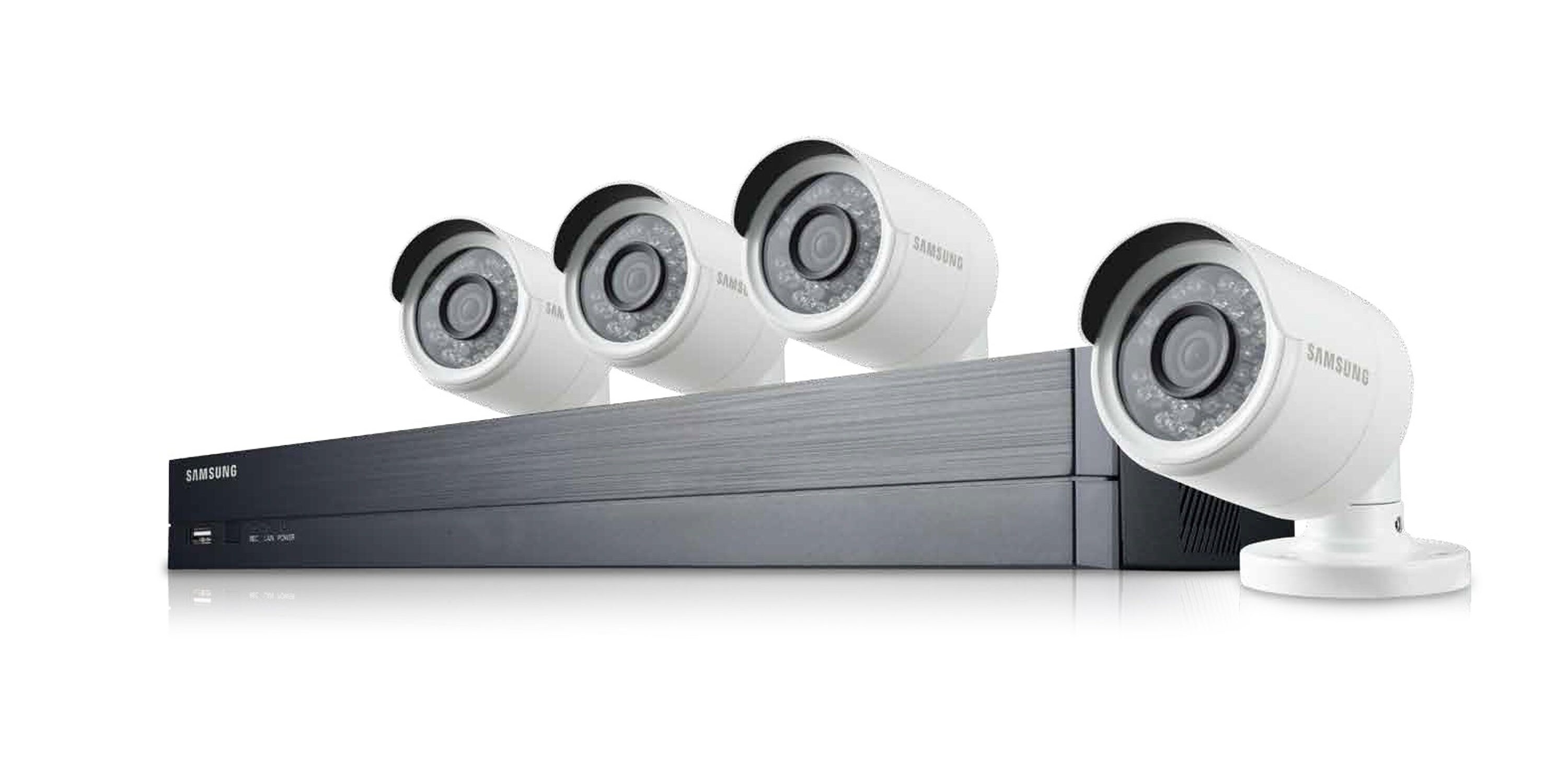
Before comparing brands, prices, or specs, you need a simple way to decide what type of wired home security cameras system actually fits your situation.
Instead of thinking in terms of individual products, use this three-layer decision framework:
Step 1: Define Your Priority (This determines everything)
Start by choosing your primary goal:
Maximum reliability & 24/7 recording → Choose PoE systems
Lowest upfront cost → Choose DVR systems
No subscription fees, long-term → Choose local NVR storage systems
Fast installation/flexibility → Consider wireless instead
This step eliminates 70% of wrong choices immediately.
Step 2: Match Your Property Size & Complexity
Now narrow down based on your home:
Small home (1–3 cameras) → basic DVR or hybrid systems
Medium home (4–6 cameras) → standard PoE NVR system
Large property (6–12+ cameras) → scalable PoE system with expansion channels
This determines system architecture, not brand.
Step 3: Align Budget With Total Ownership Cost
Do not look at the upfront price only.
Instead, think in 5-year cost:
Budget systems: $300–$800 upfront, higher upgrade risk
Mid-range systems: $800–$1,500, best balance
High-end systems: $2,000+, maximum scalability and reliability
Wired systems become cheaper over time due to zero subscription fees.
Final Rule
If you are unsure, default to this:
PoE NVR system + 4–6 cameras + 4TB storage
This configuration fits most homes, scales easily, and avoids both overpaying and underbuilding.
How to Choose the Right Wired Home Security Camera System (Step-by-Step)

Choosing the right wired home security cameras is not about comparing specs first—it is about making decisions in the correct order. If you follow the right sequence, you can avoid costly reinstallation, storage miscalculations, and system redesign later.
Step 1: Start with Storage Requirements First
Always begin with storage, not cameras.
A 6TB hard drive typically supports a 4–6 camera 4K wired home security camera system with approximately 7–14 days of continuous recording. This eliminates the need for cloud storage and removes monthly subscription fees.
Most PoE NVR systems store footage locally, meaning all recordings remain under your control without external dependency.
Step 2: Map Your Property Before Buying Equipment
Before selecting any hardware, define your coverage layout.
Most homes require 4–6 cameras covering:
Front door
Driveway
Backyard
Side entrances
Plan cable routing early. Standard Cat5e/Cat6 Ethernet runs are typically limited to 100 meters per line, so physical layout directly affects system design and camera placement.
Step 3: Decide Between Continuous vs Motion Recording
24/7 recording → Best for high-security setups; requires 4–8TB+ storage capacity
Motion-based recording → Reduces storage usage by 70–90%; suitable for most residential setups
Choose based on actual security risk rather than default system settings.
Step 4: Choose Your Budget Tier
Tier | 4-Camera Cost | What You Get |
|---|---|---|
Entry | $300–600 | 4MP, 2TB DVR systems |
Mid | $800–1,500 | 4K PoE systems, 6TB storage, IP66 weatherproofing |
High | $2,000+ | 8MP systems, 12TB storage, UPS backup support |
Step 5: Verify Core Technical Requirements
Minimum recommended standards for a reliable wired home security camera system:
4MP resolution or higher
30–50m infrared night vision
IP66 or higher weather resistance
For camera types:
Bullet cameras → better visible deterrence
Dome cameras → higher resistance to tampering
Step 6: Test Before Final Installation
Before fully committing to installation:
Test night image clarity in real-world conditions
Confirm playback stability under continuous recording
Add surge protection to prevent lightning or power-related damage (a common failure point in outdoor systems)
A Simple Decision Tree for Wired Home Security Cameras

Answer these four questions to quickly determine whether a wired home security cameras system is right for you—and which type fits your needs best.
Step 1: Identify Your Core Priority
No subscription fees? → Choose wired systems
PoE NVR setups store footage locally with 14–60 days of retention and eliminate monthly cloud costs.
Need 24/7 continuous recording? → Choose PoE systems
Supports full-time recording with Cat5e/Cat6 cabling up to ~300ft per camera.
Budget under $400? → Consider DVR or hybrid systems
Typical setup: 8-channel DVR/NVR (~$300 with HDD) + 4MP cameras ($50–100 each).
Need the fastest installation? → Wireless systems may be more suitable
However, factor in battery maintenance cycles and potential Wi-Fi signal limitations.
Step 2: If You Choose Wired, Follow This Setup Order
If your answers point toward wired home security cameras, follow this prioritized setup sequence to avoid redesign or performance issues later.
1. Coverage First
Map all key entry points:
Front door
Driveway
Backyard
Side entrances
Most homes require 4–8 cameras with overlapping coverage to eliminate blind spots and ensure full perimeter visibility.
2. Storage Planning
Size your NVR system based on resolution and retention requirements.
8-camera 4K system → 4–10TB minimum recommended storage
Proper storage planning prevents early overwrite cycles and ensures consistent recording retention.
3. Performance Standards
Set baseline technical requirements for a reliable system:
Minimum 4MP resolution
30–200ft infrared night vision range
IP67 weather resistance for outdoor durability
4. Wiring Layout
Label all Cat5e/Cat6 cables during installation
Use conduit for outdoor cable protection
Add surge protection in lightning-prone areas
Proper wiring design significantly improves long-term system reliability.
5. Future Expansion
Choose an NVR with additional channels beyond your current needs to allow future camera expansion without replacing core hardware.
Best Wired Home Security Cameras in 2026 (Outdoor, No Subscription & Budget Picks)
Choosing the right wired home security cameras is not just about individual models—it’s about matching the system type, budget, and use case. In 2026, most homeowners fall into three categories: outdoor performance systems, no-subscription wired setups, and budget-friendly full-home coverage kits.
Below is a unified breakdown of the best options based on real-world performance, long-term cost efficiency, and installation practicality.
1. Best Outdoor Wired Home Security Cameras (Real-World Performance)
Outdoor performance depends on three core factors: weather resistance, night vision, and motion accuracy. If a camera fails in any of these areas, it fails in real use.
Top Outdoor Picks in 2026
Camera | Best For | Resolution | Weather Rating | Night Vision | Motion Accuracy | Price |
|---|---|---|---|---|---|---|
Lorex H2O 4K | Best overall coverage | 4K (8MP) | IP67 | 100ft color/IR | 98% AI | $279.99 |
Swann 4K | Long-range monitoring | 8MP | IP66 | 130ft color/IR | 97% | $250 |
Nest Floodlight | Smart detection + lighting | 1080p HDR | IP65 | 30ft color | 95% | $279.99 |
Ring Spotlight Cam | Entry-level wired option | 1080p | IP65 | 100ft IR | 92% | $199 |
ADT Wired | High-security setups | 4MP | IK10 | 100ft color | 90% | Custom |
Key Takeaway
Choose Lorex or Swann if you want full-property outdoor coverage
Choose Nest or Ring if smart detection or budget matters more
Choose ADT if security durability is the top priority
2. Best Wired Home Security Camera Systems With No Monthly Fee
Most modern wired home security cameras systems eliminate subscription fees by storing footage locally on an NVR or DVR. This removes recurring cloud costs and gives users full control over recorded data.
Best No-Subscription Systems in 2026
Abode HomeHub — Best Overall No-Fee System
1TB included (expandable to 8TB)
7–60 days local storage
Fully offline recording support
Best for: simple plug-and-play home setups
CCTV Security Pros NVR Kit — Best for High-Quality Storage
4K recording with up to 16TB storage
15–60 days retention
No cloud subscription required
Best for: users prioritizing video quality and long retention
Ring Wired + Sync Module 2 — Best Budget Hybrid Option
Local storage via module (128–256GB)
5–10 days retention
Best for: budget users transitioning to local storage
SimpliSafe Wired Kit — Best Simple Starter System
Built-in local storage base station
3–7 days retention
Best for: first-time users or small homes
Cost Insight
Compared to cloud systems ($720–$1,800 over 10 years), wired systems typically break even within 2 years and can reduce long-term costs by 70–90%.
3. Best Budget Wired Home Security Cameras (Under $500 Setups)
A fully wired home security camera system does not need to be expensive. In 2026, entry-level PoE and DVR kits can deliver reliable 24/7 recording with local storage at a fraction of premium system costs.
Best Budget Systems in 2026
SCI 5MP PoE Bullet System — Best Under $400
5MP resolution with AI motion detection
100ft IR night vision
Full 4-camera setup under $400
Best for: full perimeter home coverage
Zmodo 8-Channel Kit — Best Value Complete System
1080p cameras + NVR included
Plug-and-play setup
~$449 total system cost
Best for: users wanting a ready-to-use package
Night Owl DVR System — Best Budget Multi-Camera Coverage
2K resolution
8–12 channel support
2TB included storage
Best for: upgrading older analog systems
When NOT to Choose Budget Systems
Avoid entry-level systems if:
You need long-range 4K identification
You require an 8+ camera expansion
You live in high-risk security areas
Wired Home Security Camera System Cost Breakdown (5-Year Comparison)
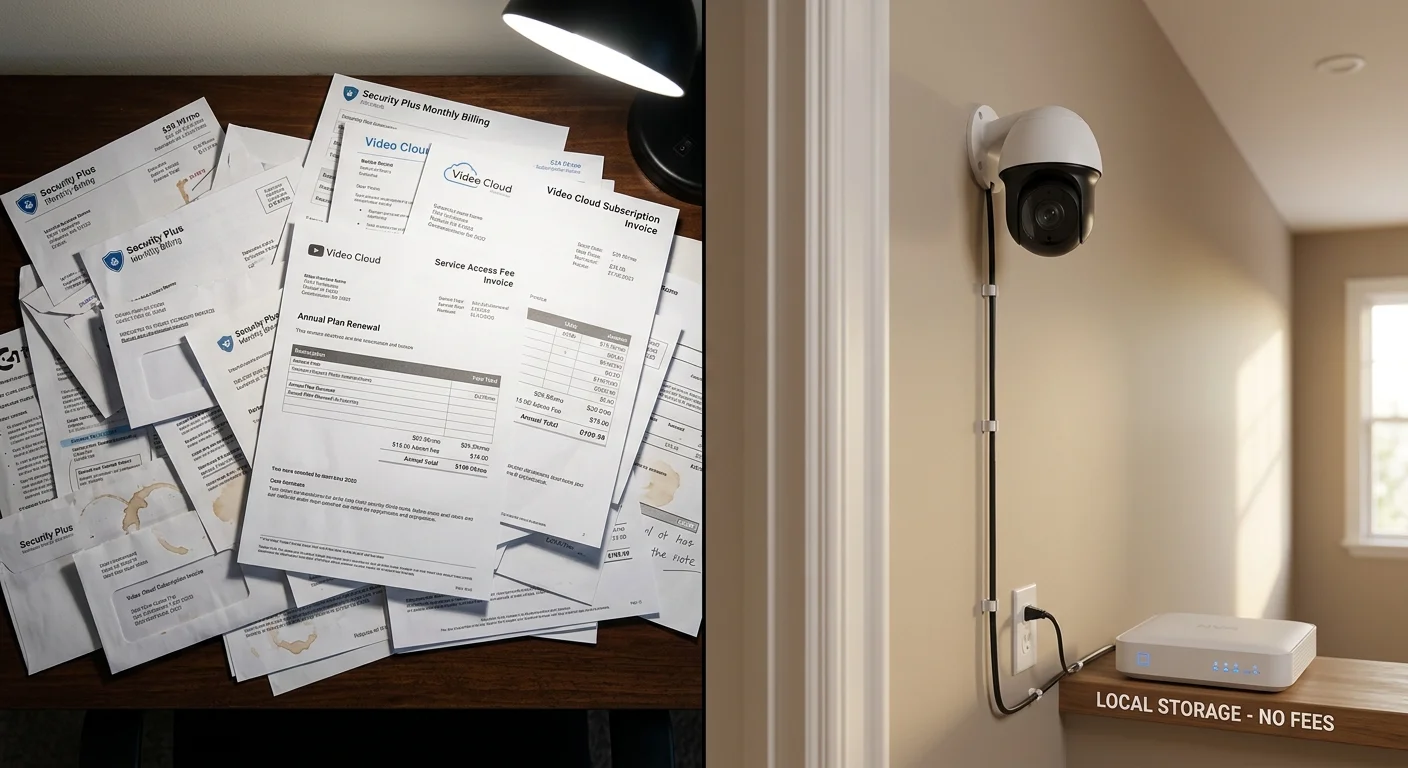
Most guides focus on features, but very few explain what a wired home security cameras system actually costs over time. In reality, long-term cost—not upfront price—is what determines whether a system is truly affordable.
Below is a realistic 5-year comparison between wired and wireless systems for a standard 4-camera setup.
Real 5-Year Cost Comparison
Wired systems: $840–$3,100 total over 5 years
Wireless systems (with cloud subscriptions): $1,720–$6,300 over 5 years
This represents a 2–4x total cost difference, primarily driven by recurring cloud storage fees in wireless setups.
Where the Cost Actually Comes From
Year 1: Initial Investment Phase
Most of the cost for a wired home security camera system is upfront:
Cameras: $100–$500 per unit
Installation (DIY or professional): $200–$800
NVR/DVR system: $100–$300
Total Year 1 cost: $800–$2,500 (average ≈ $1,292)
Years 2–5: Low Maintenance Phase
After installation, wired systems become significantly more cost-efficient:
Power consumption: ~$10–$20 per year
Storage: local (no subscription required)
Maintenance: occasional hard drive replacement (optional)
Total ongoing cost (4 years): $40–$600
5-Year Cost Breakdown Table
Setup Type | Wired System | Wireless System | Savings |
|---|---|---|---|
4-cam basic | $840–$1,500 | $1,720–$3,000 | 50–60% |
4-cam mid-range | $1,500–$2,500 | $2,500–$4,500 | 40–50% |
8-cam high-end | $3,000–$6,000 | $5,000–$10,000+ | 30–50% |
The Real Cost Driver: Subscription Fees
The biggest long-term cost difference is not hardware—it is cloud storage.
Wireless systems typically charge:
$5–$15 per camera per month
$720–$3,600 over 5 years per system
In contrast, wired home security cameras with local NVR or DVR storage eliminate ongoing subscription fees entirely.
This is where most long-term savings are generated.
Bottom Line
Over 5 years, wired home security camera systems are significantly more cost-efficient than wireless alternatives.
While initial setup costs are higher, most systems reach break-even within 2–3 years. After that point, ongoing costs become minimal, with no mandatory subscription expenses.
DIY vs Professional Installation for Wired Home Security Cameras
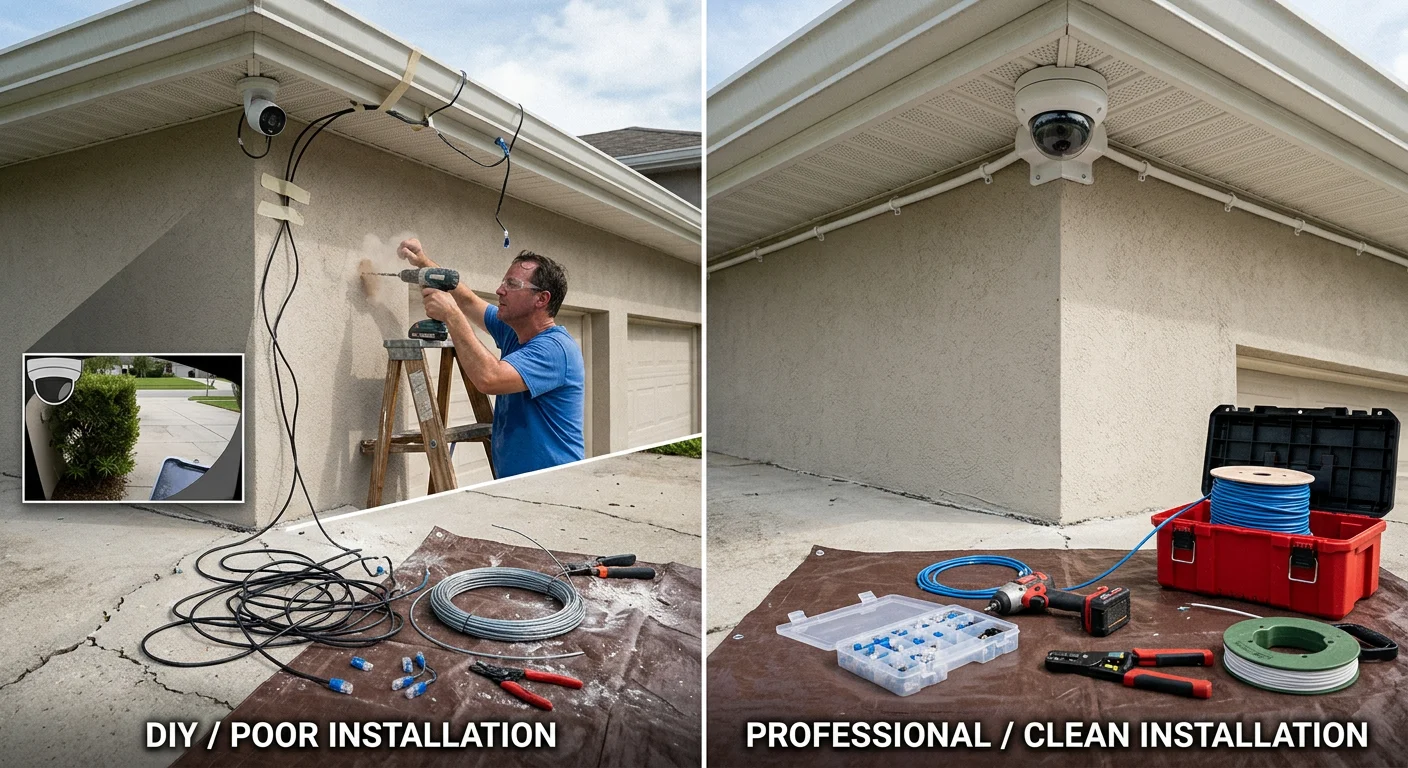
When installing wired home security cameras, installation cost is often the most underestimated part of the entire system. In some cases, labor alone can add $300–$1,000+ to the total project cost, depending on layout complexity and wiring difficulty.
The real decision is not just cost—it is whether your property layout allows for a reliable installation without introducing coverage or wiring issues.
DIY Installation: Best for Simple Wired Home Security Camera Setups
DIY installation is most effective when the home layout is straightforward, and cable routing is easily accessible.
Ideal scenarios:
Single-family homes
Attic or crawlspace access available
Basic 4–6 camera PoE systems
Comfortable with drilling and Ethernet cable routing
A typical DIY wired home security camera system installation takes about one full weekend and includes:
Running Cat5e/Cat6 Ethernet cables
Mounting cameras (usually 8–12 ft height)
Sealing outdoor cable entry points
Configuring the NVR system and recording settings
Key advantage:
Lower total system cost, allowing more budget allocation toward higher-quality cameras or storage.
Professional Installation: Best for Complex Properties
Professional installation becomes more suitable as system complexity increases.
Recommended for:
Multi-story homes
8+ camera layouts
Commercial or high-value properties
Integration with alarm or access control systems
Strict placement or compliance requirements
Typical cost ranges from $300–$1,000+, and is sometimes bundled with higher-end wired home security camera systems.
Key advantages:
Optimized camera placement for full coverage
Reduced blind spots in critical areas
Clean and secure cable management
Faster, error-free deployment
This is especially important for larger systems where installation mistakes can significantly reduce overall security effectiveness.
DIY vs Professional Installation Comparison
Aspect | DIY Installation | Professional Installation |
|---|---|---|
Cost | No labor cost | $300–$1,000+ |
Time | 1 full weekend | Few hours |
Risk of Errors | Higher (placement/wiring mistakes) | Low |
Best For | Small to mid-size homes | Large or complex properties |
The Real Tradeoff You Should Understand
The biggest risk in DIY installation is not physical difficulty—it is incorrect camera placement or wiring layout.
Poorly positioned wired home security cameras can create blind spots that undermine the entire system, even if high-quality hardware is used.
In security systems, coverage design matters more than installation savings.
Bottom Line
If your property layout is simple, DIY installation is a cost-effective way to build a reliable wired home security camera system.
If your home is large, complex, or high-value, professional installation ensures full coverage and system reliability from the start.
How Long Can Wired Home Security Cameras Store Footage?
Storage duration for wired home security cameras is not fixed. It depends entirely on how your system is configured, including storage capacity, resolution, and recording mode.
In practice, retention is a simple balance between video quality, number of cameras, and how efficiently your system records footage.
Real-World Storage Estimates
For a typical 4-camera wired home security camera system:
1TB HDD (24/7 recording): ~7–14 days of footage
1TB HDD (motion recording): ~20–30 days of footage
Motion-based recording can significantly extend retention by reducing unnecessary storage usage, often doubling effective capacity without changing hardware.
Typical Retention by Use Case
Use Case | Storage Retention |
|---|---|
Home (4 cameras) | 7–30 days |
Small Business | 14–90 days |
Enterprise / High-security | 90+ days |
What Actually Controls Storage Time
Three main factors determine how long a wired home security camera system can store footage:
Resolution → 4K consumes significantly more storage than 1080p
Number of cameras → more cameras = faster storage usage
Recording mode → continuous recording vs motion-triggered recording
Among these, recording mode has the biggest impact on retention without increasing hardware cost.
How to Size Your Storage Correctly
Use this practical guideline when selecting an NVR or hard drive for your wired home security cameras:
2–4TB → Residential systems (2–4 weeks retention)
4–8TB → Larger homes or small business setups (1–3 months retention)
8TB+ → High-security or compliance-driven environments
Important Detail Most Users Miss
Most NVR systems use loop recording by default.
This means:
The oldest footage is automatically overwritten
Storage never “fills up” completely
Retention is determined by capacity, not manual settings
Because of this, underestimating storage size is one of the most common planning mistakes in wired home security camera systems.
Bottom Line
The storage capacity of wired home security cameras is predictable once you understand the key variables.
With proper NVR sizing, most systems can reliably store anywhere from a few days to several months of footage—without changing hardware or compromising recording quality.
Common Problems & FAQs About Wired Home Security Cameras
Do wired home security cameras work without internet?
Yes. A wired home security camera system records locally to an NVR or DVR even without internet access. The Internet is only needed if you want remote viewing from a phone or app.
What happens if the power goes out?
If there is no backup power, recording will stop.
Wired cameras do not rely on Wi-Fi, but they still require electricity.
To avoid downtime, many users add a UPS (backup battery) to keep the system running during outages.
Can I mix different brands of wired cameras?
Sometimes. If your NVR supports ONVIF compatibility, you may be able to mix brands.
However, full features (AI detection, motion alerts, night optimization) may not work across all brands.
Best practice: stay within the same wired home security camera system ecosystem.
What cable should I use for wired security cameras?
Cat5e → enough for most home PoE systems
Cat6 → better for 4K systems and longer cable runs
Cat6 is recommended if you want a future-proof installation.
How far can wired cameras be installed from the NVR?
For PoE systems, the standard limit is about 100 meters (328 ft) per cable run.
Beyond that, you may need:
PoE extenders
Network switches
Fiber adapters
Do I need professional installation?
Not always.
DIY works well for:
Small homes
4–6 camera setups
Easy attic or crawlspace access
Professional installation is better for:
Large properties
8+ camera systems
Multi-story layouts
Can I access wired cameras remotely?
Yes. As long as your NVR is connected to the internet, you can:
View live video
Check playback
Receive alerts
All remotely through a mobile app.
What is the most common problem with wired home security cameras?
Most issues are not hardware failures.
They usually come from:
Incorrect cable connections
Poor camera placement
Wrong motion detection settings
Once installed correctly, a wired home security camera system is very stable and low-maintenance.
Final Verdict: Which Wired Home Security Camera System Should You Choose?
There is no single “best” wired home security camera system—only the system that best fits your home, budget, and installation needs.
The right choice depends less on brand names and more on how your system will actually be used in real life.
For most homeowners, a reliable all-in-one system like ADT offers the easiest balance of stability and simplicity, with consistent 24/7 recording and minimal setup complexity.
If budget is the main concern, entry-level PoE systems like Hiseeu or ANNKE provide solid performance without requiring monthly subscription fees, making them ideal for first-time setups.
For larger properties or long-term scalability, Lorex 4K PoE NVR systems remain a strong option, offering better coverage, AI detection, and expansion flexibility.
At a fundamental level, choosing wired home security cameras comes down to three things:
Stable wired power and connectivity
Local storage without cloud dependency
Proper coverage design for your property layout
Wired systems are not about chasing the highest specs—they are about building a reliable security setup that continues working without monthly fees or network instability.
If you get those fundamentals right, the system you choose becomes far less important than how well it is planned and installed.
That is the real advantage of going wired.