Picking the wrong indoor cameras for home is an expensive mistake — and one that’s surprisingly easy to make. On paper, most indoor security cameras look almost identical. In real life, they perform very differently depending on how and where you use them.
Some people want to monitor a package thief near the entryway. Others need to check on a sleeping baby or an elderly family member. And many simply want peace of mind that their pet isn’t destroying the living room while they’re away. The right indoor camera depends entirely on your situation — not the spec sheet.
This guide breaks everything down by real-world use cases, so you can quickly find the best indoor cameras for home based on what actually matters in daily life. You’ll also see honest budget breakdowns, along with the privacy trade-offs most brands don’t clearly explain.
No sponsored rankings. No unnecessary jargon. Just a clear, practical way to choose indoor cameras for your home that actually fit your needs.
Start Here: How to Choose the Right Indoor Cameras for Home Based on Your Situation
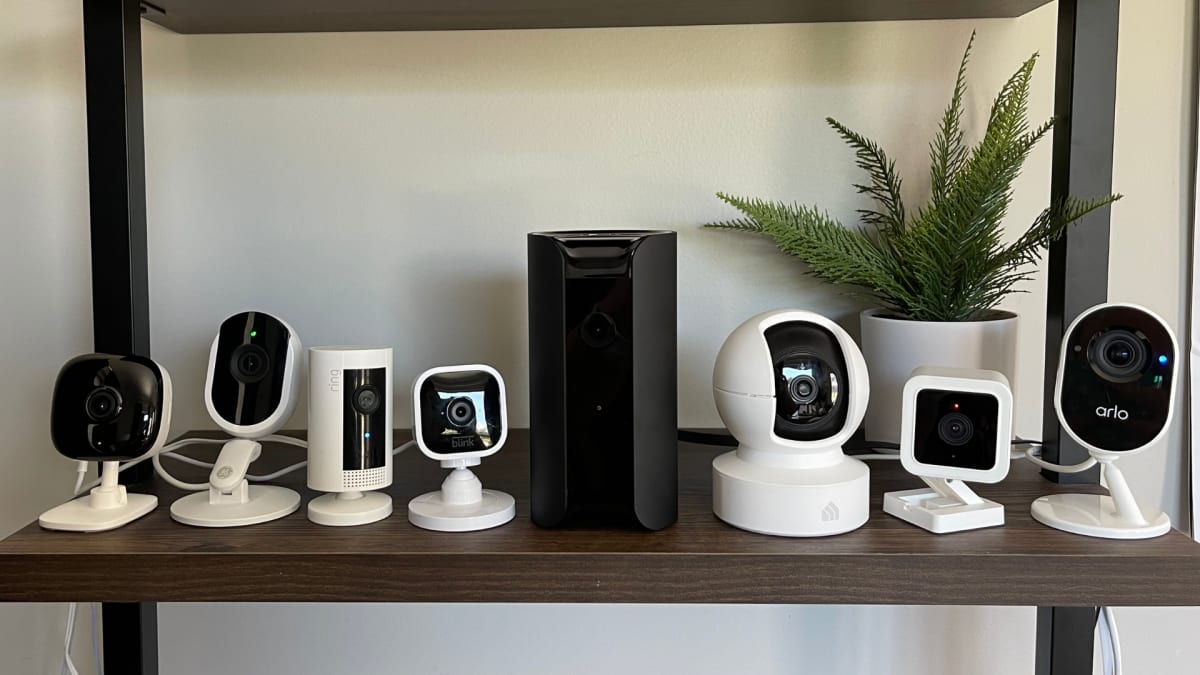
Most people shop for indoor cameras for home the wrong way. They start by filtering by price, scrolling through reviews, and hoping something “just works.” That approach usually leads to disappointment.
The better way is simple: start with your actual situation, not the spec sheet.
If you understand how you’ll use your indoor security camera, the right choice becomes much easier.
Match the Camera to Your Real Use Case
Your situation determines everything when choosing indoor cameras for home :
Pets at home alone
Look for AI person and pet detection to reduce constant false alerts. Two-way audio is also useful for correcting behavior or calming anxious pets while you’re away.
Kids or elderly family members
Prioritize real-time viewing, low-latency two-way audio, and instant alerts. You don’t just need recordings — you need immediate awareness when something happens.
Frequent travelers
Cloud access and a smooth mobile app matter more than ultra-high resolution. The key is reliable remote access to your indoor security cameras from anywhere, without delays or setup issues.
Smart home users
Focus on ecosystem compatibility. Whether it’s Google Home, Alexa, or Apple HomeKit, a unified system is far more useful than mixing multiple apps and devices.
The Specs That Actually Matter (and What They Mean for You)
Once your use case is clear, filter indoor cameras for home using these core specs:
Resolution (1080p vs 2K vs 4K)
1080p is enough for most rooms and basic face recognition. Move to 2K or 4K if you need to capture fine detail in larger spaces or want to zoom into footage without losing clarity.
Field of view (FOV)
Around 120° covers most standard rooms. Go 130° or higher if you want full corner-to-corner visibility without repositioning the camera.
Night vision
Standard IR works well in complete darkness. Wide Dynamic Range (WDR) performs better in mixed lighting environments — for example, when sunlight enters through windows during the day.
Pan / Tilt
Useful for open living rooms or shared spaces. Instead of installing multiple indoor cameras for the home, a pan/tilt model can cover blind spots by adjusting the view remotely.
Wired vs Wireless vs Battery (What Most People Get Wrong)
Type | Best For | Trade-off |
|---|---|---|
Wired | Maximum reliability | Harder installation |
Wireless (plug-in) | Most indoor cameras for home setups | Needs a nearby outlet |
Battery-powered | Renters or flexible placement | Requires recharging |
The truth is simple: for most households, plug-in wireless indoor cameras for home offer the best balance of reliability and flexibility.
You get full features without worrying about battery life, and you can still move the camera when needed.
Final Takeaway
Don’t overthink installation or specs first. Start with your situation, then match the camera.
That’s the difference between buying indoor cameras for home that “look good on paper” and choosing one that actually works in daily life.
Indoor Cameras for Home by Use Case: Find the Best Fit for Your Needs
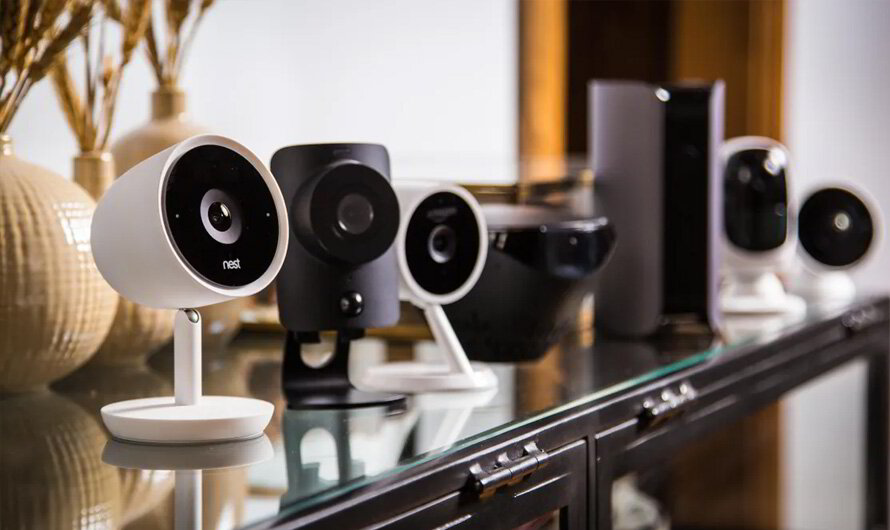
Choosing indoor cameras for the home isn’t about finding the most powerful model — it’s about matching the camera to the specific space and purpose. A hallway camera and a nursery camera serve completely different roles, and treating them the same usually leads to poor performance.
Below is a simple breakdown based on real-world use cases.
Entry Points & Hallways
Entry points are the most critical coverage areas for indoor security cameras. This is where you detect movement first — before it becomes a real problem.
Wide-angle coverage is the priority here. Look for a field of view between 100° and 120° to ensure full door-to-wall visibility without blind spots.
Motion detection should trigger early, not after someone is already inside the space. That’s where reliable indoor cameras for home, like Ring (starting at $49.99), perform well, offering fast alerts and simple installation with minimal setup.
Best fit: fast alerts + wide coverage + simple installation
Avoid: narrow FOV or delayed motion detection
Child & Elderly Monitoring
For children or elderly family members, indoor cameras for home become a safety and communication tool — not just a recording device.
Real-time video is essential. So is low-latency two-way audio that works instantly when needed. In urgent situations, delays or app lag can make the system ineffective.
Features like one-touch call or instant voice response make a noticeable difference in real use. Enhanced IR night vision and AI person detection also help reduce missed events and false alerts.
Best fit: real-time viewing + instant communication
Avoid: motion-only recording systems with delays
Pet Monitoring
Pet monitoring is one of the most common reasons people install indoor cameras for home, but also one of the most misunderstood.
Without AI-based detection, you’ll quickly get overwhelmed by false alerts triggered by movement, shadows, or furniture.
Cameras like the Eufy Indoor Cam E220 handle this better by combining person, pet, and sound detection. Pan-tilt tracking is especially useful in active environments, allowing the camera to follow movement instead of missing key moments.
Two-way audio adds another layer of control — letting you calm or redirect pets in real time.
Best fit: AI detection + motion tracking + two-way audio
Avoid: basic motion-only cameras with frequent false alerts
General Room Coverage
For living rooms, open spaces, or shared areas, indoor cameras for home need to prioritize coverage over anything else.
2K or 4K resolution becomes more important here because you may need to zoom into footage without losing detail. Combined with pan-tilt functionality, this reduces or even eliminates blind spots.
Models like the Eufy E30 work well as a “main room anchor,” especially in setups where a single camera is expected to cover a large area.
Best fit: wide coverage + high resolution + pan/tilt tracking
Avoid:
fixed-angle cameras in large open rooms
Best Indoor Cameras for Home in 2026 (Top Picks by Category)
Six months of lab testing, user feedback, and real-world installations all point to one thing: the best indoor cameras for home in 2026 are not the ones with the most features — they’re the ones that fit a specific need without unnecessary complexity.
Below are the top picks for different types of indoor security cameras for home use.
Best Indoor Cameras for Home Smart Integration: Aqara 2K Indoor E1
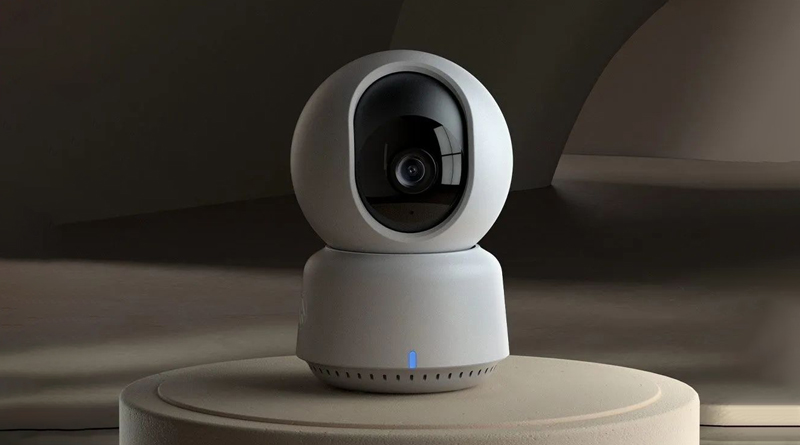
If your home already runs on Apple HomeKit or a mixed smart ecosystem, the Aqara E1 is one of the most balanced indoor cameras for home automation setups.
It focuses on privacy-first smart control while still supporting multiple platforms.
Why it stands out for indoor home monitoring:
2K resolution with HomeKit Secure Video (encrypted local processing)
Wi-Fi 6 for more stable indoor connectivity
AI pan-tilt tracking reduces blind spots in rooms
Works with Apple, Alexa, and IFTTT ecosystems
Best for: Smart homes that prioritize privacy + automation over cloud dependency
Best Indoor Cameras for Home Without Subscription: Reolink CX820
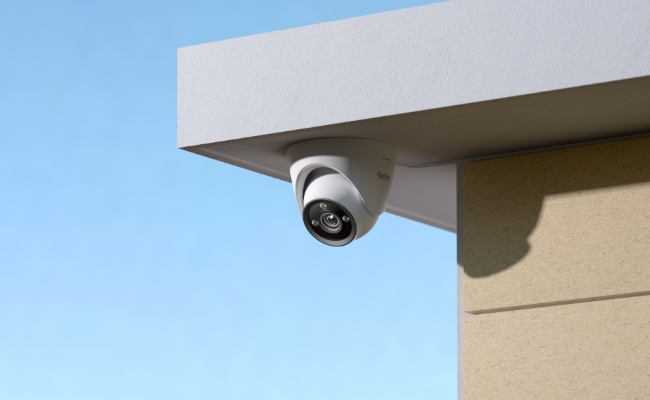
For users searching for indoor cameras for home with no monthly fee, the Reolink CX820 is one of the strongest options in 2026.
It removes the biggest pain point in the industry: subscription lock-in.
Key advantages:
4K resolution for detailed indoor monitoring
Local storage (no cloud required)
No subscription for core features
Full functionality out of the box
Best for: Users who want long-term cost control and local data ownership
Best Pan-Tilt Indoor Cameras for Home: Wyze Cam Pan V4
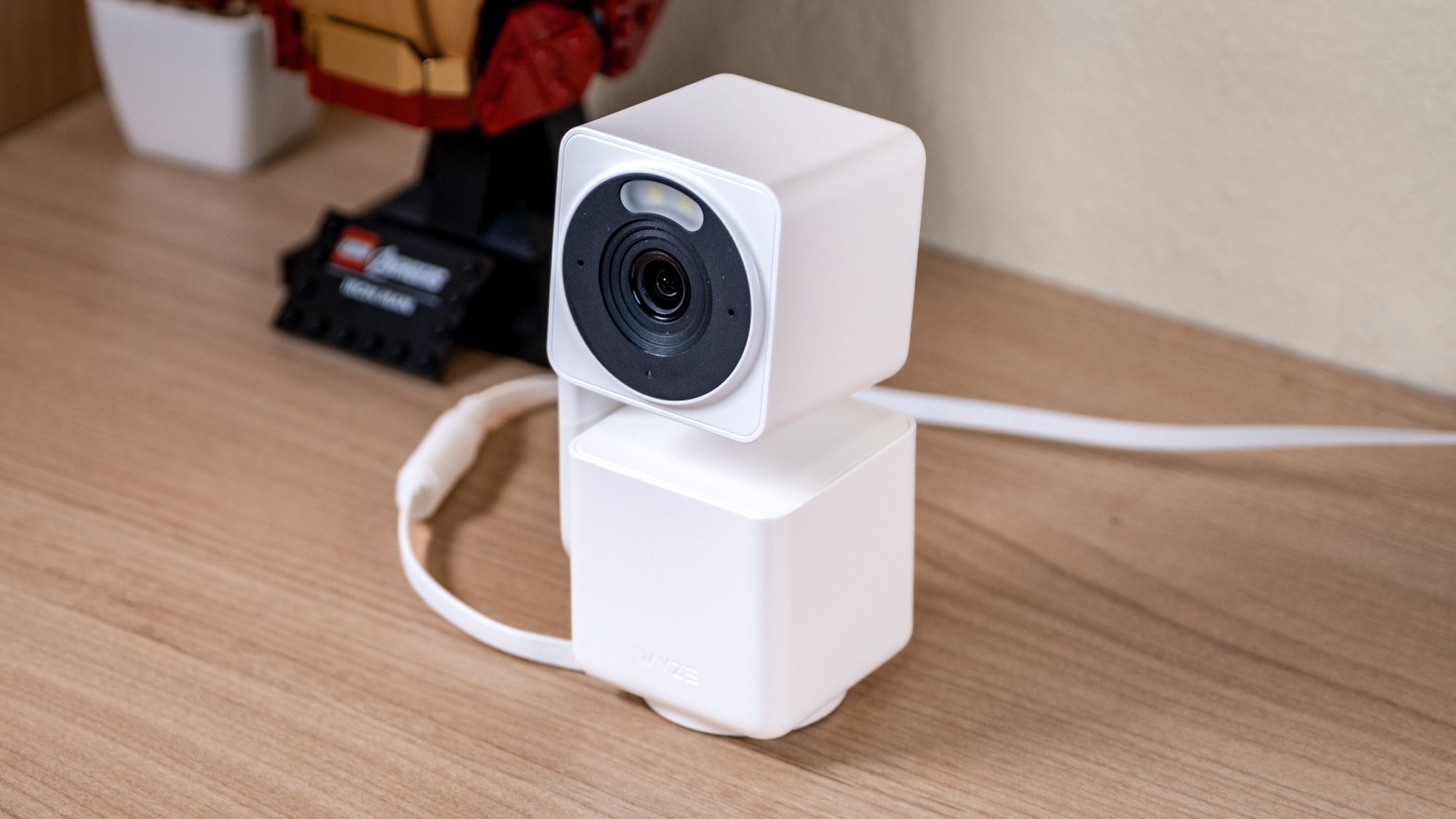
For flexible room coverage, Wyze Cam Pan V4 is one of the most affordable indoor cameras for home with motion tracking.
It is designed for general household monitoring rather than premium security systems.
Why users choose it:
Pan-tilt rotation covers large indoor spaces
Fast and simple installation process
Affordable entry point for beginners
Optional subscription for extended features
Best for: Budget users who need wide room coverage
Best Indoor Cameras for Home Security in Large Spaces: CS100D 4K Dome Camera

For large homes, garages, or high-traffic indoor environments, the CS100D delivers industrial-level coverage.
It is not a typical consumer indoor camera — it is built for high-security indoor surveillance.
Core strengths:
4K resolution with a wide-angle 2.8mm lens
60ft night vision for low-light environments
Wired connection for maximum stability
Vandal-resistant housing for durability
Best for: Large indoor spaces requiring continuous security monitoring
Quick Comparison: Best Indoor Cameras for Home (2026)
Model | Best For | Resolution | Pan-Tilt | Storage | Subscription |
|---|---|---|---|---|---|
Aqara E1 | Smart home + privacy | 2K | ✓ | Local / HomeKit | No |
Reolink CX820 | No subscription users | 4K | ✗ | Local | No |
Wyze Pan V4 | Budget + flexible coverage | HD | ✓ | Cloud (optional) | Optional |
CS100D Dome | Large indoor security spaces | 4K (8MP) | ✗ | Wired / external | No |
How to Choose Indoor Cameras for Home Without Overpaying
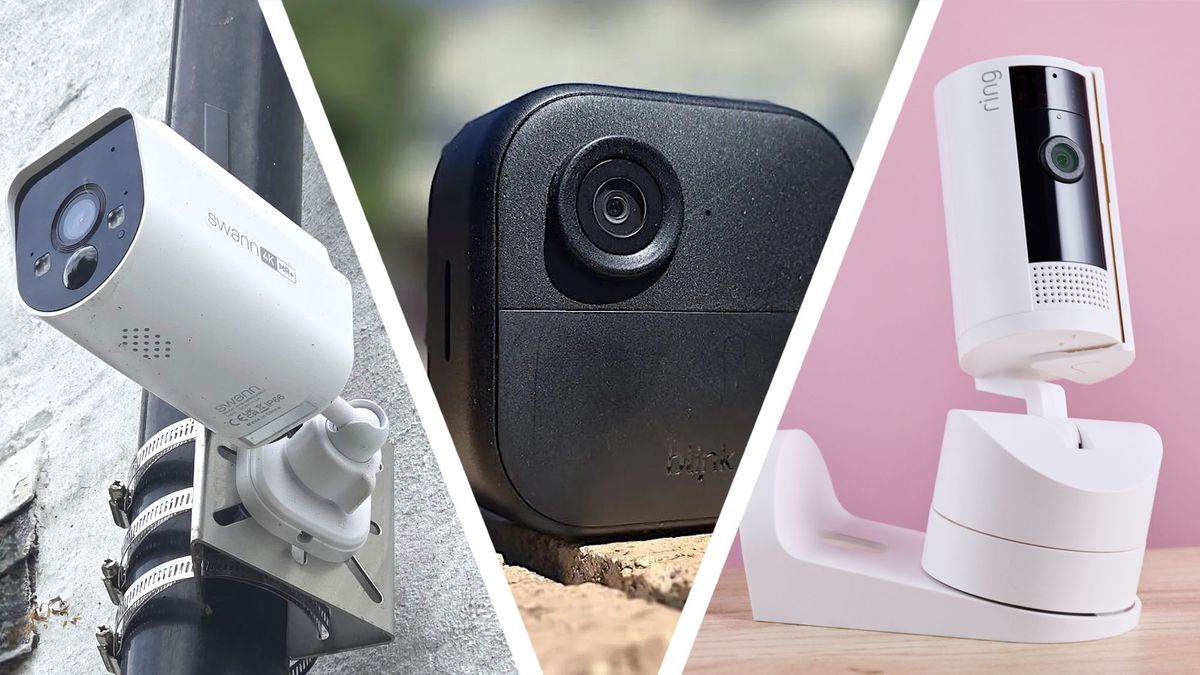
Choosing the right indoor cameras for home isn’t just about the upfront price — it’s about the total cost over time. A cheap camera can easily become the most expensive option if it locks key features behind subscriptions.
The real cost of indoor security cameras for home is not the device itself — it’s the subscription model behind it.
Know the True Cost of Indoor Cameras for Home
Entry-level pricing can be misleading.
Blink Mini: $34.99
Ring Indoor Cam: $59.99
Reolink Argus 2: $94.99
On paper, these look affordable. In reality, cloud storage often changes the equation completely.
Typical subscription costs:
Ring: $5–$10/month ($50–$100/year per location)
Blink: $3/month ($36/year flat)
Wyze: $0 required (local storage supported)
This is where most users overspend without realizing it.
If you want to lower long-term cost, indoor cameras for home with local storage (like Wyze or Reolink) remove recurring fees entirely.
Don’t Overpay for Specs You Don’t Need
Most indoor cameras for home use only require a small set of core features:
1080p resolution (enough for face recognition in most rooms)
Night vision for low-light coverage
Two-way audio for communication
Motion detection with basic AI filtering
Everything beyond that — 2K/4K resolution, wide dynamic range, advanced tracking — is situational, not essential.
For most homes, 1080p indoor security cameras already provide sufficient clarity.
When Upgrading Actually Makes Sense
Higher-end indoor cameras for home become useful only when:
You need to monitor large open spaces → 2K or 4K matters
You need detailed zooming (faces/packages) → higher resolution helps
You need full-room coverage → wider FOV or pan-tilt is required
Otherwise, upgrading usually increases cost without improving real-world results.
One Free Optimization That Saves Money Immediately
Before buying additional indoor cameras for home, improve placement first.
Position cameras:
Near entry points (doors, hallways)
At low to mid height (8–10 ft range)
Facing movement paths, not empty walls
Good placement often removes the need for a second camera entirely — and costs nothing.
Privacy & Security Concerns with Indoor Cameras for Home (What You Must Know)

When choosing indoor cameras for home, privacy is often the most overlooked factor — until something goes wrong. Unlike traditional devices, indoor cameras continuously collect visual and behavioral data inside private spaces, which raises both security and data usage concerns.
Understanding these risks helps you make a more informed decision before installation.
What Data Indoor Cameras for Home Actually Collect
Most indoor camera apps collect multiple types of user data beyond just video footage.
On average, indoor security camera apps may collect around 9 data points, including:
Email and account information
Phone number and device identifiers
Usage behavior and viewing history
Audio data in some configurations
Some brands also use this data for analytics or advertising purposes. In most cases, users have limited visibility into how this data is stored or shared.
This is why privacy policies matter as much as hardware specs when choosing indoor cameras for home.
Key Security Risks You Should Be Aware Of
While indoor cameras for the home improve visibility and safety, they also introduce new risks if not properly configured.
1. Unauthorized Access (Hacking Risk)
Weak passwords, outdated firmware, or unsecured networks can expose live video feeds. In some cases, attackers have gained access to unencrypted streams through vulnerable devices.
2. Cloud Data and Platform Access
Some camera ecosystems store footage in the cloud, where access is controlled by the service provider. In certain cases, law enforcement requests or internal policies may allow access to footage through official channels.
3. Insider Access Risks
There have been documented cases where employees accessed stored footage without user consent, highlighting the importance of choosing trusted brands with strict access controls.
How to Secure Your Indoor Cameras for Home
You don’t need to avoid indoor cameras — but you do need to configure them correctly.
Here are practical steps to reduce risk:
Use cameras only in public indoor areas (entryways, living rooms)
Avoid placing indoor cameras for home in bedrooms or bathrooms
Enable two-factor authentication (2FA)
Keep firmware updated regularly
Disable unnecessary audio sharing or third-party integrations
Use strong, unique passwords for each device
Review privacy settings after updates
These steps significantly reduce the most common privacy risks without limiting functionality.
The Right Way to Think About Privacy
A useful mindset when using indoor cameras for home is this:
Assume recorded footage is sensitive — and design your setup accordingly.
Good security doesn’t come from avoiding cameras altogether, but from placing and configuring them intentionally.
Common Mistakes With Indoor Cameras for Home
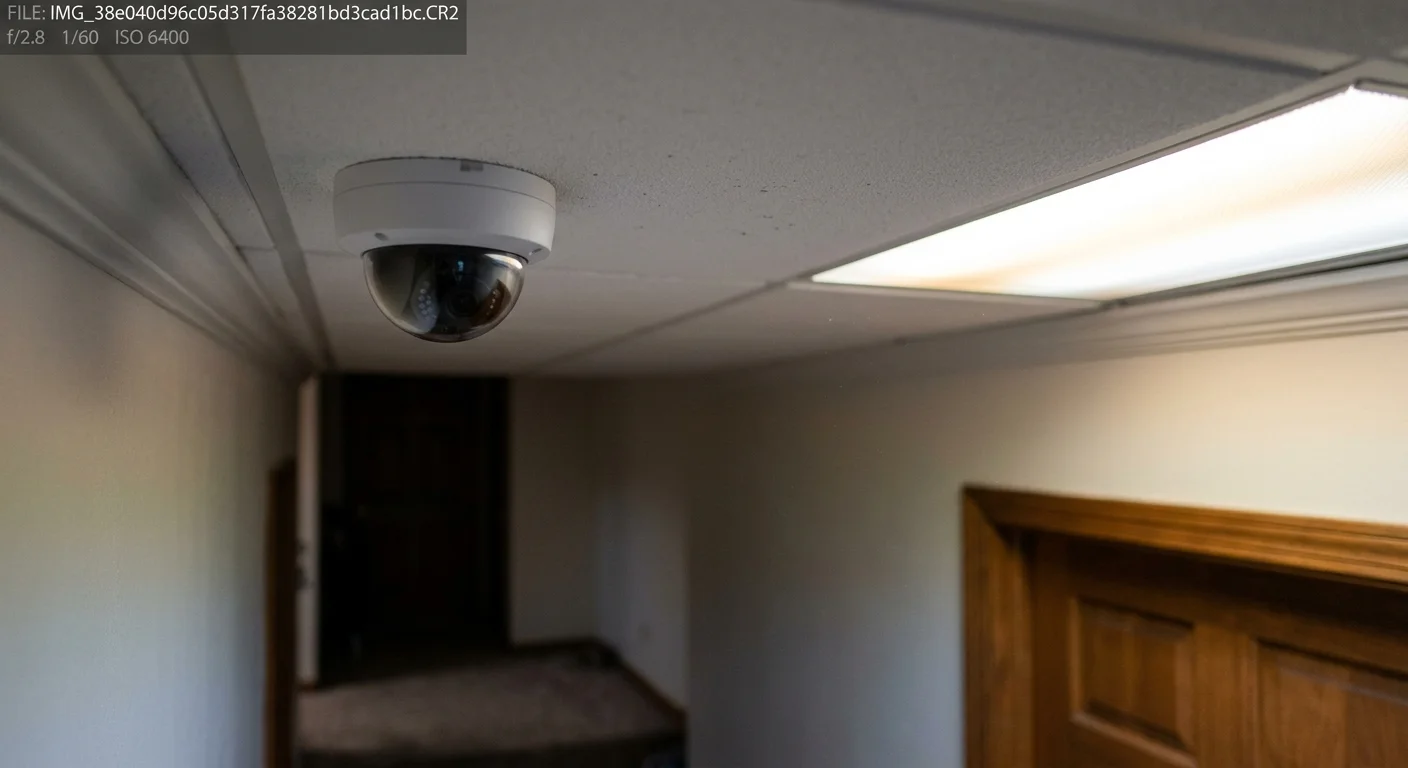
Even the best indoor cameras for home can perform poorly if they are installed incorrectly. Most issues don’t come from the device itself — they come from placement and setup mistakes made during installation.
Avoiding these errors can significantly improve video quality, detection accuracy, and overall reliability.
1. Mounting Indoor Cameras for Home Too High
One of the most common mistakes is placing indoor cameras for the home too close to the ceiling.
Faces become harder to identify
Motion detection accuracy decreases
Important details are lost in wide overhead angles
Ideal placement: around 8–10 feet for balanced coverage and clarity.
2. Pointing Indoor Cameras for Home at the Wrong Areas
Many users aim cameras at visually “open” areas instead of functional zones.
Avoid pointing at:
Blank walls
Ceilings
Decorative or low-activity areas
Instead, indoor cameras for home should focus on:
Entry points (front and back doors)
Hallways and movement paths
Ground-level windows
Proper targeting improves both alert accuracy and recording value.
3. Placing Indoor Cameras for Home Behind Windows
Installing indoor cameras for the home inside windows facing outward causes serious night vision issues.
Common problems include:
IR reflection bouncing back into the lens
Glass glare from indoor lighting
Reduced clarity in nighttime footage
If window placement is necessary, disable IR lights and ensure the lens is flush against the glass.
4. Skipping the Testing Phase
Many installation issues come from not testing before final mounting.
Always test indoor cameras for home before permanent setup:
Check live view during the day and night
Verify IR night vision performance
Test motion detection zones
Identify glare or reflection issues early
This step prevents most hidden performance problems.
5. Relying Too Much on Wi-Fi Stability
Wireless indoor cameras for home depend heavily on network quality.
Weak Wi-Fi can lead to:
Delayed alerts
Choppy video playback
Missed motion events
For high-reliability setups, consider wired or strong mesh Wi-Fi coverage.
The Key Takeaway
Most performance issues with indoor cameras for the home are not product failures — they are installation failures.
Correct placement matters more than upgrading to a more expensive camera.
How Much Should You Spend on Indoor Cameras for Home?
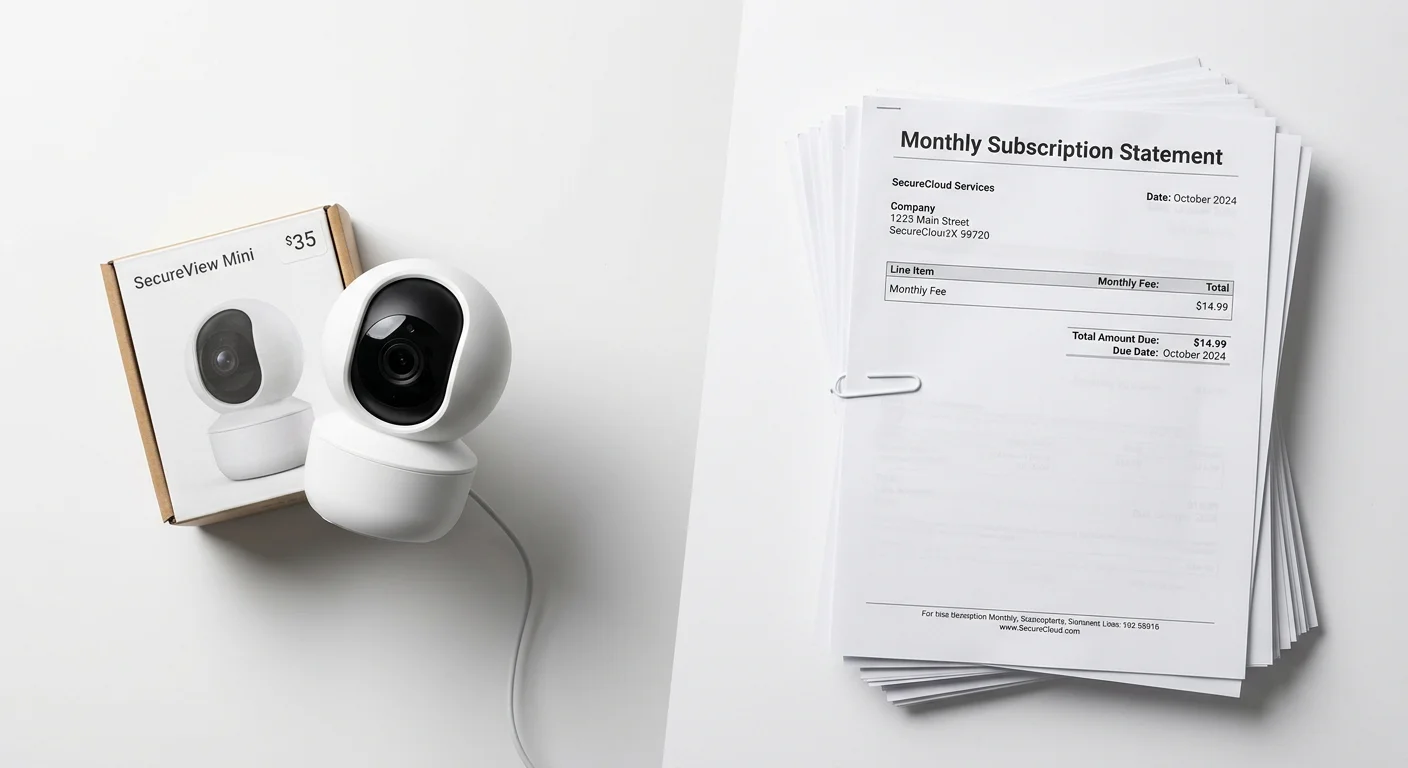
When choosing indoor cameras for home, pricing is not just about the device — it’s about the total cost of ownership over time. A cheap camera can quickly become expensive once subscriptions and storage fees are added.
The real question isn’t “how much does it cost?” — it’s “what level do you actually need?”
Indoor Cameras for Home Price Ranges (2026 Breakdown)
$20–$100: Entry-Level Indoor Cameras for Home
This is the most common starting point for basic indoor monitoring.
Wyze Cam v3: $23.99
YI Indoor Camera: $24.99
You typically get:
1080p video quality
Motion detection alerts
Basic app access
Best for renters, small rooms, or first-time users of indoor cameras for the home.
$100–$200: Mainstream Indoor Cameras for Home
This is the sweet spot for most households using indoor cameras for home security.
SimpliSafe Wireless Indoor: ~$149.99
Key upgrades include:
2K resolution for clearer detail
Improved night vision
Better smart home integration
Most users end up in this range because it balances performance and cost.
$200–$400+: Premium Indoor Cameras for Home
This tier is for users who want advanced indoor security cameras for home with long-term reliability.
Vivint Indoor Pro: ~$199.99
Arlo high-end models: higher-end pricing
You typically get:
AI-powered detection
On-device or encrypted storage
Best for large homes, security-focused users, or advanced smart home setups.
The Real Cost of Indoor Cameras for Home
Hardware cost is only part of the equation.
In practice, the first-year cost of indoor cameras for the home (device + storage) often ranges:
$200–$800 per camera setup
Up to $1,500+ with professional monitoring systems
This is where most users underestimate their total spend.
Subscription Costs You Need to Factor In
Recurring fees are where indoor cameras for the home become expensive over time.
Brand | Plan | Monthly Cost |
|---|---|---|
Wyze | Cam Plus | $2.99 |
Ring | Basic Plan | $4.99 |
Standard | $10.00 | |
Arlo | Secure Premium | $24.99 |
Over time, subscriptions often cost more than the camera itself.
How to Choose the Right Budget for Indoor Cameras for Home
Instead of focusing only on price, match your budget to your actual use case:
$20–$100 → Renters, small rooms, basic monitoring
$100–$150 → Most homeowners use indoor cameras for home security
$200–$400 → Privacy-focused or smart home-heavy setups
The best choice is not the cheapest or the most expensive — it’s the one that avoids unnecessary subscriptions while meeting your needs.
Don’t forget the installation cost
Most indoor cameras for the home are DIY-friendly:
DIY installation: $0
Professional installation (2 cameras): $100–$200
For most users, a DIY setup is enough and saves a high cost.
Indoor Cameras for Home Brand Comparison (Which Ecosystem Fits You?)
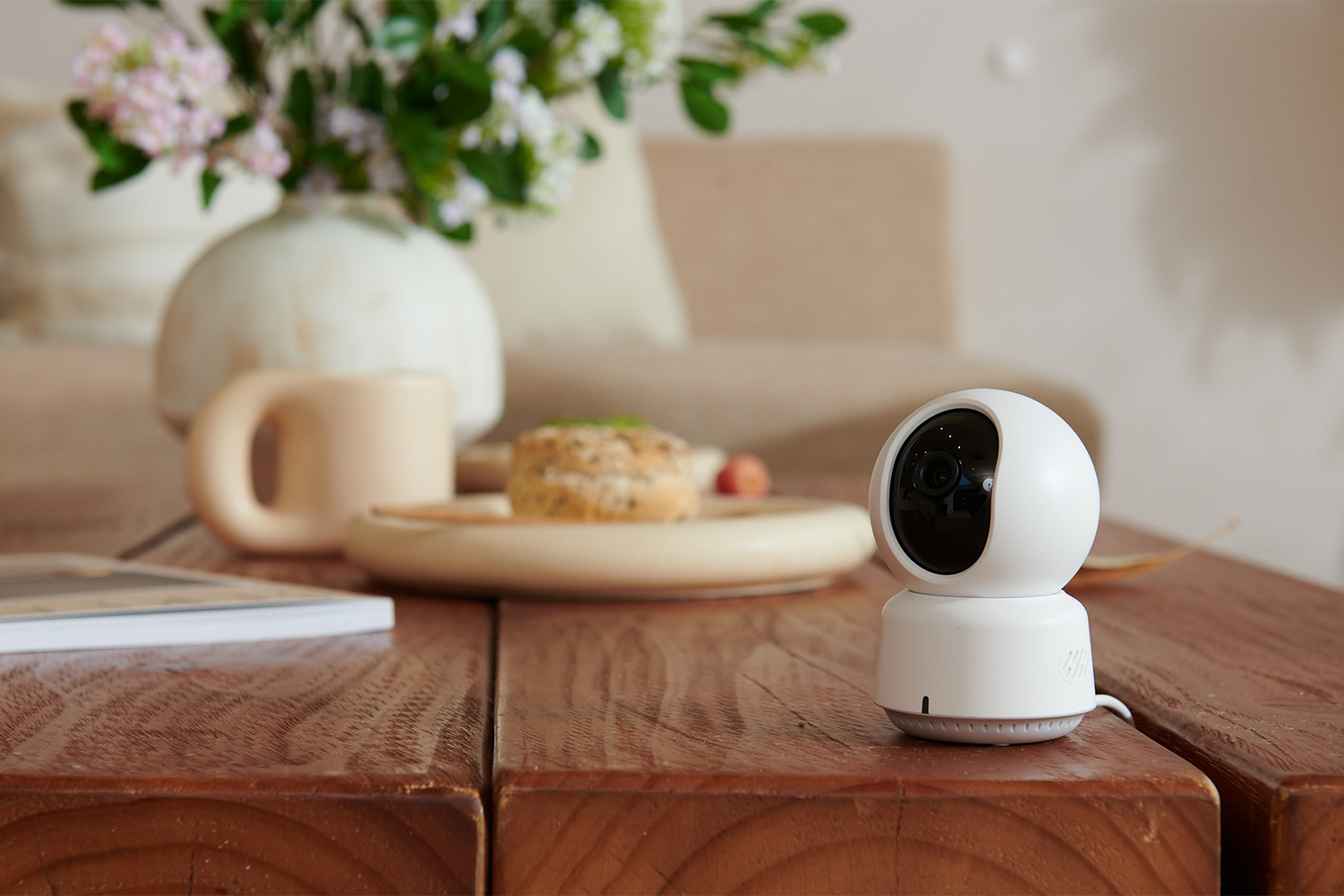
Choosing between different indoor cameras for home often comes down to one thing: your smart home ecosystem. Once you pick a platform, your options narrow quickly — and that’s actually a good thing. It removes guesswork and prevents buying something that doesn’t integrate properly.
Instead of starting with specs, start with compatibility.
Match Your Camera to Your Ecosystem
Google Home Users → Nest (Best for Smart Automation)
Google Nest ($99.99) is the most natural fit for Google Home setups. It connects directly to Google Assistant and works smoothly across smart devices in your home.
Vivint Indoor Pro goes one step further by combining Google Assistant support with full smart hub integration — controlling lights, locks, and sensors from a single system.
Best for: users who want a fully connected smart home experience with their indoor cameras for the home.
Apple HomeKit Users → Eufy C120 (Best Privacy + Value)
The Eufy Indoor Cam C120 ($34.99) stands out in the Apple ecosystem. It supports HomeKit Secure Video, offers 2K resolution, and stores footage locally without forcing a subscription.
This makes it one of the most privacy-focused indoor cameras for home at its price point.
Best for: Apple users who care about privacy and avoiding monthly fees.
Amazon Alexa Users → Ring & Blink (Best Plug-and-Play Setup)
Ring ($49.99) and Blink ($29.99) are fully integrated into the Alexa ecosystem. Setup is simple, and voice control works out of the box.
No extra configuration. No compatibility issues.
Best for: users who want simple, voice-controlled indoor cameras for the home.
No Ecosystem / Mixed Devices → Wyze & Blink (Best Flexibility)
If you don’t rely on a smart home hub, Wyze ($29.98) and Blink are flexible standalone options.
They work independently and still deliver solid core features without locking you into a platform.
Best for: renters, beginners, or mixed-device households using indoor cameras for home without ecosystem dependency.
For Full Security Systems (Beyond Single Cameras)
SimpliSafe and ADT operate more like full security ecosystems than standalone indoor cameras for the home. They include professional monitoring, alarms, and long-term security infrastructure.
SimpliSafe ranks high in 2026 SecureScore ratings (9.3/10), while ADT remains one of the most established providers in the industry.
Best for: users who want full-home security rather than just indoor monitoring.
Final Insight
The most important decision when choosing indoor cameras for home isn’t resolution or field of view — it’s ecosystem compatibility.
Once that’s locked in, everything else becomes significantly easier to compare.
FAQ: Indoor Cameras for Home (Real Questions Answered)

These are the most common questions people ask before buying indoor cameras for home — and they matter more than most spec sheets. Here are clear, no-fluff answers.
Do indoor cameras record 24/7?
Yes, many indoor cameras for home support continuous recording, but it depends on the model and setup.
Most entry-level cameras default to motion-triggered recording to save storage and bandwidth. However, wired systems and premium models can record 24/7 even if Wi-Fi temporarily drops.
For example, higher-end systems like Vivint can store up to 10 days of continuous footage depending on your plan.
Key takeaway: continuous recording usually requires wired power + more storage space.
Can I set up indoor cameras for my home myself?
In most cases, yes.
Plug-in and battery-powered indoor cameras for the home are designed for DIY setup — usually just connect to an app and follow a few steps. No technical experience is needed.
However, things change if you’re building a full smart home security system. In that case, professional installation ensures all devices (cameras, alarms, sensors) work together properly without connectivity issues.
Simple setups = DIY
Full systems = professional install recommended
Will I get alerts on my phone?
Yes. Almost all modern indoor cameras for the home send real-time notifications to your phone.
Typical alerts include:
Motion detection
Person recognition
Package or entry events
Most apps also attach a short video clip so you can instantly see what triggered the alert.
This is one of the biggest advantages over traditional security systems.
How far back can I review footage?
This depends entirely on your storage plan — and it’s one of the most overlooked parts of buying indoor cameras for home.
Free plans: often only short event clips
Standard cloud plans: a few days of history
Premium plans: up to ~10 days or more (depending on brand)
Always check storage duration before buying — it directly affects how useful your camera actually is after an event.
Do I need Wi-Fi for indoor cameras for home?
In almost all cases, yes.
Most indoor cameras for home rely on Wi-Fi for live streaming, alerts, and cloud storage access.
The only exception is wired NVR systems, which store footage locally. However, these are more common in commercial or advanced home security setups rather than typical household use.
Simple rule: no Wi-Fi = limited smart features.
Final Verdict: Which Indoor Cameras for Home Should You Choose?
The truth is simple — the best indoor cameras for home are never about having the most features, but about fitting your specific situation. Start with your use case, then match the camera to your ecosystem, budget, and privacy expectations.
For most homes, the Google Nest Cam Indoor (3rd Gen) at around $100 is the most balanced choice, offering 2K resolution, HDR color, and smooth Google Home integration. If you’re in the Alexa ecosystem, the Ring Indoor Cam is a natural fit with wide coverage, person detection, and easy setup. For budget-conscious users, the TP-Link Tapo C260 delivers true 2K clarity and core features without forcing a subscription. And if you need maximum coverage, the Reolink E1 Zoom with 360° pan and 4K detail gives you near-complete room visibility with a single device.
At the end of the day, the right indoor camera for your home isn’t the most advanced one — it’s the one that matches how you actually live. Whether you’re monitoring pets, children, or general home security, the decision comes down to use case, budget, and trust in the ecosystem behind the camera.
Start simple, choose based on your real needs, and avoid overthinking specs. A camera that’s properly installed and actively used will always outperform a “perfect” one still sitting in the box.