Your WiFi goes down. Your camera goes dark. And whatever just happened in your driveway? Gone for good.
That’s when many homeowners start questioning whether a cloud-connected system was ever the right choice. A home camera without WiFi removes that weak point entirely — no internet dependency, no monthly fees, and no footage locked behind a subscription.
But choosing the right security camera without WiFi isn’t as simple as it sounds. Offline systems come with real tradeoffs. Pick the wrong setup, and you may end up with coverage gaps you won’t notice until it’s too late.
In this guide, you’ll learn how a camera without internet actually works, which types perform best in real-world conditions, how much they cost upfront vs long-term, and which options are worth considering in 2026.
Can a Home Camera Work Without WiFi? (Quick Answer)

Yes — a home camera without WiFi can still record, store, and even stream footage without an internet connection.
Instead of relying on WiFi, these security cameras without internet use three main methods:
Local SD card storage — footage is saved directly to the camera
NVR/DVR systems — cameras connect via Ethernet or LAN, with footage viewed on a local monitor
4G/5G LTE cellular — a SIM card enables remote viewing and alerts without a router
The tradeoff is straightforward. You gain more privacy and reliability since the system doesn’t depend on your network. However, you lose standard cloud-based features like remote access and app alerts — unless you choose a cellular-enabled camera.
Should You Choose a Home Camera Without WiFi? (Decision Guide)
Choosing the right home camera without WiFi comes down to two simple questions:
Do you need to view footage remotely? And are you willing to pay a monthly fee?
Your answers will point you to the right type of security camera without WiFi.
Here’s how to decide:
Want remote access?
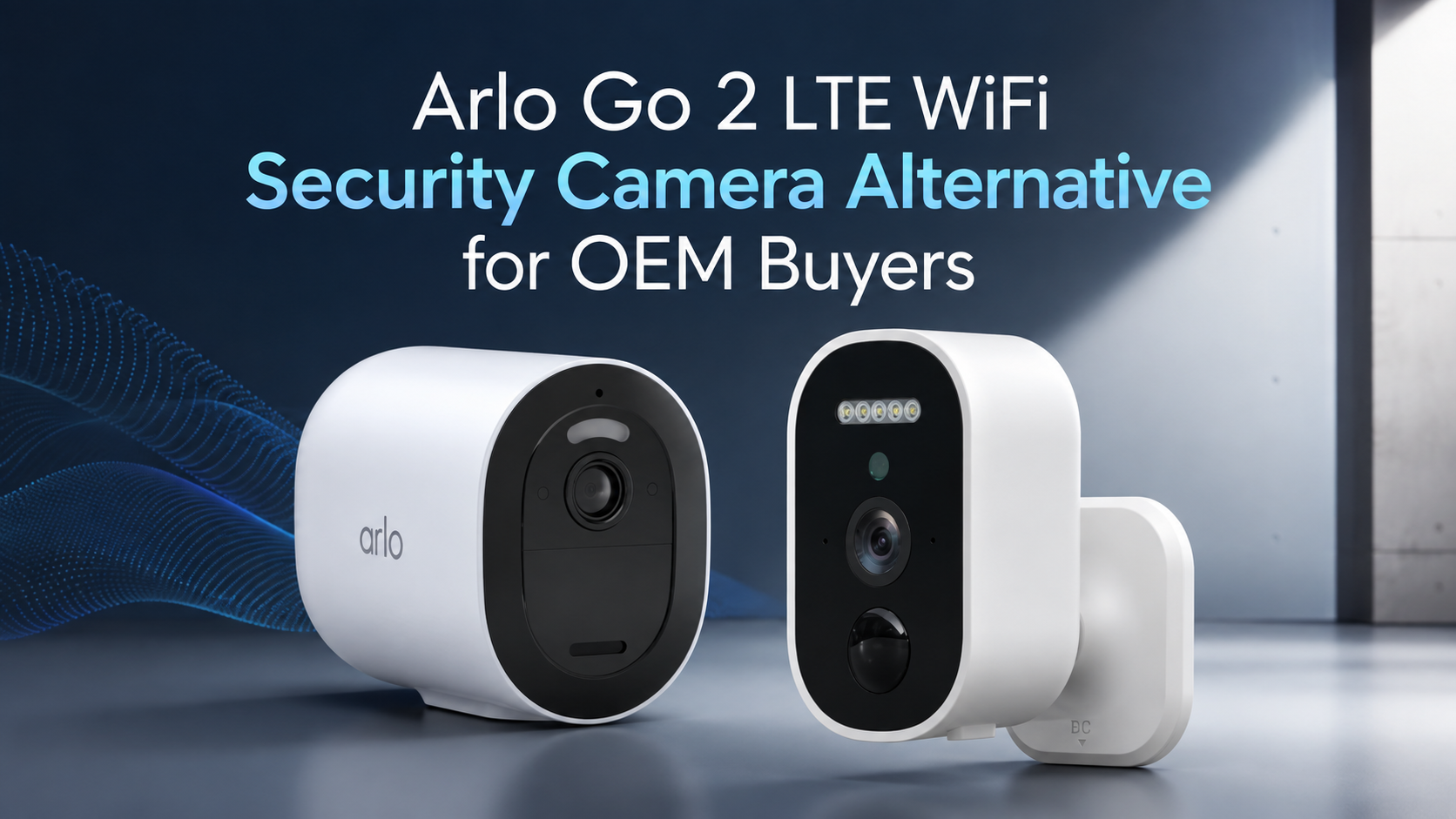
Go with a cellular option. Cameras like the eufy 4G LTE Cam S330, Arlo Go, or Reolink Go Plus use a SIM card to stream footage and send alerts — similar to a WiFi camera, but without needing an internet connection. Expect to pay around $5–$15/month for a data plan.
Don’t need remote access?
Local storage is the better choice. A camera without internet using an SD card (up to 128GB) or a DVR/NVR system with a 1TB+ hard drive can store weeks of footage on-site. There are no monthly fees, and your data stays fully local.
Concerned about installation?
Cellular + solar (e.g., Reolink Go Plus): Mount it, insert a SIM card, and it’s ready in minutes
Wired DVR/NVR systems: Require running coaxial or Ethernet cables to a central recorder. Setup takes more effort, but offers the most stable and reliable performance
Quick Decision Table
Your Priority | Best Fit |
|---|---|
Remote viewing | 4G LTE cellular |
No monthly fees | Local SD / DVR |
Maximum reliability | Wired coax / PoE |
Off-grid flexibility | Solar + 4G |
Choose the setup that matches your situation. The rest comes down to specific features and budget.
Types of Home Camera Without WiFi Explained
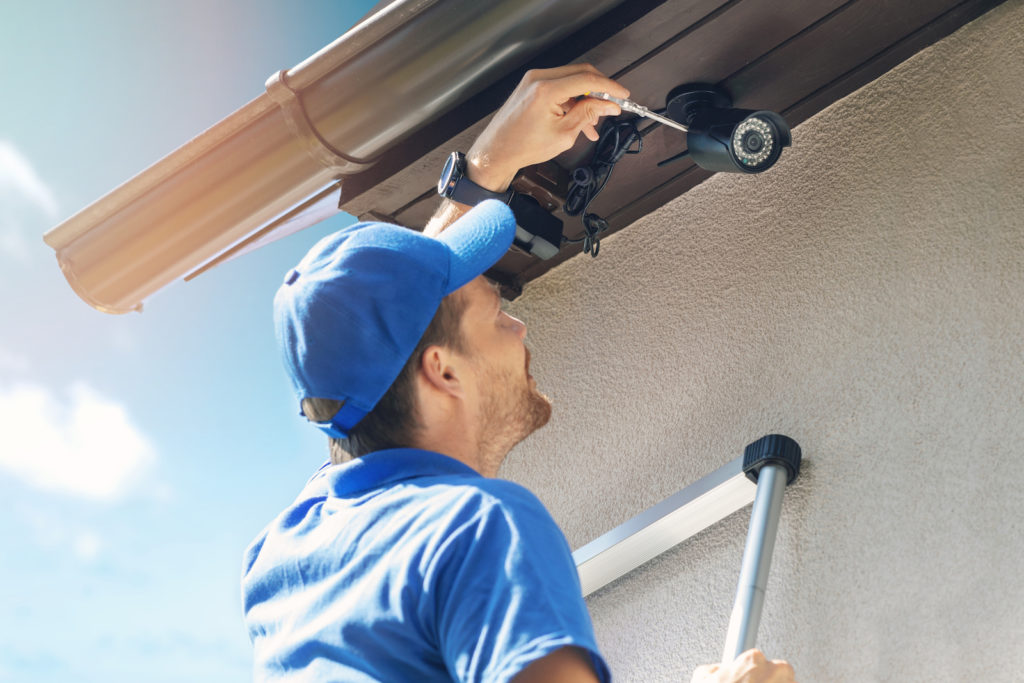
Not all home cameras without WiFi work the same way — and the differences matter more than most buyers expect.
There are three main types of security cameras without WiFi, each solving the “no internet” problem in a different way. Choose the wrong one, and you may end up with a system that doesn’t fit your needs.
Local SD Card Cameras
These cameras without internet record directly to an onboard microSD card — no network, no cloud storage, and no external server involved. Most support 128GB to 512GB cards, typically storing 7 to 30 days of footage before overwriting.
Battery performance is a strong point. Many models run for several months on a single charge, and solar-powered options can extend operation for long periods with minimal maintenance. A typical 4-camera setup costs around $200–$600 and can be installed in under an hour.
Tradeoff: no remote access or real-time alerts. To review footage, you’ll need to remove the SD card or access the device locally.
PoE / NVR Wired Systems
PoE (Power over Ethernet) systems use a single Ethernet cable (CAT5 or CAT6) to deliver both power and data — up to 100 meters per run. Cameras connect to an NVR (Network Video Recorder) with storage ranging from 2TB to 16TB.
These systems are built for continuous recording. A 4–8 camera setup can store 30 to 90 days of footage, depending on configuration.
No batteries. Minimal signal interference. Consistent 24/7 operation.
Some systems offer 4K video and strong night vision performance, making them ideal for detailed surveillance. However, installation requires running cables and setting up a central recorder. Expect to spend $400–$1,500 for a 4-camera system, with setup taking 1–4 hours.
4G LTE Cellular Cameras
These home security cameras without WiFi use a SIM card instead of a router, allowing them to operate entirely without internet or local networks.
They connect through major carriers like Verizon, AT&T, or T-Mobile, typically delivering speeds sufficient for live streaming and motion alerts.
Battery-powered models can run for months, and solar options support long-term off-grid use. Most units cost $150–$400 per camera, plus a monthly data plan ranging from $5–$25.
Key advantage: remote access without WiFi.
Tradeoff: ongoing data costs.
Important Note
Many cameras labeled as “wireless” still require WiFi. True, no WiFi security cameras rely on either local storage (SD/NVR) or cellular networks. Always check the specifications before buying.
Side-by-Side Comparison
Type | Storage | Battery | Remote Access | 4-Camera Cost | Setup Time |
|---|---|---|---|---|---|
Local SD | 128–512GB (7–30 days) | 3–12 months | ✗ | $200–$600 | 10–30 min |
PoE / NVR | 2–16TB (30–90 days) | Continuous (wired) | Local only | $400–$1,500 | 1–4 hours |
4G LTE | 64–256GB + optional cloud | 1–6 months/solar | ✓ (app access) | $500–$1,200 + plan | 15–45 min |
The best home camera without WiFi ultimately comes down to one decision:
Do you need remote access, or just reliable local recording? Your answer determines the right system.
How a Home Security Camera Without WiFi Works
Think of it like a traditional camcorder. It records footage locally, and you play it back directly — no cloud, no remote server, no internet required.
A home camera without WiFi works in much the same way. Video is stored either on a microSD card (typically up to 256GB) or on a DVR/NVR hard drive (up to 16TB). The system operates independently, without relying on an internet connection.
Recording Modes
These security cameras without WiFi typically use two recording modes to manage storage:
Motion detection — a PIR sensor triggers recording when movement is detected (usually within 20–40 ft), capturing short clips of 10–60 seconds. This can significantly reduce storage usage compared to continuous recording.
Continuous recording (loop mode) — records 24/7 and automatically overwrites older footage. At 1080p, this typically uses around 1–2GB per hour.
How to View Footage
With a camera without internet, footage is accessed locally using one of these methods:
Remove the SD card and view files on a computer
Connect a monitor to your NVR via HDMI
Access the system through a local network (LAN) using the camera’s IP address — no internet required
Because everything runs locally, these systems continue recording even if your internet connection goes down. However, features such as remote access, cloud backup, and push notifications are unavailable without a network connection.
The tradeoff is clear: you lose remote convenience, but gain consistent local recording and greater control over your data.
What happens if the WiFi or the Internet Goes Down on These Cameras
The answer depends on the type of home camera without WiFi you’re using.
Local Storage Cameras (SD / NVR / PoE)
Most security cameras without WiFi — including SD card, PoE, and NVR systems — continue recording even if your internet connection goes down. Footage is stored locally on the device or hard drive, as long as power remains available.
What you lose during an outage:
Remote live viewing
Push notifications
Cloud backups
Time synchronization (in some cases)
Cloud-Dependent Cameras
Cameras that rely entirely on cloud storage typically stop recording if the internet connection is lost. Without a local storage option, no footage is saved during the outage.
4G LTE Cellular Cameras
A camera without internet that uses a cellular connection can continue operating as long as it has signal coverage. These models send alerts and enable remote access via a mobile network rather than WiFi.
When Power and Internet Both Go Down
If both power and the internet fail, all cameras are affected. However, battery-powered models can continue recording for a limited time — typically a few hours, depending on usage. Wired systems will stop unless connected to backup power.
Using a UPS (uninterruptible power supply) can keep your NVR, router, and PoE switch running temporarily, extending recording time during outages.
Quick Protection Checklist
Make sure your SD card or NVR is set as the primary storage
Add a UPS to your recorder and a PoE switch for backup power
Enable time-sync or backup features if supported
Consider a cellular backup option if remote access is critical
Do Home Camera Without WiFi Work During Power Outages?

A home camera without WiFi can operate without internet — but it still requires power. That’s the key limitation many people overlook.
When power goes out, wired systems like PoE and DVR/ NVR cameras will stop recording immediately unless connected to a backup power source. Battery-powered security cameras without WiFi can continue recording for a limited time, typically a few hours, depending on usage and battery capacity.
How to Extend Recording During a Power Outage
There are three main ways to keep your system running:
UPS (uninterruptible power supply) — provides temporary backup power for your NVR, PoE switch, or router, usually lasting from 30 minutes to several hours
Battery-powered cameras
— continue operating independently for short-term coverage
Generator — supports long-term operation for wired systems during extended outages
Practical Setup Recommendation
For better reliability, connect your NVR system to a UPS and consider adding at least one battery-powered or cellular-enabled camera without internet as a backup. This setup helps maintain local recording while preserving limited remote access during outages.
How Long Can a Home Camera Without WiFi Record Footage?
For a home camera without WiFi, recording time depends mainly on storage capacity and recording mode.
Typical Recording Duration
A 256GB SD card can store about 2–3 days of continuous footage
Switching to motion detection can extend that to roughly 7–14 days
A 2TB NVR system (with multiple cameras) typically stores 10–14 days of continuous recording
With motion-based recording, the same system can retain footage for several weeks or longer
Larger systems (e.g., 16TB NVR) can significantly extend storage duration, depending on usage
Storage vs Recording Mode
Storage | Continuous Recording | Motion-Only Recording |
|---|---|---|
256GB SD | 2–3 days | 7–14 days |
2TB NVR | 10–14 days | Several weeks+ |
16TB NVR | Weeks | Extended / long-term |
Recording mode often has a bigger impact than storage size. Motion detection reduces unnecessary footage, allowing a camera without internet to store video for much longer periods.
Important Limitation
For any security camera without WiFi, local storage is essential. If a camera relies only on cloud storage and has no SD card or NVR support, it will not record during an internet outage. This can result in gaps in footage until the connection is restored.
True Cost of a Home Camera Without WiFi (No Subscription Breakdown)

Here’s the part most companies don’t highlight: the real cost of a security system is often not the hardware — it’s the subscription.
For example, a $100 camera paired with a $25/month cloud plan already costs around $400 in the first year alone. Over time, those recurring fees become the biggest expense.
A home camera without WiFi changes that model. Footage is stored locally on an SD card or NVR system, so you pay once for the hardware, and there are no required monthly fees to keep recording or accessing your video.
What Entry-Level Systems Look Like
Budget indoor cameras like Zmodo start around $40 with local recording and no required subscription
Wyze cameras stay under $100 and offer features like motion detection and activity zones without monthly fees
Entry-level DIY systems, such as SimpliSafe, provide hardware packages with no mandatory ongoing cost for basic use
What Subscription-Based Systems Add in Cost
Once monitoring or cloud storage is included, the total cost increases quickly:
SimpliSafe with professional monitoring can exceed $500 in the first year
ADT-style systems typically reach similar first-year costs when equipment and monitoring fees are combined
Over time, these recurring payments often exceed the cost of the hardware itself.
What Local Storage Systems Provide Without Fees
A security camera without WiFi using local storage can still offer core functionality such as:
Mobile alerts (on supported models)
Live viewing on local networks or apps
Motion detection features
Continuous or event-based recording
Important Tradeoff
Subscription services do offer real advantages, especially professional monitoring and emergency response integration. However, they are optional rather than required for basic home surveillance.
Local storage systems remove recurring costs entirely by relying on SD cards or NVR hard drives, giving you full control of your footage without ongoing payments.
Best Home Camera Without WiFi (By Use Case in 2026)

There is no single best home camera without WiFi — the right choice depends on what you actually need to protect. Below are the most practical options based on real-world use cases.
Best for Whole-Home Coverage: ADT + Google Nest Cams
ADT combines a professional security system with Google Nest cameras to cover doors, windows, and exterior areas under one ecosystem.
This setup is designed for full-property protection and can scale from a single entry point to a complete home system. Local recording options are available depending on configuration, and it is primarily used for users who want a managed, all-in-one security solution.
Best for Video Quality: Lorex
Lorex is a strong option for users who prioritize image clarity above all else. With high-resolution recording and consistent frame quality, it’s suitable for capturing important details like faces, license plates, and movement patterns.
This makes it a practical choice when footage quality matters more than smart features or ecosystem integration.
Best Budget Smart Detection: Wyze
Wyze offers affordable security cameras without WiFi dependency on cloud subscriptions for core features, with models like the Cam v4 (2.5K) providing motion detection, activity zones, and local recording support.
It’s one of the most cost-effective options for users who want smart features without ongoing fees.
Lowest Upfront Cost: Zmodo
Zmodo is one of the most affordable entry points into a camera without an internet setup. Starting at under $40, it supports continuous local recording without requiring a subscription.
It’s best suited for basic indoor monitoring or users who want a minimal-cost setup.
Best for Outdoor / Flexible Placement: Arlo
Arlo cameras are designed for outdoor flexibility, offering features like color night vision, built-in lighting, and optional cellular connectivity for locations without stable WiFi.
They are commonly used in garages, detached buildings, and remote outdoor areas.
Best for Privacy-First Users: eufyCam S330
The eufyCam S330 focuses on local storage and on-device processing. Footage is stored locally rather than in the cloud, making it a strong option for users who want more control over their data.
It also includes advanced motion detection to reduce unnecessary alerts from non-human movement.
Best for Off-Grid / Remote Locations: Reolink + SEHMUA 4G LTE
For locations without internet access, 4G LTE security cameras without WiFi are the most practical solution.
Reolink and SEHMUA models use SIM cards and solar power to operate in remote environments such as farms, construction sites, or rural properties where traditional networks are unavailable.
Quick Comparison
Use Case | Best Pick | Starting Price |
|---|---|---|
Whole-home system | ADT + Nest Cams | Varies |
Best image quality | Lorex | $100+ |
Budget smart detection | Wyze Cam v4 | Under $100 |
Lowest upfront cost | Zmodo | $39.99 |
Outdoor flexibility | Arlo | $50+ |
Maximum privacy | eufyCam S330 | $150+ |
Off-grid / remote | Reolink / SEHMUA 4G | $150+ |
Final Guidance
The best home camera without WiFi depends on your environment, not just the brand. Start by identifying whether you need local storage, remote access, or off-grid capability — then choose the system that matches that requirement.
Pros and Cons of Using a Home Camera Without WiFi

No security system is perfect. A home camera without WiFi solves some important problems, but it also introduces new limitations depending on how it’s set up.
Key Advantages
No cloud exposure — Footage is stored locally on an SD card or NVR system, reducing reliance on external servers and minimizing remote access risks
No subscription fees — Pay once for the hardware with no required monthly costs for basic recording and playback
Reliable during outages — Continues recording even if the internet goes down, as long as power is available
Works in off-grid locations — Solar and battery-powered models can operate in rural areas, construction sites, and cabins with minimal infrastructure
No bandwidth usage — Unlike cloud-based systems, a security camera without WiFi dependency does not consume home internet bandwidth
Key Limitations
No remote access (in most setups) — Local SD or NVR systems require physical access or a local network connection to view footage
Limited alerts — Without internet connectivity, push notifications are not available unless using a cellular-enabled system
Physical storage risk — If an NVR or SD card is stolen, the recorded footage is also lost unless backed up elsewhere
Cellular ongoing costs — 4G LTE cameras require data plans, which can add recurring monthly expenses depending on usage
Hardware size and setup — NVR systems require dedicated space and proper ventilation, making them less compact than cloud-based alternatives
Final Takeaway
A camera without internet gives you stronger local control, privacy, and reliability during outages — but at the cost of convenience and remote accessibility.
The right choice depends on whether you value independence from cloud systems more than real-time remote monitoring.
Are Home Camera Without WiFi Better for Privacy?
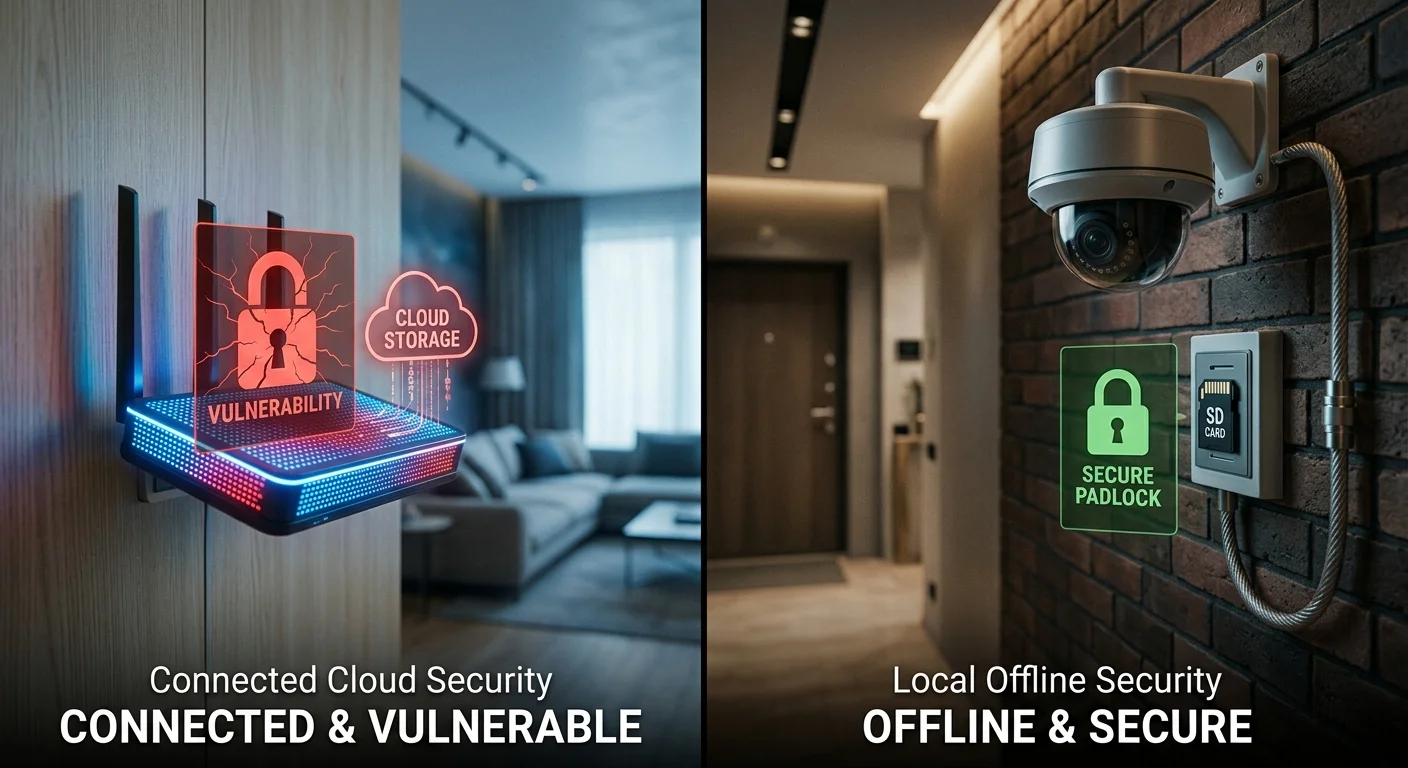
Privacy is not only about who can see your footage — but it’s also about where that footage is stored and how it is transmitted.
With a cloud-connected system, video is uploaded over the internet to external servers managed by a third-party provider. In contrast, a home camera without WiFi keeps all footage stored locally on an SD card or NVR hard drive. This means no cloud upload, no external transmission, and a significantly smaller remote attack surface.
Privacy Comparison
Feature | WiFi / Cloud Cameras | Non-WiFi Cameras (Local Storage) |
|---|---|---|
Access method | Internet-based apps | Local access only |
Data storage | Cloud servers | SD card / NVR (user-controlled) |
Exposure risk | Higher due to online access | Lower due to offline storage |
Attack surface | Remote (internet-based) | Primarily, physical access only |
Key Privacy Consideration
One important limitation of security cameras without WiFi is physical security. If an intruder gains access to the recording device (such as an NVR or SD card), they may be able to remove or destroy the footage.
Because of this, local systems rely heavily on physical placement and protection strategies.
Best Practices for Maximum Privacy
Use local storage systems such as SD cards, DVRs, or NVRs instead of cloud storage
Access footage via local network or direct HDMI connection when possible
Place recording devices in hidden or tamper-resistant locations
Combine with battery or solar power for reduced infrastructure dependency
Final Takeaway
A camera without internet generally offers stronger privacy by keeping data local and reducing external exposure points. However, it shifts the risk from digital access to physical access.
In most cases, offline systems provide a higher level of control over personal footage — as long as physical security is properly managed.
Limitations of a Home Camera Without WiFi You Should Know
Offline systems solve real security problems, but a home camera without WiFi also comes with clear tradeoffs that are often underplayed in product marketing.
What You Give Up Immediately
No remote viewing — Footage stays stored locally. If you are away from home, you cannot access live or recorded video remotely in most setups
No push notifications — Motion may trigger recording, but without internet connectivity, your phone will not receive alerts
Limited smart detection — Advanced features like facial recognition, package detection, and behavior analysis typically rely on cloud AI. A security camera without WiFi depends mainly on onboard motion sensors instead
No automatic cloud backup — If the device is stolen or damaged, local footage may be lost without an external backup system
Hidden Cost Considerations
Using cellular-based systems does not eliminate recurring costs — it simply replaces cloud subscriptions with mobile data plans. For example, multiple 4G LTE cameras can add noticeable monthly expenses depending on usage and carrier pricing.
In many cases, the total long-term cost can approach that of cloud-based systems, especially for multi-camera setups.
Additional Practical Limitations
Reduced smart home integration — Offline systems typically do not support ecosystems like Alexa, Google Home, or HomeKit
Fewer product choices — The market for true cameras without internet systems is smaller, which limits model variety and feature options
Final Perspective
A home camera without WiFi is not inherently better or worse — it simply prioritizes local control over convenience. Understanding these limitations upfront helps ensure you choose a system that matches your expectations and use case.
Home Camera Without WiFi vs WiFi Cameras (Key Differences)
The difference between these two systems is more than just connectivity. When comparing a home camera without WiFi to a traditional WiFi camera, the real questions are: who controls your footage, what happens during outages, and how much you pay over time.
Side-by-Side Comparison
Feature | WiFi Cameras | Non-WiFi Cameras (Local Storage) |
|---|---|---|
Storage | Cloud storage ($3–$10/month) + optional SD card | Local SD / DVR / NVR — no required subscription |
Remote Access | Full app-based remote viewing | Local access or optional cellular (4G LTE) |
Reliability | Affected by WiFi strength, walls, and congestion | More stable with wired, battery, or solar setups |
Cost | Lower upfront cost + ongoing fees | Higher upfront cost, no mandatory monthly fees |
Key Differences in Real Use
WiFi cameras are designed for convenience. They offer features like instant push notifications, smart home integration, and easy remote access through mobile apps.
In contrast, a security camera without WiFi prioritizes local control and independence. It avoids cloud dependency, reduces external access points, and continues recording even during internet outages.
However, this comes at the cost of reduced convenience features such as seamless remote viewing and cloud-based smart alerts.
Important Technical Note
WiFi performance can degrade significantly depending on distance, walls, and interference, which may affect live streaming quality or reliability. Wired PoE systems, on the other hand, maintain consistent data transmission without signal loss under normal installation conditions.
Final Takeaway
Choosing between a WiFi system and a camera without internet ultimately depends on your priorities:
Choose WiFi cameras if you value convenience, remote access, and smart integrations
Choose non-WiFi cameras if you prioritize stability, privacy, and long-term cost control
Both systems are effective — they simply solve different problems.
Conclusion: Should You Choose a Home Camera Without WiFi?
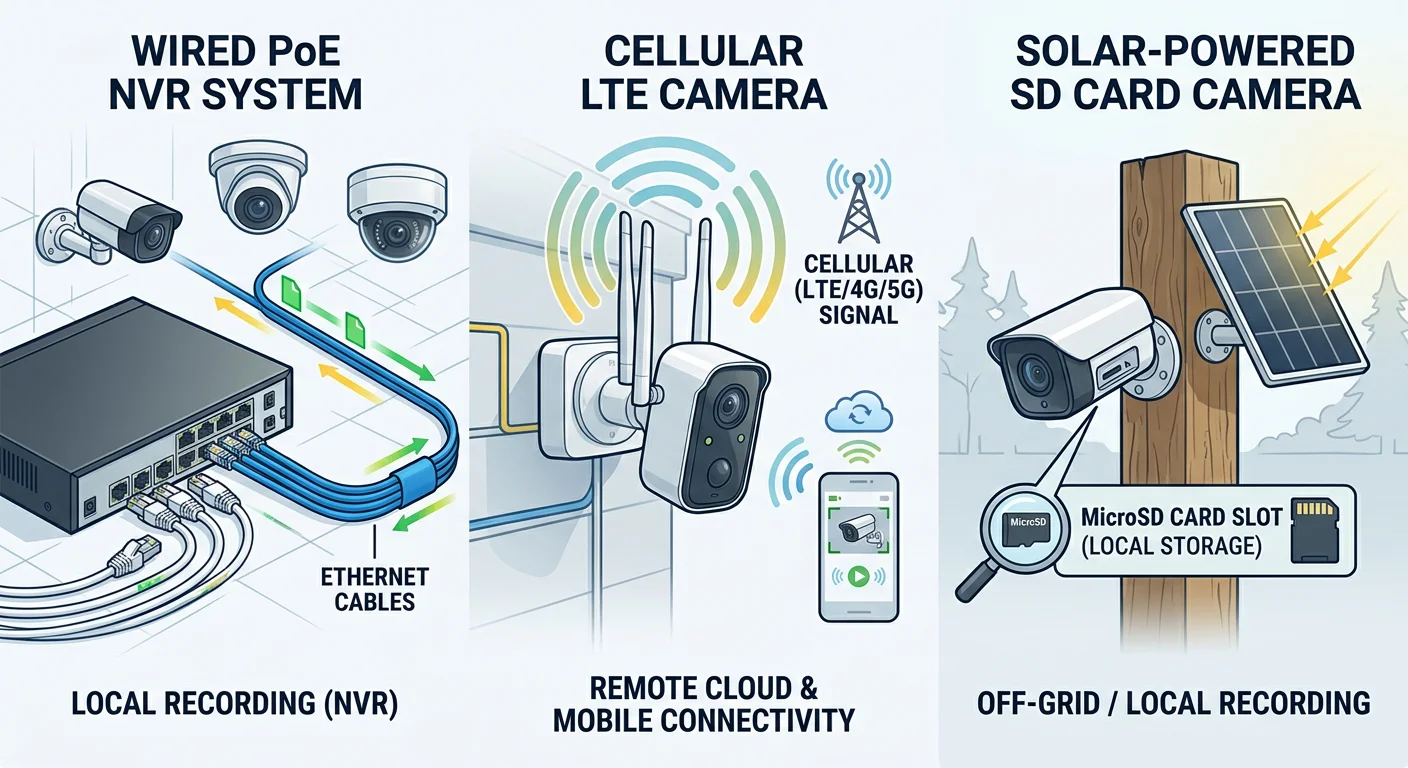
The decision ultimately comes down to your priorities. A home camera without WiFi offers stronger privacy, no required subscription fees, and reliable recording even during internet outages. With local SD or NVR storage, footage stays on-site, reducing exposure to cloud-based risks and eliminating recurring cloud storage costs.
However, the tradeoff is clear: you lose seamless remote access and real-time alerts in most setups unless you add a cellular option. For users who need both, a hybrid setup — such as PoE NVR combined with a 4G LTE camera — can provide a balance between local control and remote monitoring.
In simple terms, if you value privacy, stability, and long-term cost control, a security camera without WiFi is a strong choice. If remote viewing and smart alerts are more important, WiFi-based systems may fit better.
The best option depends on your use case:
PoE or DVR for continuous, reliable recording
SD card cameras for simple, wire-free setups
Cellular or solar systems for off-grid locations
Choose the system that matches how you actually plan to use it — not just how it looks on paper.