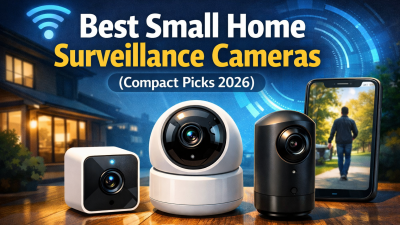
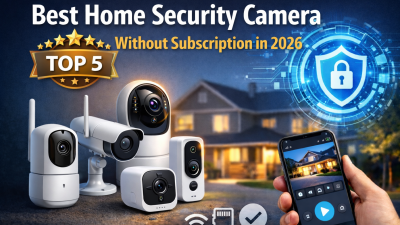
Finding the right security setup for a small apartment or starter home doesn’t mean bolting bulky hardware to every wall. Small home surveillance cameras have grown into some of the most capable devices on the market. Today’s compact models pack powerful night vision, motion detection, and two-way audio into a housing no bigger than a golf ball.
With dozens of compact options on shelves in 2026, the difference between a smart buy and a regrettable impulse purchase is bigger than ever. This guide cuts through that gap. You’ll get clear coverage of apartment-friendly placement, pet monitoring setups, wired versus wireless trade-offs, and the privacy pitfalls most buyers never think to ask about. By the end, you’ll know the camera your space needs.
Why Small Home Surveillance Cameras Are Ideal for Apartments and Small Homes in 2026
Renters make up the majority of compact camera buyers — and for good reason. Wirecutter and Consumer Reports data show that 60–70% of small home surveillance camera buyers live in apartments or smaller homes. Drilling a single hole could cost them their security deposit.
That one rule changes everything.
No-drill installation is the standout feature. Magnetic clips, adhesive strips, and simple shelf placement get you set up in five minutes. Move out later and leave zero trace behind. No landlord conversations needed. No wall damage.
The practical benefits add up fast:
Space-efficient — most units measure under 3 inches. They sit on a bookshelf or next to a plant without drawing attention
Wireless — Wi-Fi connectivity cuts the cable clutter that makes small rooms feel cramped
Affordable — full-featured models run $20–$50
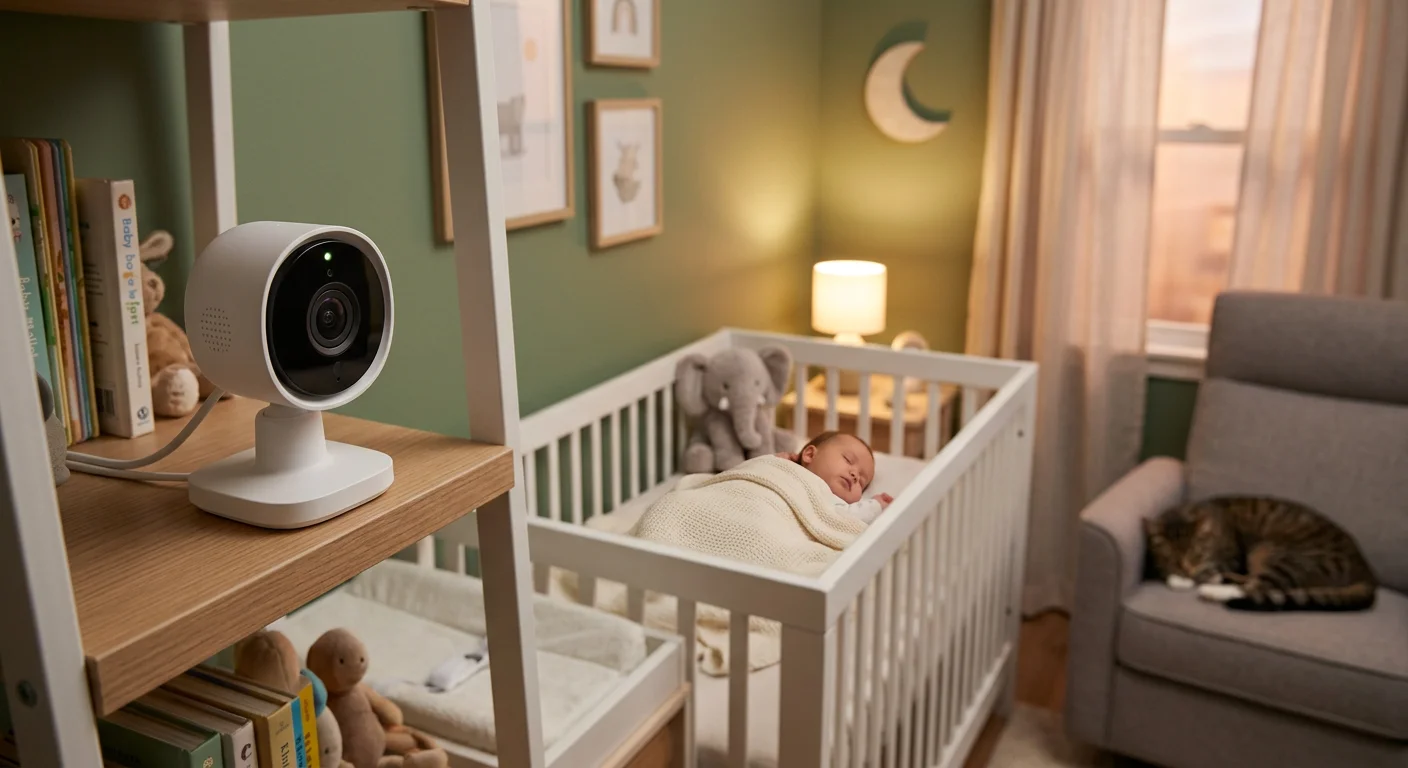
About 40–50% of buyers use these cameras to watch pets or babies during work hours. Compact size helps here too. You can place the camera closer to the action, keep it out of the way, and move it around as your daily routine shifts.
Small Home Surveillance Cameras vs Traditional Cameras: Key Differences Explained
The gap between compact and traditional security cameras used to mean a real trade-off. In 2026, that’s no longer true.
Size is the first dividing line. Small home surveillance cameras measure under 3 inches. They disappear on a shelf or tuck behind a plant. Traditional cameras run 4–12 inches. That bulk works outdoors — visible size can stop intruders. Inside a studio apartment, it just feels like too much.
Installation tells the same story:
Compact models: plug-and-play USB, five to ten minutes, zero drilling
Traditional systems: need professional wiring and a serious time commitment
Video quality used to favor traditional cameras. It no longer does. Modern compact models deliver 2K resolution (2560×1440), color night vision, and 120°+ fields of view. Traditional IR setups tend to blow out image detail in low light. Small cameras handle it better.
Storage and connectivity fill out the picture:
Compact cameras support microSD cards up to 512GB — no subscription required
Traditional systems use DVR/NVR drives with higher capacity, but more setup hassle
Plug-in small home surveillance cameras record to local storage even when Wi-Fi goes down
The one area where traditional cameras still lead is extensive outdoor coverage. For everything inside a small home, the compact option wins on almost every front.
How to Choose the Best Small Home Surveillance Cameras in 2026 – Complete Buying Guide
Six features separate a camera you’ll trust from one you’ll abandon after a week. Some features matter. Others are just marketing. Knowing the difference makes the choice much easier.
Resolution and night vision come first. Set 2K (2560×1440) as your baseline, not a bonus. Anything below that loses detail the moment you need to identify a face or read a package label. Pair that with color night vision or enhanced IR. Standard IR tends to wash out edges and flatten depth. Color holds detail better.
AI detection is the feature most buyers underestimate. Person, pet, and cry detection with customizable activity zones cuts false alerts by a large margin. You stop ignoring notifications. The system starts doing its job.
Storage deserves a close look before you buy. A microSD slot — supporting 128GB to 512GB — keeps footage local. It also removes subscription fees from the picture. For small home cameras used in apartments, that’s a real long-term saving.
Power source affects reliability more than most spec pages show:
Type | Best For | Watch Out For |
|---|---|---|
Plug-in Wi-Fi | 24/7 continuous recording, stable uptime | Needs a nearby outlet |
Battery wireless | Flexible placement, easy repositioning | Charging gaps, missed footage |
For indoor use, plug-in is the better call. Batteries create recording gaps. Those gaps tend to happen at the worst possible times.
Run this checklist before purchasing:
Renter? Go with plug-in models that use adhesive mounts and support two-factor authentication
Pet or baby monitoring? Look for AI cry and pet detection, plus two-way audio
Budget under $40? Local storage models cut out ongoing costs
Test your Wi-Fi signal at the exact placement spot before you commit
Skip any brand that offers cloud-only storage with no local option
The right small home surveillance camera fits your space, your routine, and your budget — with no surprise fees attached.
Our Hands-On Experience with Small Home Surveillance Cameras

Before recommending specific models, we tested how these small home surveillance cameras perform in a real apartment setup — standard Wi-Fi, mixed lighting, and daily movement from people and pets.
Here’s what actually matters once you start using them.
Setup and Ease of Use
Most small home surveillance cameras claim easy setup — a few actually deliver.
Tapo C120 and C110 were the fastest, going live in under 5 minutes
Eufy C120 was just as smooth, with an extra firmware step
Blink Mini 2K+ and Reolink E1 Pro took slightly longer due to extra setup steps
Wyze Cam v4 was simple, but the app showed occasional lag
Overall, these small home surveillance cameras are beginner-friendly across the board, with Tapo being the most seamless to use.
Video Quality and Night Performance
All small home surveillance cameras here meet the 2K standard, but clarity still differs in real use.
Tapo C120 delivered the sharpest and most consistent image
Eufy C120 offered a more natural color balance
Blink Mini 2K+ and Wyze Cam v4 were solid, but less detailed in low light
At night, the gap becomes clearer:
Tapo C120 and Blink Mini 2K+ provided usable color night vision
Other small home surveillance cameras relied more on infrared, with flatter results
Takeaway: 2K matters, but real-world clarity matters more when choosing small home surveillance cameras.
Motion Detection and Alerts
Good AI saves time. Weak AI gets ignored — especially with small home surveillance cameras used in busy indoor environments.
Tapo C120 and Eufy C120 delivered the most accurate alerts with fewer false triggers
Reolink E1 Pro tracked movement well, but could over-trigger
Blink Mini 2K+ required a subscription for full detection features
Reliable alerts make a bigger difference than extra features in most small home surveillance cameras.
App Experience and Stability
The app defines daily usability for small home surveillance cameras.
Tapo and Eufy apps were the most stable and responsive
Reolink worked well, but took time to get used to
Wyze had occasional bugs
Blink felt limited without a subscription
Wi-Fi stability was solid overall, though weaker signals affected some small home surveillance cameras in corner placements.
What Matters After Daily Use
After a few days of using these small home surveillance cameras, patterns became clear:
Local storage makes cameras easier to use long-term
Plug-in models are far more reliable than battery-powered small home surveillance cameras
Smaller cameras get repositioned more often — which is actually a benefit
Final Take
On paper, many small home surveillance cameras look similar. In practice, a few stand out.
Tapo C120 feels the most complete overall
Eufy C120 is the best for privacy-focused users
Reolink E1 Pro is ideal for full-room coverage
For small apartments, small home surveillance cameras aren’t a compromise anymore — they’re the better choice.
Best Small Home Surveillance Cameras of 2026: Our Top Compact Picks
Six cameras made the cut. Each one cleared the same bar: true compact size under four inches, a minimum of 2K resolution, local microSD storage with no forced subscription, and a setup process that works for renters. Here’s what stands out once you look past the spec sheets.
TP-Link Tapo C120 — Best Overall

This is the one most people should buy. The Tapo C120 shoots 2K (2560×1440) video with color night vision. You get full AI detection for persons, pets, cries, and glass breaks. Local microSD storage goes up to 512GB. Best part — zero ongoing cost. Setup takes five minutes. The footprint is two to three inches. For apartment dwellers who want sharp footage and no monthly bill, nothing in this price range comes close.
Watch out for: It needs a power outlet. No battery option.
TP-Link Tapo C110 — Best Budget Pick
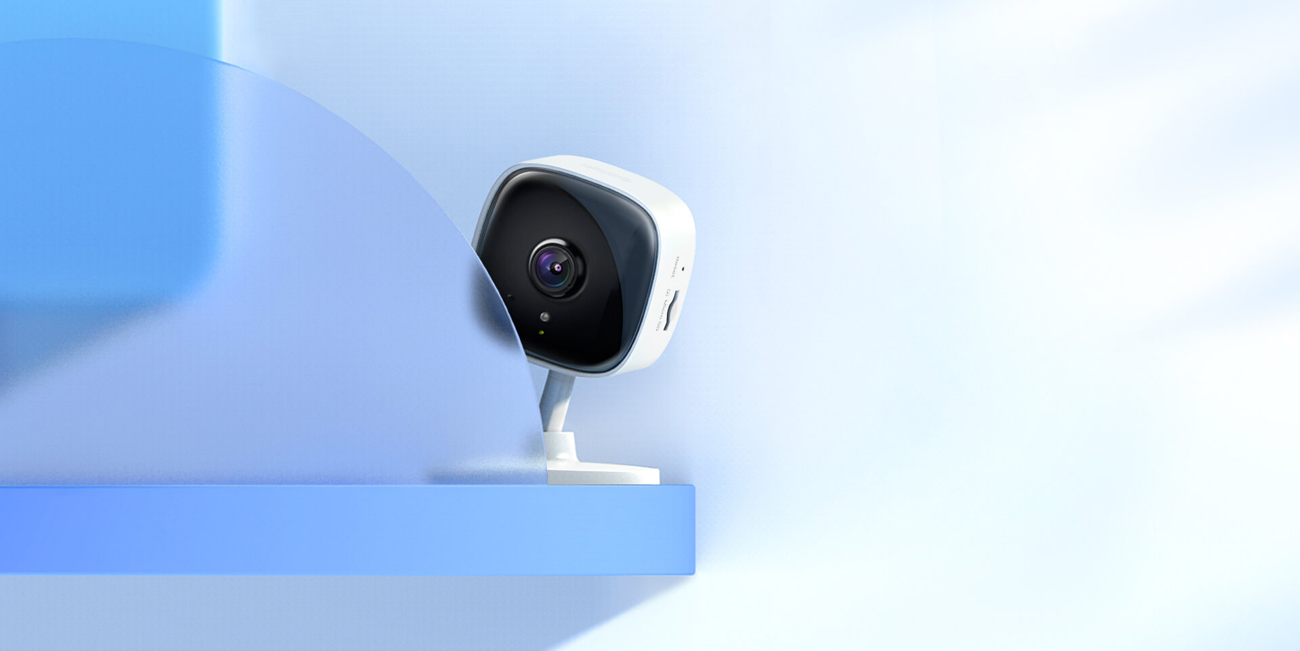
Under $20 and capable for the price. The C110 hits 2K resolution with a wide-angle view and free local storage. AI covers person detection and crying alerts — enough for basic monitoring. Color night vision isn’t included, and the AI category list is shorter than the C120. But for a first camera on a tight budget, the value is hard to beat.
Best for: First-time buyers who want to spend as little as possible without losing image clarity.
Eufy Indoor Cam C120 — Best for Privacy
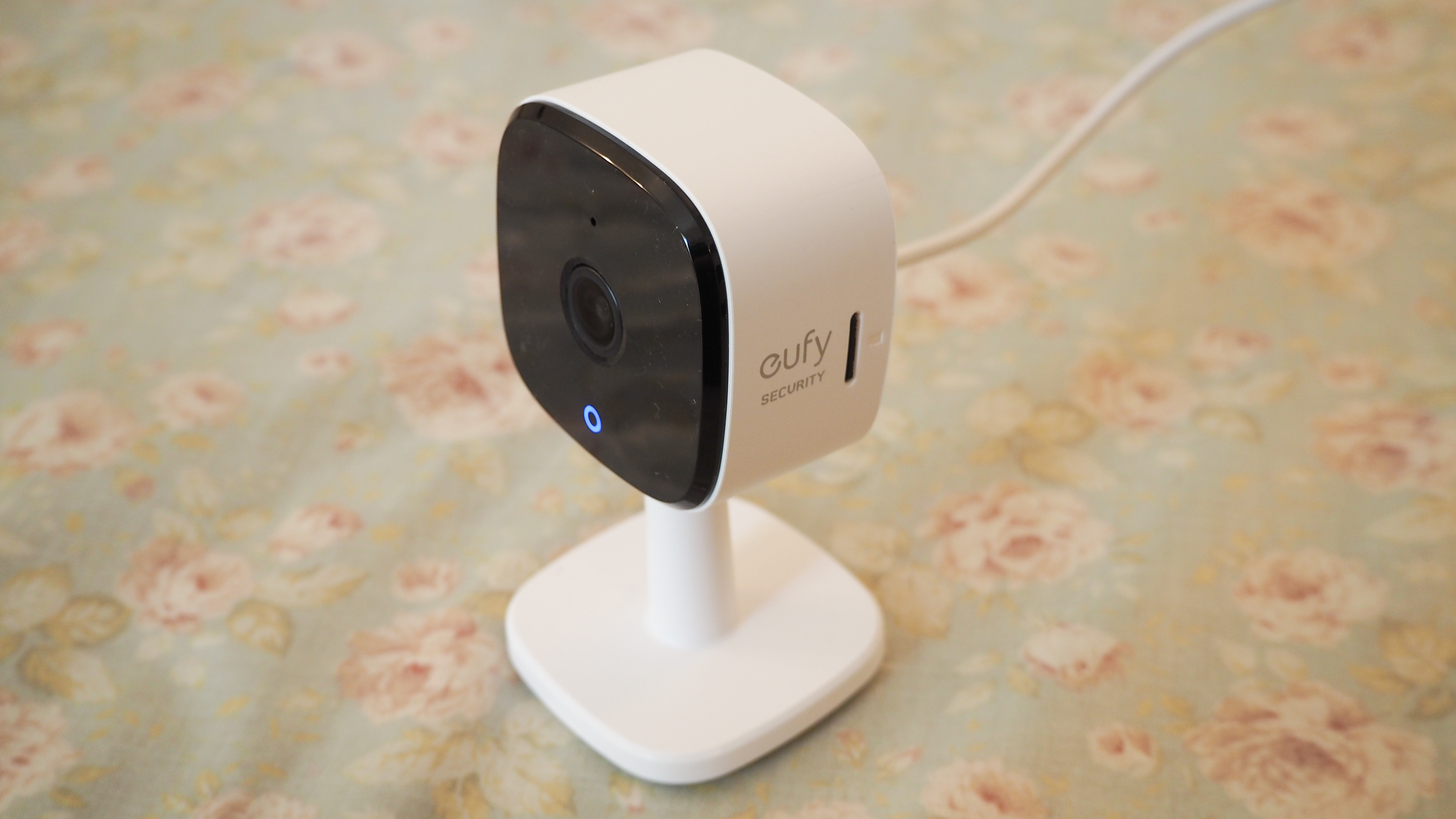
Everything stays local. The Eufy C120 never pushes footage to the cloud unless you ask it to. You get a 2K video and a 125° field of view. AI detection covers persons, pets, and abnormal sounds. Storage goes to microSD or a HomeBase hub — your choice. One catch: the microSD card isn’t included. Also, some third-party integrations drop to 1080p.
Best for: Families who want full control over where their footage lives.
Blink Mini 2K+ — Most Compact Form Factor
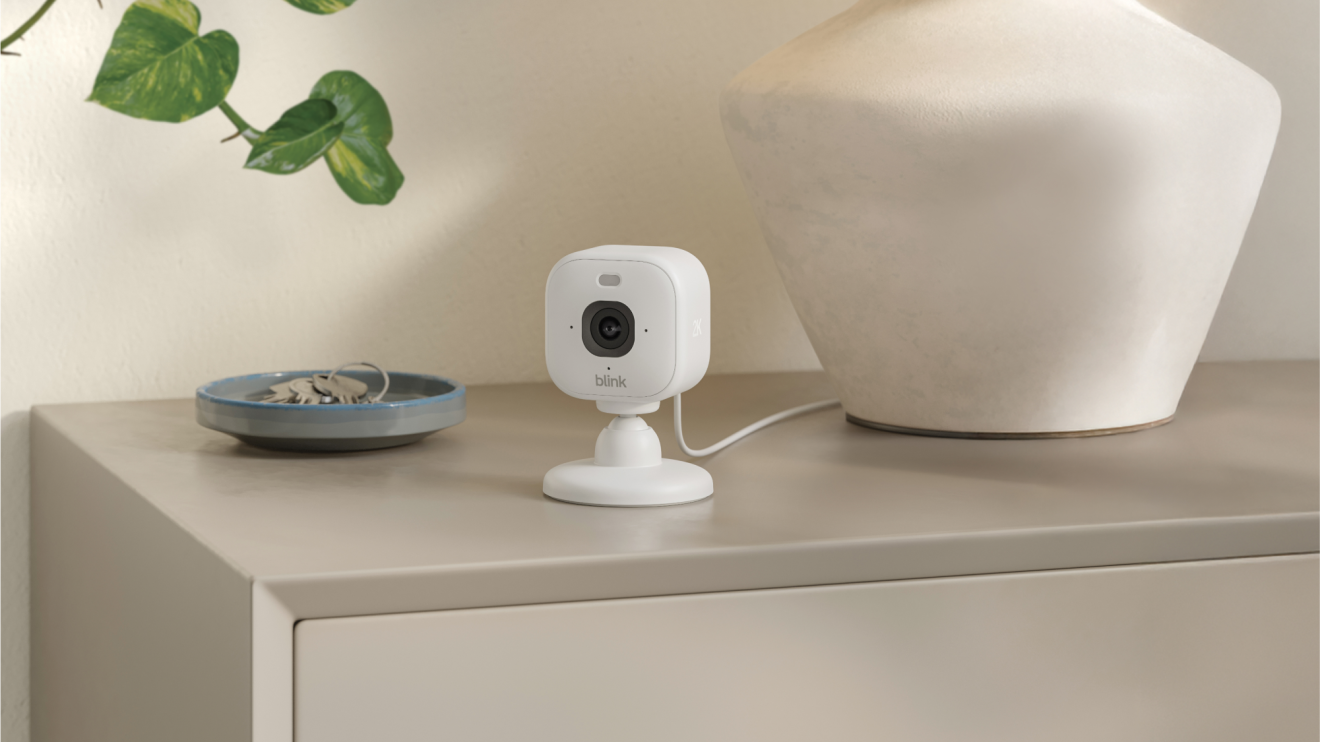
At just 2×2×1.5 inches, the Blink Mini 2K+ is the smallest camera on this list. It disappears on a shelf. You get color night vision, a 138° field of view, a built-in spotlight, and clean Alexa integration. That makes it a strong pick for small spaces. The tradeoff is real, though — full AI features and extended playback need a ~$4/month subscription.
Best for: Alexa households where discreet placement matters most.
Reolink E1 Pro — Best Pan-Tilt Coverage
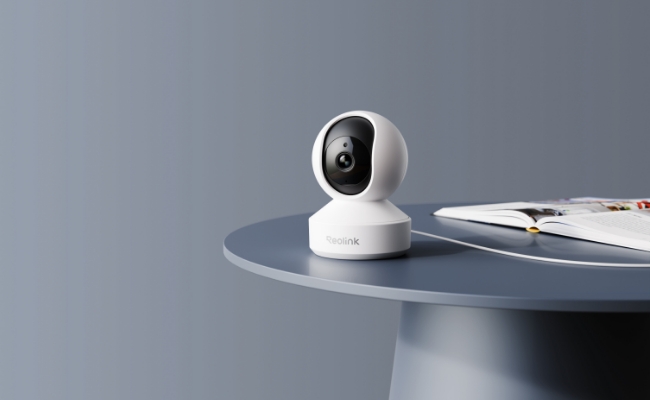
One camera, one small room, total coverage. The E1 Pro has a motorized pan-tilt body that sweeps a full 360°. It tracks humans and pets on its own and records 24/7 to a microSD card up to 128GB — free of charge. The mechanical movement can feel a touch less smooth than a fixed lens. Still, the room coverage you get from one compact unit is hard to match.
Best for: Pet owners and parents who need full-room visibility without mounting multiple cameras.
Wyze Cam v4 — Best Entry-Level Value
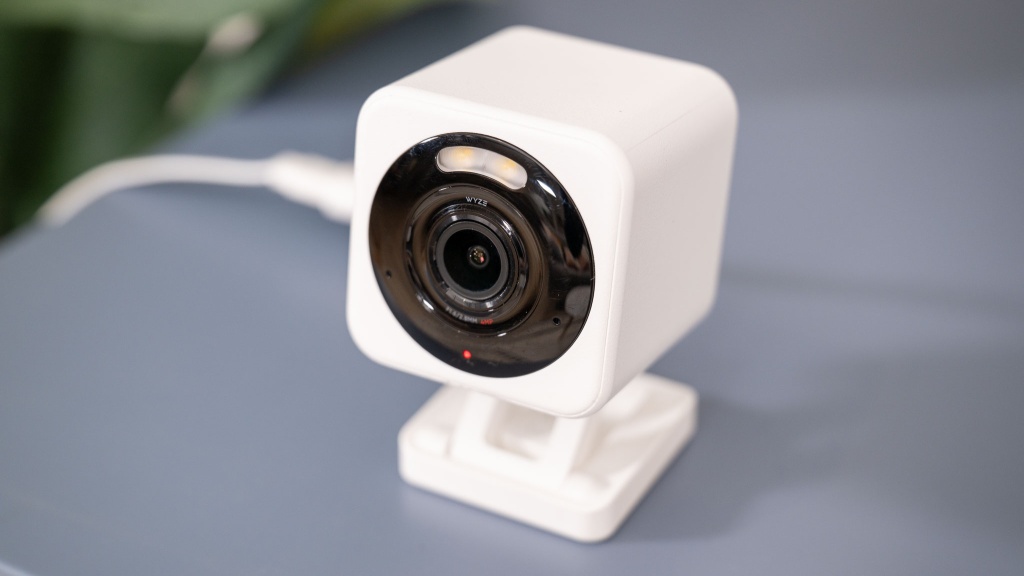
The Wyze Cam v4 fits person and pet AI, wide-angle coverage, local microSD storage, and a straightforward app into the smallest budget on this list. Build quality and night vision don’t match the premium options. The app also has a history of occasional bugs. As a starter camera to test whether compact surveillance fits your routine, it earns its spot.
Best for: Beginners who want to try things out before committing to a more serious setup.
How These Six Compare at a Glance
Camera | Resolution | Local Storage | Subscription Required | Best Use Case |
|---|---|---|---|---|
Tapo C120 | 2K | Up to 512GB | None | Best overall |
Tapo C110 | 2K | Yes | None | Ultra-budget |
Eufy C120 | 2K | Yes | None | Privacy-first |
Blink Mini 2K+ | 2K | Via Sync Module | Optional (~$4/mo) | Compact spaces |
Reolink E1 Pro | 2K+ | Up to 128GB | None | Full-room coverage |
Wyze Cam v4 | 1080p–2K | Yes | Optional | Beginners |
Every camera here shares four traits: plug-in power for stable uptime, local storage with no hidden fees, AI motion detection, and a five-minute setup. The right choice comes down to one question — what does your space need? Match that answer to the picks above, and you’re set.
Small Home Surveillance Cameras for Apartments, Pet Monitoring, and Baby Care
These compact cameras shine in three specific situations: renter setups, pet households, and nurseries. Each has its own demands — and these small home surveillance cameras cover all three without making you give anything up.
For apartments, shelf placement is the way to go. Models like the Tapo C120, Eufy C120, and Blink Mini 2K+ sit on a windowsill or bookshelf with no screws needed. Physical privacy shutters on Eufy and Tapo models keep you within lease terms. Set activity zones to block out hallway noise from neighbors — AI cuts false alerts by 50–80%.
For pets, the useful features are clear:
– AI pet detection and motion tracking (Tapo C120, Eufy C120, Reolink E1 Pro ) cuts down on pointless notifications
– Sound detection picks up barks and meows (Tapo C120, Reolink)
– Two-way audio lets you stop bad behavior from the next room
For baby monitoring, sensitivity matters more than resolution. Cry detection with adjustable thresholds (Tapo C120, Eufy C120) alerts you to sounds that count. Person detection tells apart a waking baby from a moving mobile. Every model on this list supports two-way audio — enough to calm things down without walking down the hall.
Storage stays local and free across most picks here. No subscription fee means one less thing on your plate.
Wired vs Wireless Small Home Surveillance Cameras: Installation, Stability, and Battery Life Compared
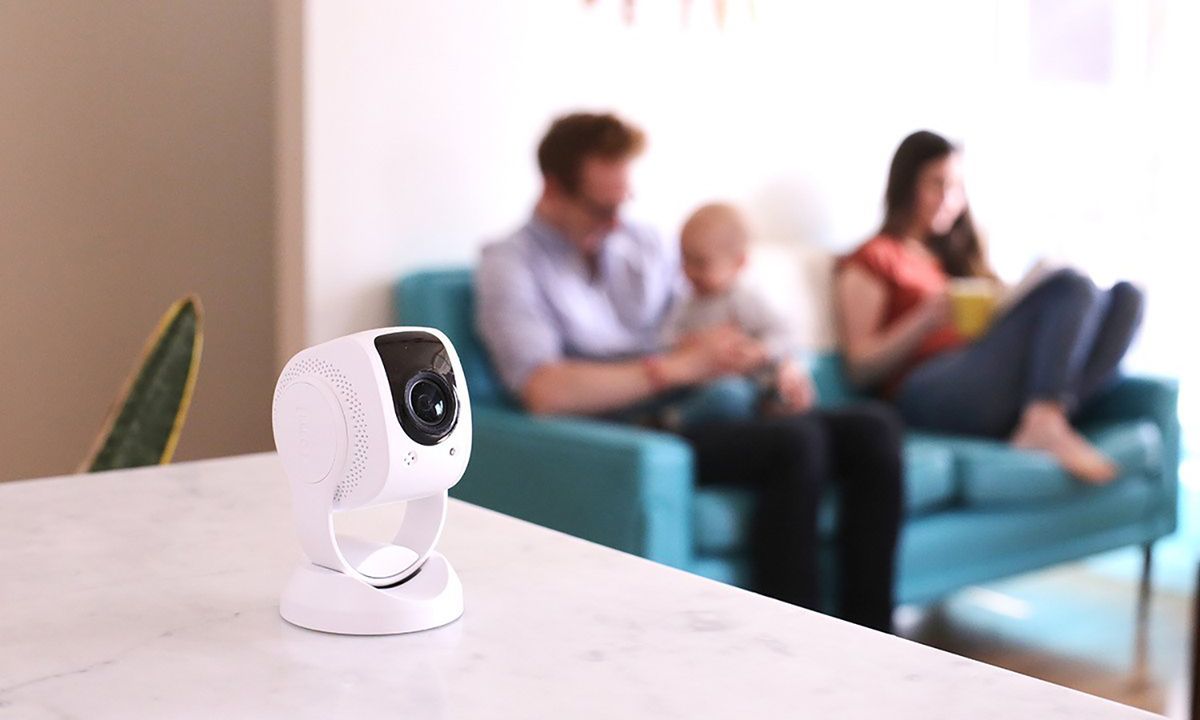
Pick between plug-in and battery-powered small home surveillance cameras? It comes down to one real question: how much maintenance are you willing to handle?
Plug-in Wi-Fi cameras are a better fit for apartments and small homes. All six cameras in this guide are plug-in — for good reason. You get 24/7 continuous recording, full local microSD storage, and no charging gaps. Setup takes five to ten minutes. Outlet, mount, done.
Battery cameras give you real flexibility. Move them around without needing a nearby outlet. That’s a genuine plus. But battery life ranges from one to six months, and motion-triggered recording leaves gaps in coverage. Those gaps are the bigger issue.
Aspect | Plug-in Wi-Fi | Battery Wireless |
|---|---|---|
Setup | 5–10 min, outlet required | Simple setup, but needs charging |
Recording | 24/7 continuous | Motion-triggered |
Storage | Full local microSD | Limited local or cloud |
Apartment Fit | Best choice | Good for short-term use |
The bottom line: Go plug-in for reliable, always-on coverage. Battery cameras suit situations where moving the camera around matters more than consistent, gap-free recording.
Privacy and Security Tips Every Owner of Small Home Surveillance Cameras Must Know
A camera that watches your home can also become a window for someone else — if you let it.
Most security mistakes aren’t technical. They’re skipped steps. Change the default password the moment you finish setup. Make it strong and unique. Then turn on two-factor authentication. Those two steps alone stop most unauthorized access attempts.
Lock down the network layer next:
Put your small home surveillance cameras on a separate guest Wi-Fi network — away from your laptop and phone
Confirm your camera uses AES-256 encryption and HTTPS
Update firmware on a set schedule — it’s your main defense against known exploits
On privacy, the rules are simple:
No cameras in bathrooms or bedrooms. Ever.
Tell household members and caregivers that the cameras exist
Choose local storage models — Tapo C120, Eufy Indoor Cam C120, and Reolink E1 Pro keep footage off the cloud and in your hands
Use physical privacy shutters (built into Eufy and Tapo models) during times you don’t need recording
In 2026, Eufy, Reolink, and Tapo lead on privacy ratings. Skip any model that forces cloud-only storage. Footage that leaves your home is footage you no longer control.
One last thing: mount cameras out of easy physical reach. A camera someone can grab, and a pocket isn’t protecting anything.
Real User Experiences and Common Complaints About Small Home Surveillance Cameras
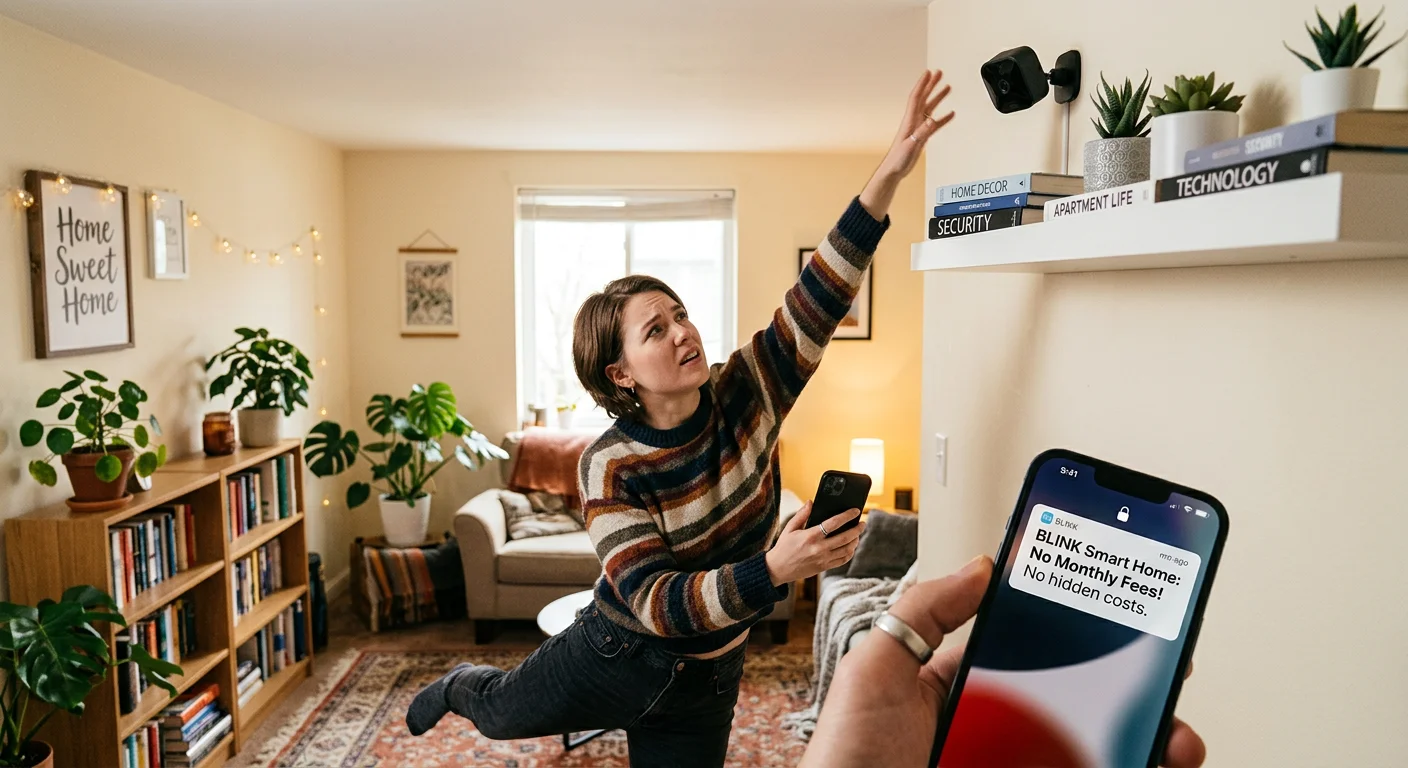
Browse Amazon reviews and Reddit threads long enough, and one phrase from Tapo C120 and Eufy C120 owners stands out: “Finally, no monthly fees.” That tells you everything. Real users don’t obsess over megapixels. They want out of recurring charges.
What people love:
Local SD storage ranks as the top feature across all six models
Setup is a breeze — “five minutes, crystal clear picture” shows up in reviews for every camera on this list
The Tapo C110 has a loyal fan base built on price alone. Buyers call it “insanely good for under $20,” and that reputation sticks
Where things get frustrating:
Blink Mini 2K+ gets steady criticism for hiding full AI playback behind a ~$4/month subscription
Thick apartment walls can cause Wi-Fi drops now and then — a stronger router clears up most of that
Cameras aimed through glass often fight glare and overexposure, with no easy fix
Skip setting up AI zones, and your notifications spiral out of control fast. Tapo and Eufy both include activity zone tools that cut that noise down
The pattern here is hard to miss. Local-storage models — Tapo C120, Eufy C120, Reolink E1 Pro, Wyze Cam v4 — earn the strongest long-term satisfaction scores. Cloud-only setups tend to leave buyers with regret after that first billing cycle hits.
Final Verdict: Which Small Home Surveillance Cameras Should You Buy in 2026?
Six cameras. One right answer for your situation. Here’s the short version.
Match your pick to your actual life:
Apartment renter, tight budget → Start with the Tapo C110 (under $20, free local storage, done)
Want the best all-around option → Tapo C120 — 2K, full AI, 512GB local storage, zero subscription
Privacy is non-negotiable → Eufy Indoor Cam C120 keeps every frame off the cloud
Alexa household, tiny shelf space → Blink Mini 2K+ disappears into the room
One camera needs to cover everything → Reolink E1 Pro and its 360° pan-tilt handles that
Just getting started → Wyze Cam v4 is low-cost and capable enough
Every camera on this list hits the same 2026 standard. You get 2K video, local storage with no forced fees, and a setup that takes minutes. The best small home surveillance cameras aren’t the ones with the longest spec sheet. They’re the ones you’ll use every day.
Frequently Asked Questions About Small Home Surveillance Cameras

These are the questions that matter most — answered straight, no filler.
Do small home surveillance cameras have worse night vision than larger models?
Not anymore. The Tapo C120 and Blink Mini 2K+ both deliver color or IR night vision. It matches — and sometimes beats — what you’d get from a full-size unit.
Are they easy to hack?
Any Wi-Fi device carries some risk. Here’s how to cut that risk fast:
– Turn on two-factor authentication
– Keep firmware updated
– Pick local storage models like Eufy, Tapo, or Reolink
Those three steps remove most real-world exposure.
Do I need a subscription?
No. The Tapo C120, C110, Eufy C120, Reolink E1 Pro, and Wyze Cam v4 all save footage to a microSD card. No fees. No expiry date on your recordings.
Can renters use these without losing their deposit?
Every camera on this list plugs in. No drilling needed, so your walls stay untouched.
How much storage is enough?
128GB covers weeks of normal activity. Go with 512GB — supported by the Tapo C120 — and you’re looking at months of footage.
What happens when Wi-Fi goes down?
Local recording keeps going. Remote viewing stops until your connection comes back. Your footage stays safe on the card.
Which cameras work best for pets or babies?
Look for AI cry detection and pet detection. The Tapo C120, Eufy C120, and Reolink E1 Pro handle both well.
How long does setup take?
Five to ten minutes. Plug in, mount, connect — that’s it.
You’ve done the research. Now it’s time to act on it.
The best small home surveillance cameras in 2026 aren’t just smaller versions of traditional security systems. They’re smarter, more discreet, and built for the way most of us live. Protecting a studio apartment? Watching a curious pet? Monitoring a nursery from the next room? The right compact camera fits your space without taking it over.
Three things to keep in mind before you buy:
Prioritize strong encryption and local storage. Your footage should stay yours.
Don’t trade video quality for size. A tiny camera still needs to capture clear, usable footage.
Check app reliability first. Great hardware means nothing if the software fails you.
Ready to pick yours? Go back to the top-rated small home surveillance cameras on our 2026 list. Match each option to your specific setup. Start with one camera, get comfortable with it, then scale up from there.
Small space. Smart protection. That’s the whole idea.