Picking a home security camera sounds simple — but it isn’t. When figuring out what to look for in home security camera, most people quickly realize how overwhelming the process actually is.
Walk into any electronics store, or scroll through Amazon for ten minutes, and you’ll drown in specs, subscription tiers, and marketing language designed to confuse. That’s where most buyers go wrong. Some overspend on features they’ll never use. Others go too cheap — and only discover the gaps after something goes wrong.
Understanding what to look for in home security camera is what cuts through that noise. It’s the difference between a system that actually protects your home and one that creates a false sense of security.
In this guide, you’ll learn what to consider before buying a home security camera in 2026 — from real-world scenarios to hidden long-term costs and privacy trade-offs most manufacturers won’t mention. You’ll also get a practical, step-by-step decision framework built for today’s crowded market.
By the end, you won’t just know which camera to buy — you’ll understand exactly why it fits your situation.
Why Most People Choose the Wrong Home Security Camera
The wrong camera doesn’t fail during unboxing. It fails at 2 a.m. — right when you need it most.
When learning what to look for in home security camera, most buyers assume mistakes come from bad luck. In reality, they follow a predictable pattern. It almost always starts with three things: price, convenience, or a spec sheet nobody actually understood.
Here’s where buyers consistently go wrong:
Buying on sale, not on the real specifications
A discounted camera from a weekend Costco run feels like a smart deal. But budget models usually come with trade-offs: blurry footage, no backup power, and weak security protections. In most cases, you don’t just get less — you get missing essentials.
Choosing wireless for the wrong reasons
“Plug-in-and-forget” sounds ideal. The reality is less forgiving. When Wi-Fi drops, so does your footage. When the signal weakens, the quality collapses. And in many systems, your recordings sit behind a subscription you don’t actually control.
Brands like Ring and Arlo typically charge $8–25/month just to unlock core features like video history and AI detection.
Mismatching the camera to the environment
Indoor cameras placed outdoors tend to fail within months. Moisture, heat, cold, and direct sunlight are rarely mentioned in product listings — but they define real-world performance. Most indoor models simply aren’t built for exposure.
Prioritizing low resolution to save money
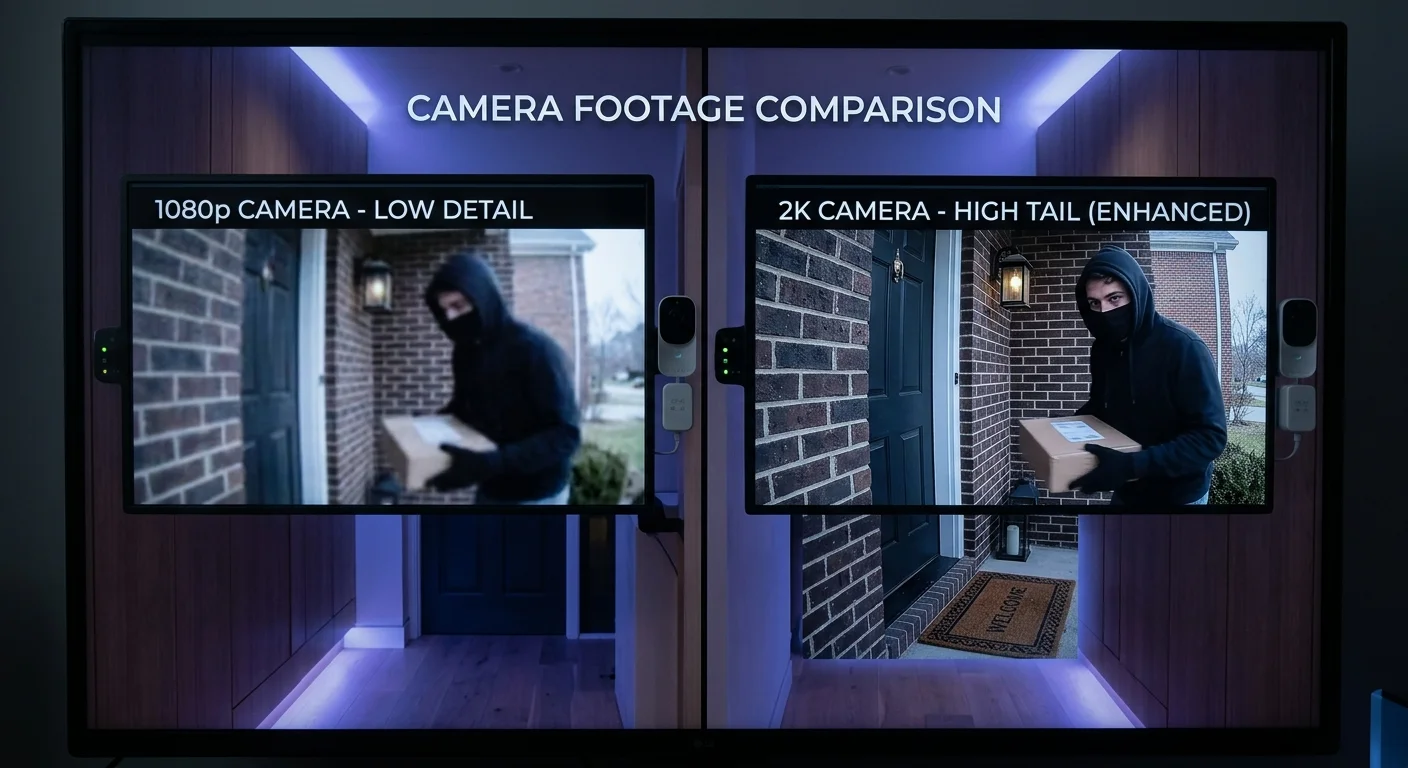
1080p may look acceptable on paper. In practice, it often fails at its core job: identifying faces or license plates. That’s the difference between “something happened” and usable evidence.
Skipping night vision verification
Roughly half of home security incidents happen after dark. Yet many buyers never test night performance before installation. The result is black screens or unusable blurry footage — discovered only when it matters most.
Underestimating coverage needs
One or two cameras rarely provide full protection. Side yards, basement windows, and secondary entry points are commonly missed. These blind spots are where real incidents happen — and where most systems fail.
The result isn’t just wasted money. It’s a false sense of security — and in-home protection, that’s often more dangerous than having no system at all.
What to Look for in a Home Security Camera: Real User Scenarios That Matter
Specs don’t fail you. A mismatched camera does.
When figuring out what to look for in home security camera, the most important shift is this: stop thinking in specs, and start thinking in real life. The most useful question isn’t “how many megapixels?” — it’s “what does my actual day look like?”
That single shift changes everything.
Here’s how that plays out across the most common real-world scenarios in 2026:
Renters: No-drill installation is non-negotiable
For renters, there’s no debate. Battery-powered, solar-charged, or magnetic-mount cameras are the only realistic options. Anything that requires drilling risks your deposit — or a failed installation, you’ll end up returning.
Porch piracy: Speed matters more than resolution
When packages disappear in seconds, resolution isn’t the bottleneck — response time is. You need AI-based human and package detection with a trigger time under one second. A thief won’t stay in frame waiting for the camera to “wake up.”
Pet monitoring: Accuracy beats constant alerts
Without pet-specific detection and adjustable activity zones, your phone becomes unusable. You’ll get dozens of false alerts a day — none of them meaningful, all of them distracting.
Night security: Visibility is everything
Color night vision paired with a built-in spotlight is no longer optional. Black-and-white infrared footage might show movement, but it often fails to show identity, clothing, or evidence-level detail.
Driveway coverage: Coverage gaps are hidden failures
A field of view under 130° leaves blind corners. Long-range clarity is just as important as angle. Partial coverage doesn’t mean partial protection — it often means no real protection at all.
Caregiving (elderly or children): Privacy becomes a feature
Local storage, privacy masking, and two-way audio aren’t “extra features” — they define trust. For many families, keeping footage off cloud servers is not optional; it’s a boundary.
Extended travel: Reliability becomes the priority
When you’re away, there’s no room for manual fixes. Solar-powered or wired systems with stable event or 24/7 recording are essential to ensure the system doesn’t go offline when you’re not there to manage it.
Scenario Summary
Scenario | Key Requirement | Cost of Getting It Wrong |
|---|---|---|
Porch Protection | 2K/4K + AI detection | Can’t identify face or plate |
Pet Monitoring | Pet AI + activity zones | Constant useless alerts |
Night Security | Color night vision + spotlight | Unusable footage after dark |
Renters | Battery/solar + no-drill mount | The camera gets returned or fails |
Core takeaway:
When learning what to look for in home security camera, always start with your scenario first — then match the specs. Never do it the other way around.
What to Look for in Home Security Camera: 2026 Core Features Checklist with Decision Thresholds
When learning what to look for in home security camera, there are only a handful of features that actually determine whether your system works when it matters. Everything else is noise.
The security industry often does the same thing: packs spec sheets with impressive numbers, hides the real trade-offs behind marketing language, and pushes “premium” upgrades that don’t meaningfully improve real-world performance. This checklist cuts through that confusion.
Each feature below includes clear decision thresholds — what is good enough, what is worth buying, and what is simply marketing overkill.
Resolution: The Identification Threshold
1080p can capture motion and general presence. That’s it — you’ll know something happened, but not who was involved.
2K is the real baseline for most homes. It enables face recognition and readable license plates, which is the difference between observation and usable evidence.
4K only makes sense for large properties where digital zoom is unavoidable. In smaller setups, it adds storage and bandwidth cost without meaningful security gains.
Night Vision: Color Is the Real Upgrade
Standard infrared night vision provides visibility, but it removes critical detail — especially color information that can matter in identification or reporting.
Color night vision paired with a built-in spotlight is now the practical standard for home security cameras. It preserves detail and produces footage that holds up in real-world incidents.
Ultra-bright spotlight systems go beyond necessity. They increase power consumption significantly while offering minimal improvement in actual evidence quality.
Field of View: Avoiding Blind Spots
Below 120°, coverage becomes narrow and corridor-like, increasing blind spots.
The optimal range is 130°–160°, which balances wide coverage with minimal distortion.
Beyond 170°, lens distortion increases sharply, especially at the edges — making footage less reliable for identification or evidence use.
AI Detection: Local Intelligence Matters
Basic motion detection reacts to anything — wind, shadows, insects, or passing cars — leading to constant false alerts.
True local AI processing identifies people, vehicles, pets, and packages directly on the device. This dramatically reduces unnecessary notifications without relying on cloud subscriptions.
Advanced features like facial recognition or behavioral tracking exist, but for most home users, the privacy trade-off outweighs the practical benefit.
Storage and Power: The No-Subscription Baseline
Feature | Minimum Acceptable | Recommended | Overkill |
|---|---|---|---|
Resolution | 1080p | 2K | 4K |
Night Vision | IR B&W | Color + spotlight | Ultra-bright spotlight |
FOV | 120° | 130–160° | 170°+ |
AI Detection | Motion only | Local AI (person/vehicle/pet) | Facial recognition |
Storage | microSD event recording | Local/NVR/NAS | Unlimited cloud |
Power | Wired plug-in | Battery or solar | Oversized solar system |
The Non-Negotiables Most Buyers Overlook
Beyond headline specs, four baseline requirements determine real-world reliability:
IP66+ weatherproofing — anything below this will degrade quickly outdoors
Two-way audio — essential for communication, deterrence, and delivery handling
AES-256 encryption + two-factor authentication — baseline protection against unauthorized access
Dual-band Wi-Fi 6 support — improves stability, reduces dropouts, and speeds reconnection
These are not premium features — they are minimum expectations for any modern home security camera.
Before comparing brands or prices, check these thresholds first. They often matter more than resolution or megapixels ever will.
Key Trade-Offs You Must Understand Before Buying a Home Security Camera
When figuring out what to look for in home security camera, one of the most important realities is this: every choice comes with a trade-off. There is no “best” configuration — only the one that fits your situation. Manufacturers rarely make this clear because most trade-offs push buyers toward higher-priced plans or subscriptions.
Here’s what that looks like in real-world terms.
Battery vs. Wired (24/7 Recording)
Battery-powered cameras offer flexibility and easy installation. They are ideal for renters or temporary setups. However, they typically rely on event-based recording — meaning if nothing triggers the sensor, nothing gets recorded.
Wired cameras, on the other hand, provide continuous 24/7 recording and consistent power. If you’re monitoring a permanent property, wired systems are the more reliable option. In most long-term security setups, there is no real substitute.
Local Storage vs. Cloud Subscription
Local storage keeps footage on a microSD card or local hub. There are no monthly fees, and your data stays physically under your control. The downside is limited remote access convenience.
Cloud storage is more flexible — you can access footage from anywhere, anytime. But it often comes with ongoing subscription costs that can reach $5–25 per month, and in some cases, core features are locked behind paywalls.
In practice, privacy-focused and budget-conscious users tend to prefer local storage systems such as Eufy and Reolink, while cloud systems make more sense for users who prioritize remote evidence access over long-term cost.
4K vs. Bandwidth Reality
4K video delivers sharp detail, but it also consumes roughly 2–3× more storage and bandwidth compared to 2K.
For small homes or apartments, this extra load rarely translates into better real-world security. However, for large driveways, yards, or areas requiring digital zoom, 4K can provide meaningful value.
Solar Power vs. Weather Reliability
Solar-powered cameras eliminate the need for manual charging, which is a major convenience advantage. However, performance can drop significantly — sometimes by up to 70% — in cloudy or shaded conditions.
In consistently sunny environments, solar is practical. In regions with frequent rain, shade, or winter conditions, wired power remains the more stable choice.
Wireless Convenience vs. Signal Stability
Wireless systems are fast to install and highly flexible. But they are also dependent on Wi-Fi strength and environmental interference, which can lead to occasional dropouts.
Wired PoE systems deliver far more stable performance and near-continuous uptime, but require installation effort and cable routing. For users who prioritize reliability over convenience, wired remains the gold standard.
Final takeaway
None of these trade-offs represents a “wrong” choice. The real question — when learning what to look for in home security camera — is not which option is best in theory, but which trade-off fits your environment, budget, and tolerance for maintenance.
What to Look for in Home Security Camera: Cost, Privacy & Value

When learning what to look for in home security camera, most buyers focus on upfront price and features. But the real cost shows up much later.
The number on the box is not what you actually pay.
The gap between the initial purchase price and the total cost over five years is where most homeowners get surprised — and often overpay. Real ownership cost matters just as much as image quality, resolution, or AI features. Yet it’s one of the most commonly ignored factors in most buying guides.
The True Cost Breakdown (2026 Reality)
Here’s how home security camera costs actually compare in 2026:
Entry-level (Wyze, TP-Link Tapo): $30–60 upfront
Mid-range no-subscription (Eufy, Reolink): $80–200 upfront
Premium (Arlo, Ring): $150–300+ upfront, plus $5–25/month in cloud subscriptions
The real issue isn’t the hardware price — it’s the subscription model.
Many premium systems lock essential features like video history and AI detection behind recurring fees. Without a subscription, the camera often becomes little more than a live-stream device. Over five years, those fees can easily exceed $900, turning a “premium” system into one of the most expensive options on the market.
By comparison, local-storage systems with no subscription cost remain close to their original purchase price over time.
For most budget-conscious users, this is where brands like Eufy and Reolink stand out: you pay once, and the long-term cost stays predictable.
Privacy Risks Manufacturers Rarely Highlight
Cost isn’t the only hidden factor — privacy risk is another major blind spot.
Recent real-world incidents show how fragile cloud-connected systems can be:
Wyze (2025–2026): Some users briefly accessed other users’ live feeds due to system exposure issues
Ring incidents: Weak or reused passwords have led to unauthorized access and two-way audio abuse cases
Firmware vulnerabilities: Multiple brands have experienced short-term exposure windows after updates
These issues don’t always come from hardware failure — they often come from cloud dependency, account security, or software layers outside the user’s control.
Systems that rely more on local processing and local storage generally reduce this attack surface.
The Non-Negotiable Security Checklist
Before choosing any camera, make sure these four protections exist:
AES-256 encryption
Two-factor authentication (2FA)
Local storage option (not cloud-only)
Transparent or minimal history of security breaches
Among these, the last one is often ignored — but it matters most. A quick search of the brand name plus “data breach” often reveals more than marketing pages ever will.
Final takeaway
When deciding what to look for in home security camera, upfront cost is only part of the equation. The real decision is about long-term ownership cost, privacy exposure, and how much control you actually have over your own footage.
What to Look for in Home Security Camera During Installation and Setup

When figuring out what to look for in home security camera, installation is often overlooked — but it’s where many systems fail in real life.
A camera that is installed incorrectly doesn’t just underperform — it effectively doesn’t work at all. This is one of the most ignored realities in most buying guides.
Installation Difficulty by System Type
Setup complexity varies significantly depending on the type of system you choose:
Battery or solar wireless systems: 15–30 minutes per camera
No drilling, no tools, and no professional installation required.
Wired plug-in systems: 30–60 minutes per camera
Still DIY-friendly, but requires basic planning for cable routing.
PoE full systems: 2–4 hours per camera
More stable and reliable, but often requires drilling, cable management, and in some cases professional installation ($100–300 per camera).
Before you buy, you should already know which category you’re committing to — not discover it during setup.
The Four Most Common Installation Mistakes
Most setup failures don’t happen immediately. They show up later — often at night or during the first real incident.
Weak Wi-Fi at the installation point
Many cameras are mounted in areas with weak signal strength. Always test Wi-Fi quality using your phone before installation. If the signal is weak, fix coverage first (mesh system or repositioning).
Poor camera positioning
Mounting too high or facing direct light sources can ruin image quality. Faces become unrecognizable due to backlighting or extreme angles, making footage useless for identification.
Motion settings left at default
Default sensitivity often causes constant false alerts from wind, shadows, or passing cars. Many users disable notifications entirely within days because of overload.
Night vision was never tested before installation
A common but critical mistake. Many users only discover poor night performance after installation — when it’s too late to reposition or adjust angles.
A Simple Rule Most Buyers Ignore
Before permanently mounting any camera, walk the entire property using your phone.
This helps you identify blind spots, weak Wi-Fi zones, and poor lighting conditions before installation.
As a general guideline:
Mount cameras around 8–10 feet high
Angle slightly downward toward entry points or movement zones
Prioritize face visibility over wide aesthetic coverage
Good installation doesn’t require expensive tools — it requires correct positioning decisions made before drilling.
Smart Home Integration: Another Important Thing to Look for in Home Security Cameras

Your camera doesn’t exist in isolation. It operates inside a smart home ecosystem that likely already runs on Amazon Alexa, Google Home, or Apple HomeKit. When figuring out what to look for in home security camera, compatibility with your existing ecosystem is often overlooked — but it directly affects usability.
In 2026, three major platforms dominate real-world performance:
Amazon Alexa — the most widely supported ecosystem. Cameras from brands like Ring, Arlo, Eufy, and Reolink integrate smoothly. It’s strong in voice control, live view, and automation routines.
Google Home — best for users already invested in the Nest ecosystem. It offers reliable automation and consistent device syncing.
Apple HomeKit — the privacy-first option. With HomeKit Secure Video, footage is end-to-end encrypted. The device selection is more limited, but brands like Eufy and Aqara perform well within this ecosystem.
A common mistake is trying to maximize compatibility across all three platforms. In reality, that often creates more friction than value. Most households only need one primary ecosystem.
The practical rule is simple: choose a camera that fits the system you already use — not the other way around.
3-Step Decision Guide: How to Choose the Right Home Security Camera for Your Needs
When learning what to look for in home security camera, most buyers overcomplicate the process. In reality, you only need to answer three questions in order.
Many people skip this and go straight to specs or reviews — which is how they end up with a camera that doesn’t fit their actual situation.
Step 1: Define your real-world scenario
Start with usage, not features.
Renting an apartment?
Protecting a full house?
Monitoring porch deliveries or package theft?
Your scenario determines every decision that follows.
Step 2: Choose power + storage type
This is your biggest structural decision:
Renters / privacy-focused users → battery or solar + local storage (no cloud dependency)
Homeowners / 24/7 monitoring → wired power + local NVR or hybrid storage
This step defines long-term cost, reliability, and privacy.
Step 3: Lock in resolution + AI level
For most households in 2026, the sweet spot is:
2K resolution + local AI detection
This combination is where:
Faces become clearly identifiable
False alerts drop significantly
Subscription dependency is minimized
Upgrade to 4K only if you are covering large outdoor areas where digital zoom is necessary.
Fast Answers (Quick Decision Summary)
Do I need a subscription?
Only if you want cloud video history and advanced AI features from ecosystems like Ring or Arlo. Otherwise, brands like Eufy, Reolink, and TP-Link offer full core functionality without recurring fees.
Is 4K worth it?
For most homes, no. 2K is the practical standard.
Best option for renters?
Battery or solar-powered cameras with magnetic or adhesive mounting systems.
Most important feature overall?
Local storage combined with true AI detection — this directly reduces false alerts and eliminates ongoing subscription costs.
Final Thoughts: What to Look for in Home Security Camera
Most buyers only realize what matters after the return window closes. By then, it’s too late to rethink the system. That’s why understanding what to look for in home security camera upfront makes such a difference.
The right camera is not the one with the most impressive spec sheet. It’s the one that fits your actual living situation — your space, your privacy expectations, your long-term budget, and how you realistically plan to use it day to day. When these four elements align, a security camera becomes more than a device — it becomes reliable protection you don’t have to think about.
What Actually Matters Most
If you remember only a few things from this guide, remember this:
Resolution and night vision determine whether footage is usable in real incidents.
But storage type and smart home compatibility determine whether you’ll still be using the system a year from now.
Many buyers focus on flashy specs and ignore these long-term factors — and that’s where most regret comes from.
Before You Buy
Before clicking “add to cart,” step back and run your choice through the 3-step decision framework:
Match your scenario.
Choose your power and storage setup.
Then decide your resolution and AI level based on real needs — not marketing claims.
This simple structure filters out most overpriced or mismatched options instantly.
Bottom Line
The best home security camera is not the most powerful one on paper.
It’s the one that quietly works in the background, fits your life, and never leaves you guessing when it matters most.
That’s what real security feels like.