Selling iCSee cameras at scale is not only about hardware quality and pricing. For distributors, brand owners, and platform sellers, after-sales issues at the end-user level can quickly turn into operational pressure, increasing support costs, return rates, and negative reviews.
Many of the most common “problems” reported by end users—such as cameras going offline, no recordings appearing, or cloud subscriptions not working—are not hardware defects. Instead, they are usually caused by network environments, configuration settings, storage issues, or misunderstandings of how the iCSee ecosystem works.
From a B2B perspective, the key is not to provide consumer-style customer service, but to prevent these issues in advance through proper product selection, firmware configuration, documentation, and manufacturer support.
This article summarizes the most frequent after-sales issues faced by iCSee camera distributors and explains how manufacturers help reduce and prevent them.

iCSee Camera Network Connection Issues
Device setup and initial network connection
One of the most common support requests from end users is: “I can’t connect my camera to WiFi.”
In most cases, the solution is straightforward. Users need to follow the correct setup steps using the supplied manual and the iCSee app. For older devices, manuals may be lost, which is why professional manufacturers typically provide:
- Online setup guides on their official website
- QR-code based quick-start manuals
- Video tutorials (often hosted on YouTube or regional platforms)
From a distributor’s perspective, including clear setup documentation in the box significantly reduces support requests.
iCSee camera offline or cannot reconnect
Another frequent issue is cameras appearing “offline” in the app.
Based on user experience and troubleshooting data, most offline problems are not permanent failures. Common causes include:
- Weak or unstable WiFi signal
- Router replacement or configuration changes
- Temporary power or internet outages
- Outdated app or firmware versions
In many cases, simply power cycling the camera and router (unplugging for 30 seconds and restarting) resolves the issue.
If the camera was fully powered off and then restored, it should automatically reconnect as long as the WiFi name and password have not changed.
Problems usually occur when:
- The WiFi SSID or password was changed (full re-setup is required)
- The signal strength is marginal
- The router is set to 5GHz only (iCSee cameras typically require 2.4GHz)
- The SSID is hidden or uses incompatible security modes
- Firmware or app versions are outdated
If the camera does not reconnect:
- Confirm the router is online and 2.4GHz WiFi is active
- Power cycle the camera
- Refresh device status in the app
- Perform a factory reset (usually holding the reset button for 10–30 seconds) and re-add the device
Reliable manufacturers like us iCSeecam.com would help distributors by pre-configuring firmware for better WiFi compatibility, providing clear network requirements, and reducing reconnection bugs through long-term firmware stability.
iCSee Camera Not Recording
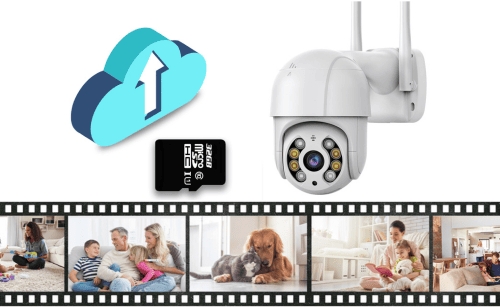
Another major after-sales complaint is: “My iCSee camera is not recording any video.”
This issue can relate to SD card recording, cloud recording, or both.
Recording mode not enabled or misconfigured
Many iCSee cameras rely on motion-triggered recording, not continuous recording.
If Smart Alarm (motion or human detection) is turned off, no recording will be generated, especially for cloud storage.
End users need to:
- Enable Smart Alarm in device settings
- Ensure “Record” is selected as an action
- Configure detection sensitivity and zones
Some models support 24/7 recording, but many do not. This limitation must be clearly explained in product listings and manuals.
SD card storage issues (most common)
Local SD card problems are one of the biggest sources of after-sales confusion.
Typical causes include:
- SD card not inserted correctly
- Card not detected by the camera
- Card is full or corrupted
- Incompatible card type or brand
- Incorrect formatting (must be formatted in the app)
- Low-quality or counterfeit SD cards
Most iCSee cameras require:
- Class 10 or UHS-1 cards
- FAT32 formatting
- Capacity limits depending on the model (often 128–256GB)
Many user reports show that changing to a higher-quality SD card and formatting it in the app solves the issue immediately.
Cloud recording misunderstandings
Cloud recording only works when:
- The subscription is active
- The camera is online
- Smart Alarm is enabled
Cloud storage usually records event clips, not continuous video. If no motion is detected, there will be no cloud recordings—even if the subscription is paid.
Other contributing factors
- Camera offline (no recording possible)
- Storage full and overwriting misunderstood
- App or firmware bugs
- Power instability (especially for solar or battery models)
- Conflicts with ONVIF or third-party platform settings
How we iCSee camera manufacturers help reduce these issues:
- Testing SD card compatibility
- Optimizing firmware recording logic
- Providing clear storage guidelines
- Explaining model limitations before sale
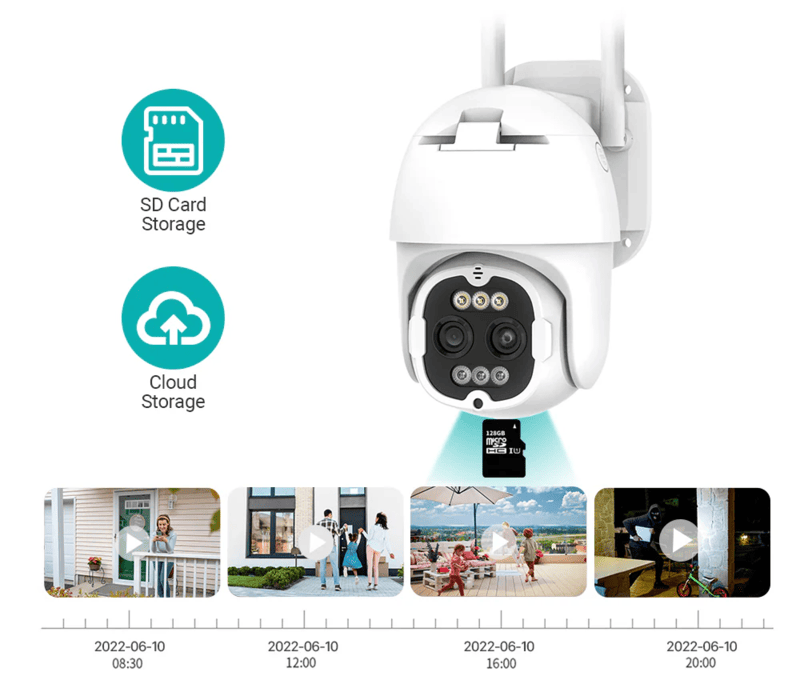
iCSee Cloud Storage Issues
Cloud storage generates many after-sales questions, especially related to subscriptions and expectations.
How iCSee cloud storage works
iCSee cloud storage is an optional, paid service. It primarily stores motion-triggered alarm videos, not continuous recordings.
Key characteristics:
- Encrypted storage
- Remote access via the app
- Rolling storage (e.g., 7 days or 30 days)
- Overwrites old clips automatically
Cloud storage complements SD cards and protects footage if the camera is stolen or damaged.
Pricing and subscription confusion
Cloud storage is subscription-based and purchased inside the iCSee app. Pricing varies by region, plan, and time.
There is usually:
- No mandatory cloud fee for basic camera use
- No long-term free cloud storage
- Possible short trials in some regions
Auto-renewal is a common concern, especially for end users unfamiliar with app subscriptions.
“I paid, but there are no cloud videos”
This is one of the most frequent complaints.
Common reasons:
- Smart Alarm not enabled
- No motion detected
- Playback checked in the wrong section
- Subscription not linked to the correct device
- App not refreshed after purchase
Testing motion in front of the camera is the fastest way to confirm whether cloud recording is functioning.
Our iCSee devices manufacturers role in cloud-related issues, we usually help distributors by:
- Clearly explaining cloud limitations
- Providing cloud usage documentation
- Avoiding firmware conflicts (e.g., ONVIF vs cloud)
- Training distributors on common cloud questions
Other After-Sales Issues iCSee Camera Sellers May Face
Beyond networking, recording, and cloud storage, distributors may encounter:
- Device sharing and permission issues
- Multi-phone login confusion
- Time zone mismatches
- Notification delays
- Battery life complaints (solar models)
- App permission restrictions on smartphones
Most of these are usage-level issues, not product defects.
How Manufacturers Help Distributors Reduce After-Sales Pressure
From a B2B standpoint, after-sales problems should be prevented, not reacted to.
As a professional iCSee camera manufacturer, iCSeecam.com typically supports distributors by:
- Providing stable, tested firmware
- Offering OEM configuration (default settings optimized for the target market)
- Supplying multilingual manuals and setup guides
- Offering pre-sales technical confirmation
- Supporting batch initialization and factory reset configurations
- Assisting with recurring issue analysis
When manufacturers and distributors work together, end-user issues decrease, support costs drop, and brand reputation improves.
Reduce After-Sales Issues Before They Reach Your Customers
Most iCSee camera after-sales problems are not hardware failures — they are preventable issues caused by network compatibility, firmware logic, storage configuration, and unclear end-user guidance.
As one of China’s leading manufacturers of iCSee-compatible devices, iCSeecam works with distributors, brands, and project buyers to address these challenges at the factory level, not after the products reach the market.
We help our partners:
- Optimize firmware settings for stability and compatibility
- Pre-configure recording, storage, and network logic
- Provide multilingual manuals and setup materials
- Reduce end-user confusion and after-sales workload
- Support scalable, long-term camera distribution
If you are distributing iCSee cameras and want to spend less time on after-sales support and more time growing your business, we are ready to help.
Contact iCSeecam to discuss your market requirements and OEM solutions.