Finding the right small home security cameras is harder than it looks. A camera can be compact, affordable, and easy to place, but still fail when you actually need useful footage. Some models look great on a shelf but struggle at night. Some offer a low upfront price but push you toward paid cloud storage. Others are small enough to blend into your home, but not reliable enough to protect it.
This guide focuses on practical, small home security cameras for real home use. That means compact cameras that work for apartments, entryways, living rooms, baby rooms, pet areas, hallways, garages, and small outdoor spaces. The goal is not to find the tiniest camera possible. The goal is to find a small camera that fits your space, records useful footage, respects privacy, and does not surprise you with hidden long-term costs.
Instead of listing every compact camera on the market, we narrowed this guide to six strong options. Each one solves a different problem: best overall value, best budget pick, best Alexa camera, best no-subscription choice, best room coverage, and best privacy-focused indoor camera. You will also find a scenario guide, storage comparison, placement advice, buying checklist, and FAQ to help you choose the right model for your home.
Quick Picks: Best Small Home Security Cameras at a Glance
If you want a fast answer, start here. These six small home security cameras cover the most common home security needs without overwhelming you with too many similar models.
Best For | Camera | Why It Fits | Main Weakness |
|---|---|---|---|
Best Overall | TP-Link Tapo C120 | Strong balance of compact design, clear video, local storage, and flexible placement. | Audio and ecosystem depth may not feel as premium as higher-end systems. |
Best Budget | Wyze Cam v4 | Affordable, sharp enough for everyday use, and better supported than no-name mini cameras. | Some advanced detection or cloud features may require a paid plan. |
Best Alexa Pick | Blink Mini 2 | Small, simple, and convenient for Amazon Alexa households. | The best experience may require a subscription or extra hardware. |
Best Without Subscription | eufy Indoor Cam C120 | Good indoor option for local storage and lower long-term costs. | Indoor-only design and fixed viewing angle. |
Best Room Coverage | Reolink E1 Pro | Pan-and-tilt coverage makes it useful for pets, baby rooms, and larger rooms. | Less discreet than small cube-style cameras. |
Best Privacy Pick | Ring Indoor Cam 2nd Gen | Compact design, physical privacy cover, and strong Ring/Alexa integration. | No local storage; video history depends heavily on subscription. |
The short version: choose TP-Link Tapo C120 if you want the safest all-around pick, Wyze Cam v4 if price matters most, Blink Mini 2 if you use Alexa, eufy Indoor Cam C120 if you want fewer monthly fees, Reolink E1 Pro if you need room coverage, and Ring Indoor Cam 2nd Gen if privacy controls matter most.
What Counts as a Small Home Security Camera?
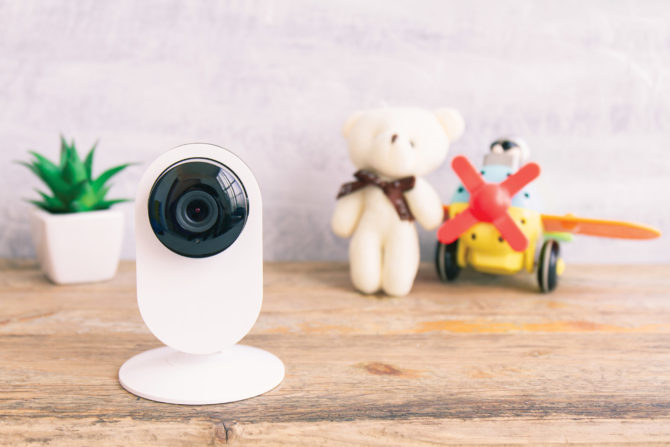
A small home security camera is not just any tiny device with a lens. The best small home security cameras are compact enough to fit naturally into your home, but still strong enough to capture useful footage, send reliable alerts, and support the way you actually live.
In this guide, small home security cameras refer to compact, visible, home-focused cameras designed for everyday monitoring. They can sit on a shelf, mount near an entryway, cover a hallway, monitor a pet area, or watch a baby’s room. They are different from hidden cameras, spy cameras, or novelty mini cameras that focus more on concealment than real home protection.
Common types include:
Compact plug-in cameras for shelves, desks, counters, and hallways.
Small cube-style cameras for apartments, home offices, and small rooms.
Mini pan-and-tilt cameras for wider room coverage.
Small indoor/outdoor cameras for porches, garages, balconies, and entryways.
Privacy-focused indoor cameras with physical shutters or privacy covers.
Small size should never be the only reason to buy. A compact camera still needs clear video, usable night vision, motion alerts, secure storage, privacy controls, and a stable app. If a camera is tiny but has poor footage, weak Wi-Fi, unclear cloud fees, or no privacy settings, it is not a good home security choice.
Small Home Security Cameras vs Hidden Cameras: Know the Difference
Small home security cameras and hidden cameras are often treated like the same thing, but the difference matters. A small home security camera is compact but visible. It is meant to protect a home, monitor a room, or alert you when something happens. A hidden camera is designed to record without being noticed, which can create privacy and legal concerns.
This guide does not recommend spy cameras, disguised cameras, or covert recording devices. For most households, visible compact cameras are safer, more responsible, and more useful. They make monitoring expectations clearer, help deter unwanted activity, and reduce the risk of creating uncomfortable privacy issues inside the home.
Be especially careful with indoor placement. Avoid bathrooms, changing areas, guest bedrooms, and any space where people reasonably expect privacy. If your camera records audio, check local rules before turning that feature on. Good home security should protect your space without making family members, roommates, guests, or visitors feel secretly watched.
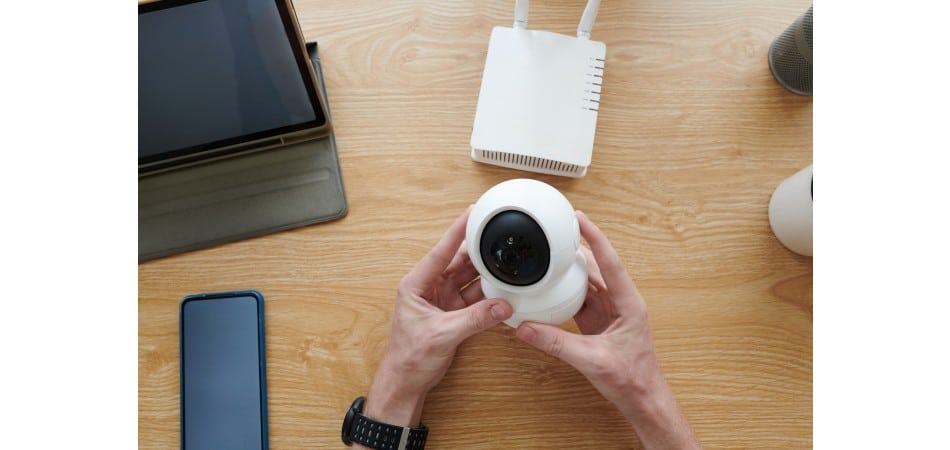
How We Chose the Best Small Home Security Cameras
We did not choose these cameras by size alone. Small home security cameras still need to work as real security devices. A camera that looks sleek but misses important footage is not a good recommendation.
These are the factors that matter most:
Compact design: The camera should fit easily in apartments, small rooms, entryways, shelves, and corners.
Video quality: 1080p is the minimum for basic monitoring; 2K or higher is better for faces and details.
Night vision: Footage should remain useful in low light, especially for hallways, entryways, and baby rooms.
Storage options: Local storage, microSD support, cloud plans, and subscription limits all affect long-term value.
App reliability: Fast alerts, stable live view, and easy playback matter more than flashy specs.
Privacy controls: Indoor cameras should make it easy to disable recording, block the lens, or manage privacy settings.
Smart home support: Alexa, Google Home, Ring, or other ecosystem support can make setup easier if you already use those platforms.
Real placement value: Each camera should solve a real use case, such as apartment monitoring, pets, baby rooms, entryways, or no-subscription recording.
This is why we kept the final list to six models. A long list of fifteen cameras can look comprehensive, but it often makes the decision harder. A focused list helps you compare the cameras that actually fit the way most people use small home security cameras.
Best Small Home Security Cameras Reviewed
Below are the six small home security cameras worth considering in 2026. Each one has a clear role, so the best choice depends on your room, budget, storage preference, smart home setup, and privacy needs.
TP-Link Tapo C120: Best Small Home Security Camera Overall
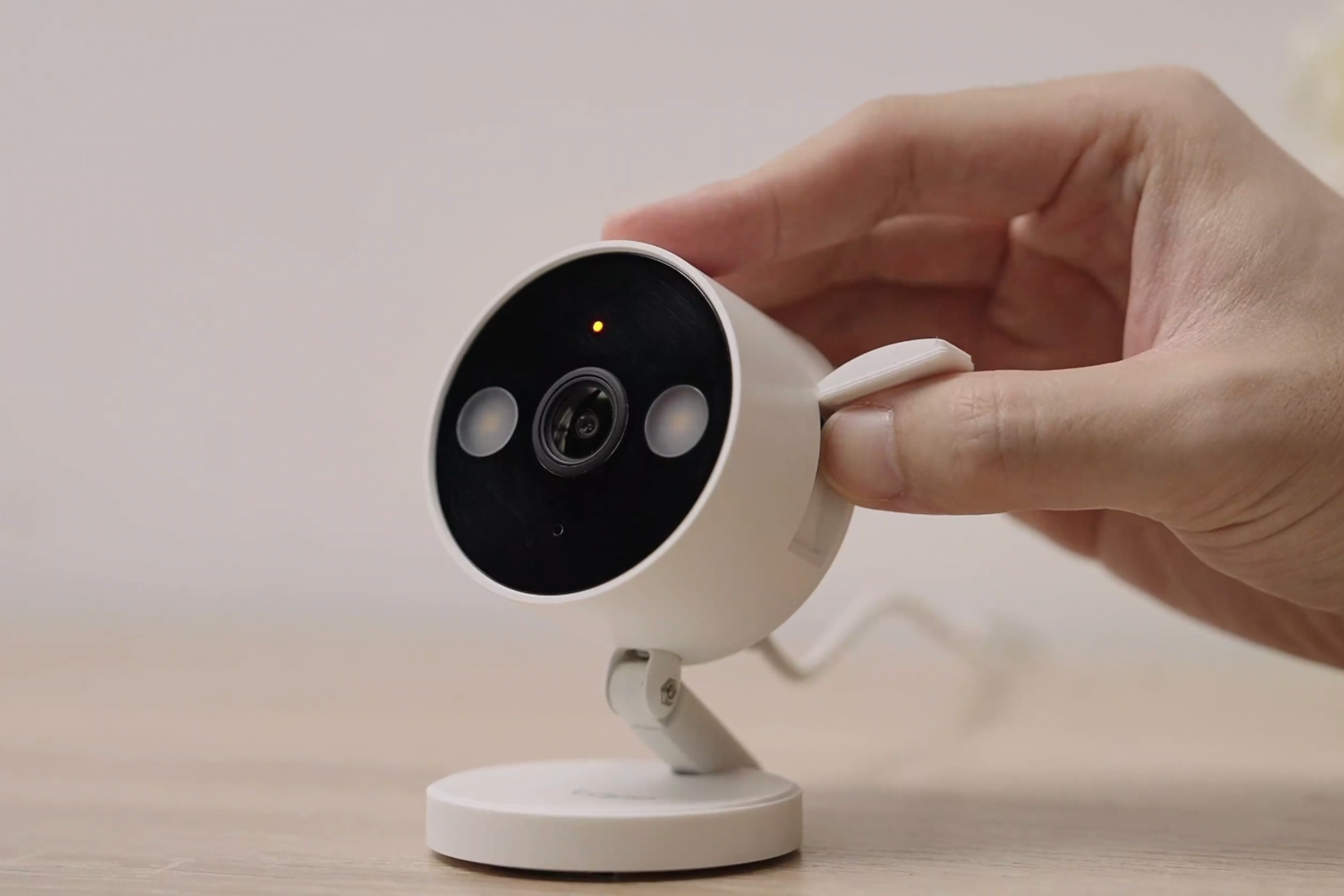
The TP-Link Tapo C120 is the best overall pick for most buyers because it offers the strongest balance of compact design, video quality, placement flexibility, and local storage support. It is small enough for shelves, entryways, apartments, porches, garages, and tight corners, but it does not feel like a weak mini camera.
Its biggest advantage is flexibility. Some small cameras are clearly indoor-only. Others are only useful if you pay for a cloud plan. The Tapo C120 sits in a more practical middle ground. It works well for people who want one compact camera that can handle more than one situation without becoming expensive over time.
Best for: Most homes, apartments, entryways, small outdoor corners, and no-subscription buyers.
Why it stands out: Compact size, clear video, local storage support, and flexible placement.
What could be better: Audio quality and smart home depth may not feel as polished as premium ecosystems.
Choose the Tapo C120 if you want one of the most balanced small home security cameras for everyday use.
Wyze Cam v4: Best Budget Small Security Camera

The Wyze Cam v4 is the best budget option for buyers who want a compact camera without spending much. It is a better choice than most no-name mini cameras because it gives you recognizable app support, useful video quality, night vision, and local recording options at a low price.
This makes it a strong pick for hallways, pet areas, small offices, rental homes, and casual indoor monitoring. It is also a good starter camera if you want to test one location before expanding to a larger home security setup.
Best for: Budget buyers, renters, pet areas, hallways, and basic indoor monitoring.
Why it stands out: Low cost, compact design, useful image quality, and better support than generic mini cameras.
What could be better: Some advanced AI or cloud features may require a paid plan.
Choose Wyze Cam v4 if you want a low-cost, small camera that still feels like a real security device, not a disposable gadget.
Blink Mini 2: Best Compact Camera for Alexa Users
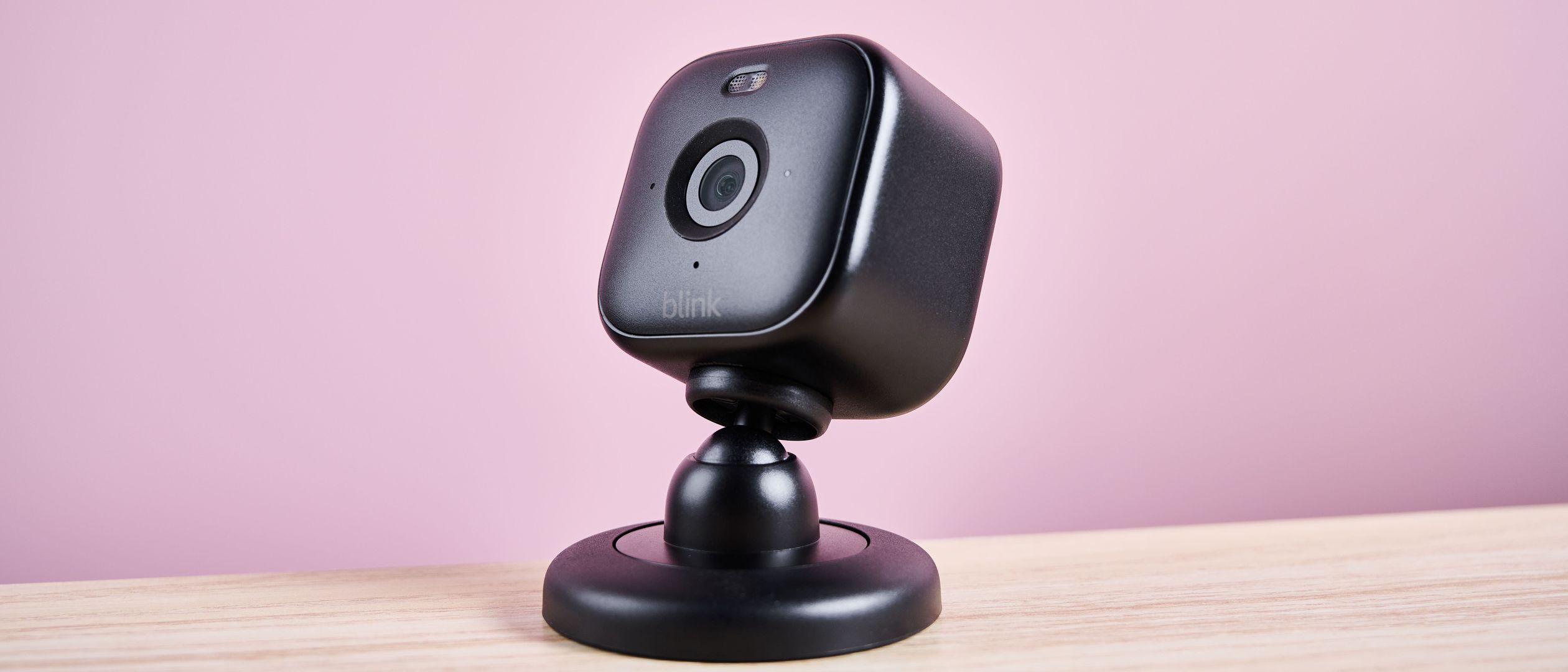
Blink Mini 2 is best for users who already rely on Alexa. It is small, simple, and easy to place on a shelf, desk, counter, nightstand, or apartment corner. For basic indoor monitoring, it keeps the setup process simple.
This is not the strongest choice for people who want the most flexible no-subscription setup. Its real strength is convenience. If your home already runs on Amazon devices, Blink Mini 2 fits naturally into that ecosystem.
Best for: Alexa users, renters, small rooms, desks, shelves, and simple indoor monitoring.
Why it stands out: Very compact footprint, simple setup, and strong Alexa compatibility.
What could be better: Full video history, local storage, or person detection may require a subscription or extra hardware.
Choose Blink Mini 2 if you want one of the easiest small home security cameras for Alexa households.
eufy Indoor Cam C120: Best Small Camera Without Subscription
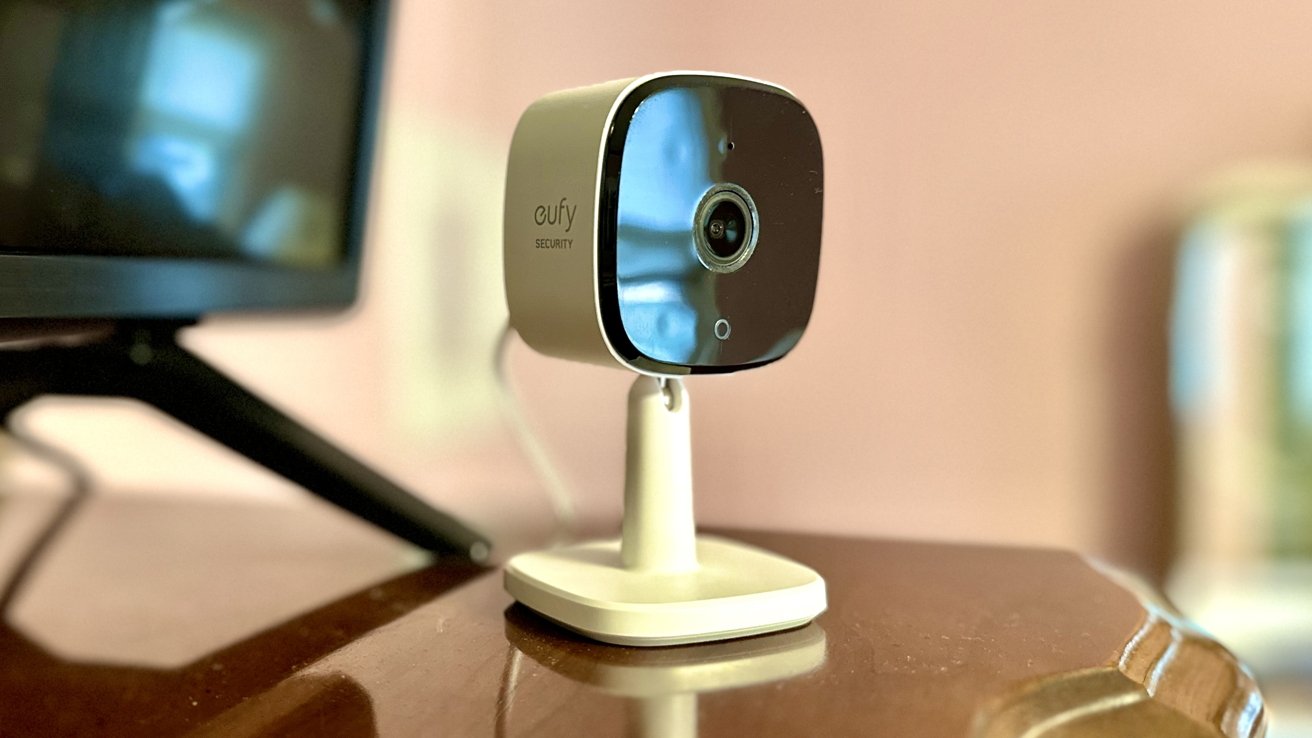
eufy Indoor Cam C120 is a strong indoor option for buyers who care about local storage and lower long-term costs. It is especially useful if you want a small indoor security camera that does not depend heavily on cloud storage for basic use.
It fits well in living rooms, bedrooms, nurseries, home offices, and privacy-sensitive indoor spaces. Because it is indoor-focused, it is not the right choice for porches or exposed outdoor spots, but it is one of the more sensible choices for no-subscription indoor monitoring.
Best for: Indoor rooms, no-subscription buyers, nurseries, living rooms, and privacy-conscious users.
Why it stands out: Local storage support, clear video, and useful indoor monitoring features.
What could be better: Indoor-only design and fixed viewing angle.
Choose eufy Indoor Cam C120 if you want one of the most practical small home security cameras for local indoor recording.
Reolink E1 Pro: Best Small PTZ Camera for Room Coverage

Reolink E1 Pro is not the smallest-looking camera on this list, but it solves a problem that many compact cameras do not: room coverage. A fixed small camera can miss movement if someone walks out of frame. A pan-and-tilt camera gives you more flexibility in rooms where pets, children, or family members move around.
That makes the Reolink E1 Pro especially useful for pet owners, baby rooms, elderly monitoring, larger bedrooms, home offices, and living rooms. If you care more about seeing the whole room than hiding the camera in a corner, this is the better choice.
Best for: Pets, baby rooms, elderly monitoring, larger rooms, and wide indoor coverage.
Why it stands out: Pan-and-tilt movement, local recording options, and broader room visibility.
What could be better: Less discreet than cube-style compact cameras.
Choose Reolink E1 Pro if you want small home security cameras that can follow activity across a room instead of watching from one fixed angle.
Ring Indoor Cam 2nd Gen: Best Small Security Camera for Privacy
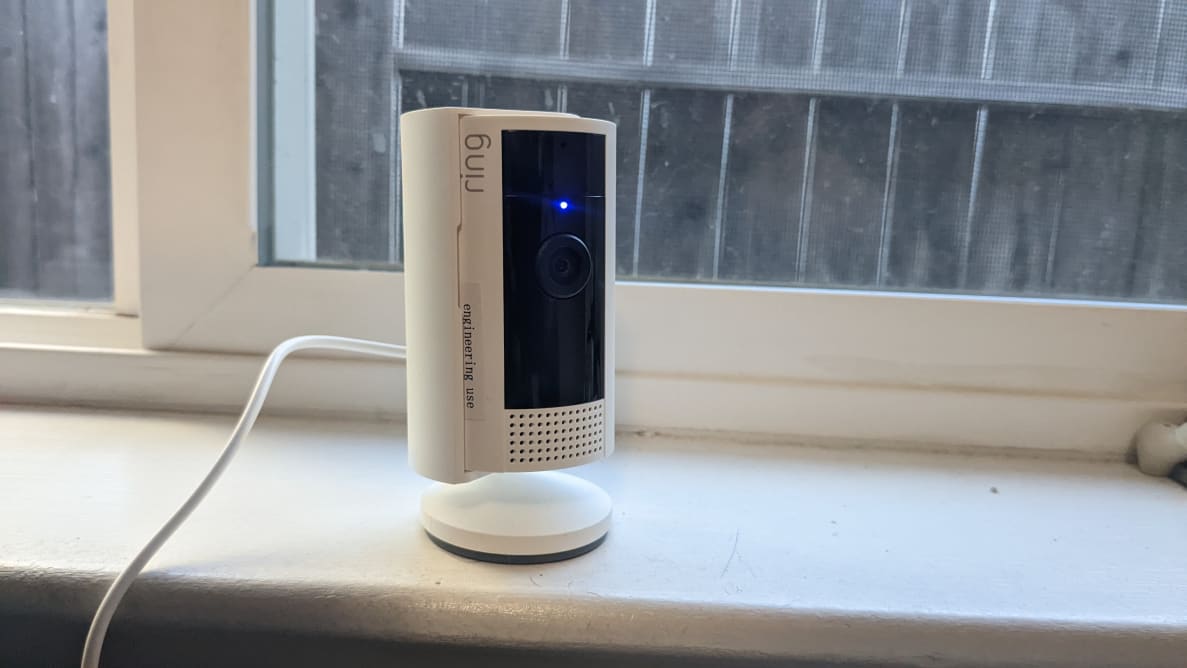
Ring Indoor Cam 2nd Gen is a strong fit for buyers who already use Ring or Alexa and want a compact indoor camera with a physical privacy cover. That privacy cover is simple, but it matters. In shared living spaces, people want to know when a camera is active and when it is clearly blocked.
It works well in apartments, living rooms, home offices, and shared spaces. It is not ideal for buyers who want local storage or a no-subscription setup, but it is convenient if your home already uses Ring devices.
Best for: Ring users, Alexa users, apartments, shared spaces, and privacy-conscious households.
Why it stands out: Compact design, physical privacy cover, simple app experience, and ecosystem integration.
What could be better: No local storage and strong dependence on subscription for video history.
Choose Ring Indoor Cam 2nd Gen if privacy controls and Ring/Alexa integration matter more to you than local storage.
Best Small Home Security Cameras by Scenario
The best small home security cameras depend on where you plan to use them. A camera that works well for an entryway may not be ideal for a baby’s room. A camera that covers a whole room may not be the smallest option for a shelf. Use this table to match the camera to the space.
Scenario | Best Options | What to Prioritize |
|---|---|---|
Apartments | Blink Mini 2, Ring Indoor Cam, Tapo C120 | No-drill setup, compact size, privacy controls, easy removal, and clean placement. |
No Subscription | Tapo C120, eufy Indoor Cam C120, Reolink E1 Pro | microSD storage, useful free features, and local recording that still works without cloud fees. |
Pets | Reolink E1 Pro, Wyze Cam v4, eufy Indoor Cam C120 | Wide view, two-way audio, stable live view, room coverage, and placement that pets cannot knock over. |
Baby Rooms | eufy Indoor Cam C120, Reolink E1 Pro, Ring Indoor Cam | Night vision, privacy controls, safe placement, stable live view, and easy camera disabling. |
Entryways | Tapo C120, Wyze Cam v4, Ring Indoor Cam | Clear video, fast alerts, good night performance, and a view that captures faces entering the home. |
Tight Outdoor Spaces | Tapo C120, Wyze Cam v4 | Weather resistance, secure mounting, strong Wi-Fi, night vision, and proper power access. |
For apartments, choose compact cameras that are easy to remove. For pet and baby rooms, choose stability and room coverage. For entryways, prioritize clear footage and fast alerts. For no-subscription buyers, local storage should be one of your first filters.
Small Home Security Cameras Compared
The best small home security cameras should not be judged by size alone. Storage, subscription limits, app reliability, privacy controls, and room coverage often matter more than saving one extra inch of space.
Camera | Best For | Video Quality | Storage | Subscription Needed? | Main Weakness |
|---|---|---|---|---|---|
TP-Link Tapo C120 | Best Overall | 2K | microSD / cloud optional | No for local use | Audio is not the strongest. |
Wyze Cam v4 | Best Budget | 2.5K class video | microSD / cloud optional | Optional | Some AI features may require a plan. |
Blink Mini 2 | Alexa Users | 1080p | Cloud / local with extra hardware | Yes, for the best features | Subscription and hardware dependence. |
eufy Indoor Cam C120 | No Subscription | 2K | microSD / optional cloud | No for local use | Fixed viewing angle. |
Reolink E1 Pro | Room Coverage | 2K class video | microSD / NVR options | Optional | Less discreet design. |
Ring Indoor Cam 2nd Gen | Privacy Pick | 1080p | Cloud only | Yes for video history | No local storage. |
If you hate monthly fees, start with Tapo, eufy, or Reolink. If you already use Alexa or Ring, Blink and Ring may feel easier. If you want the lowest price, Wyze is the most budget-friendly path.
Subscription vs Local Storage for Small Home Security Cameras
The real cost of small home security cameras is not just the upfront price. Cloud recording, video history, person detection, and AI alerts can add monthly or yearly fees. A camera that looks cheap today may cost much more over three to five years.
Local storage usually means a microSD card, home hub, or NVR-style setup. It helps reduce long-term costs and gives you more control over your footage. It is a good fit for buyers who want no-subscription security, indoor privacy, or basic recording without a cloud plan.
Cloud storage is more convenient. It can protect footage if the camera is stolen or damaged, and it usually makes remote access easier. The trade-off is ongoing cost and more dependence on the camera brand’s service.
Storage Type | Best For | Main Benefit | Main Trade-Off |
|---|---|---|---|
microSD | No-subscription users | Low long-term cost | Footage may be lost if the camera is stolen. |
Home hub / NVR | Multiple cameras | Better local control | Higher upfront setup cost. |
Cloud storage | Remote access and backup | Footage survives camera theft | Monthly or yearly cost. |
Hybrid storage | Most serious users | Balances backup and privacy | Requires more setup decisions. |
For most buyers, the safest path is simple: choose small home security cameras that work well locally first, then treat cloud storage as an optional backup rather than a requirement.
Can Small Home Security Cameras Record 24/7?
Some small home security cameras can record 24/7, but not all of them. The answer depends on power, storage, camera design, and whether the brand supports continuous recording.
Plug-in cameras are usually better for continuous recording because they do not need to save battery. Battery-powered cameras are easier to place, but they often rely on motion-triggered clips. That is fine for casual monitoring, but not ideal if you want every second recorded.
Before buying, check whether the camera supports continuous local recording, microSD recording, cloud 24/7 recording, or event-based clips only. Also, check whether continuous recording requires a subscription. A camera may support live view for free, but still lock video history behind a paid plan.
If you only need alerts when someone enters a room, event-based recording may be enough. If you need full coverage for an entryway, garage, or hallway, choose a plug-in model with clear local or cloud recording support.
Where to Place Small Security Cameras Around Your Home
Placement matters more than buying the most expensive model. Well-placed small home security cameras can outperform better cameras installed in the wrong spots.
Entryway: Captures visitors, deliveries, and front-door activity.
Hallway: Useful because people naturally pass through it.
Living room corner: Covers a central indoor space without needing multiple cameras.
Pet area: Helps you check on pets while away.
Baby room shelf: Useful when placed safely and respectfully.
Garage interior: Good for tools, vehicles, storage, and side entry points.
Porch or balcony: Works if the camera is rated for outdoor use.
Avoid direct sunlight, reflective glass, unstable surfaces, bathrooms, changing areas, and private bedrooms. Test Wi-Fi strength before final installation. Use activity zones to reduce false alerts from streets, trees, and windows. For shared spaces, choose a camera with a visible privacy mode or physical cover.
What to Avoid When Buying Mini or Compact Security Cameras
The compact camera market is full of products that look appealing but disappoint in real use. A low price and tiny body do not always mean a smart purchase.
No-name mini cameras: Many have poor apps, unclear support, and weak privacy controls.
Products marketed mainly as spy cameras: These often create privacy and trust issues that do not fit normal home security needs.
Unclear subscription terms: Some cheap cameras become expensive when recording or smart alerts require a plan.
Weak night vision: A camera that only works well during the day is not enough for security.
Battery-only models sold as 24/7 cameras: Continuous recording usually requires stable power.
Outdoor claims without weather rating: Indoor cameras should not be used outside unless the manufacturer clearly supports it.
No privacy controls: Indoor cameras should make it easy to disable recording or block the lens when needed.
The safest rule is simple: buy small home security cameras from brands with clear storage options, stable apps, privacy settings, and enough support to keep the product useful after setup.
Small Home Security Camera Buying Guide
When choosing small home security cameras, do not focus only on size. The right camera should fit your space, capture useful details, respect privacy, and avoid surprise costs after setup.
Resolution
1080p is acceptable for basic indoor monitoring, but 2K is better if you want clearer details around entryways, hallways, faces, and pets. Higher resolution is especially useful when you need to zoom into recorded footage.
Field of View
A small camera with a narrow field of view may miss important movement. For small rooms, a wider view can reduce blind spots. For larger rooms, a pan-and-tilt camera may be more useful than a fixed cube camera.
Night Vision
Night vision is essential for entryways, hallways, baby rooms, and outdoor corners. Do not assume every small camera performs well after dark. Check whether the camera offers usable low-light footage, not just a night vision label.
Storage
If you dislike monthly fees, local storage should be one of your first filters. microSD, home hub, or NVR support can reduce long-term cost and give you more control over your footage.
Privacy Controls
Privacy matters more when cameras go inside the home. Physical covers, privacy modes, simple recording controls, and clear app settings are especially important in living rooms, bedrooms, baby rooms, and shared spaces.
Power Source
Plug-in cameras are usually better for continuous use. Battery-powered cameras are easier to place but need recharging and usually rely more on event-based recording. Wired options are more stable but less renter-friendly.
App Reliability
A camera with a poor app becomes frustrating quickly. Look for fast alerts, stable live view, easy playback, clear privacy settings, and simple storage management.
Final Verdict: Which Small Home Security Camera Should You Buy?
The best small home security cameras depend on your room, budget, storage preference, privacy needs, and smart home setup.
Choose TP-Link Tapo C120 if you want the best overall balance of size, video quality, storage, and placement flexibility.
Choose Wyze Cam v4 if you want the best budget option without buying a no-name mini camera.
Choose Blink Mini 2 if you use Alexa and want simple indoor monitoring.
Choose eufy Indoor Cam C120 if you want local storage and fewer monthly fees.
Choose Reolink E1 Pro if you need room coverage for pets, baby rooms, or larger spaces.
Choose Ring Indoor Cam 2nd Gen if privacy controls and Ring/Alexa integration matter most.
Do not choose small home security cameras based on size alone. Choose the camera that fits your space, records useful footage, respects privacy, and does not surprise you with long-term costs.

FAQ About Small Home Security Cameras
Are small home security cameras worth it?
Yes. Small home security cameras are worth it for apartments, entryways, hallways, pet areas, baby rooms, home offices, and small outdoor corners. They are less ideal for large yards or full-property professional coverage.
What are small home security cameras best used for?
They work best for compact monitoring: apartment doors, indoor rooms, pets, nurseries, hallways, garages, balconies, and entryways. They are a good first step if you do not need a full wired security system.
Do small home security cameras need Wi-Fi?
Most smart cameras need Wi-Fi for live view, app alerts, and remote access. Some models with local storage can continue recording during internet outages, but remote viewing usually needs a connection.
Can small home security cameras record without a subscription?
Yes. Choose models with microSD, home hub, or NVR -style storage. Tapo, eufy, and Reolink are stronger choices for local recording and lower long-term costs.
Are small cameras good for pets?
Yes. Look for wide coverage, two-way audio, stable live view, and night vision. A pan-and-tilt model is better if your pet moves around the room.
Are small cameras good for baby rooms?
Yes, but choose carefully. Privacy, safe placement, night vision, reliable live view, and easy camera disabling matter more than size alone.
What is the difference between a small camera and a hidden camera?
A small camera is compact but visible and used for home security. A hidden camera is designed to record without being noticed, which can create privacy and legal concerns.
Should I choose a small camera or a full security system?
Choose a small camera for one room, an apartment, a pet area, a baby room, or an entryway. Choose a full system if you need multiple outdoor cameras, stronger deterrence, continuous multi-camera recording, or full-property coverage.
Conclusion: Small Home Security Cameras Work Best When You Choose for the Space
The right small home security cameras are not always the smallest or most expensive ones. They are the cameras that fit your room, record useful footage, respect privacy, and give you storage options you can live with.
Start with your highest-priority spot. If you need an entryway camera, choose clear video and fast alerts. If you want to monitor pets or a baby’s room, choose better room coverage and a stable live view. If you hate monthly fees, choose local storage first. If privacy matters most, choose a camera with a clear privacy cover or strong privacy controls.
Small home security cameras can be a smart first step toward better home security — as long as you choose them for easier placement, cleaner design, and practical protection, not just because they are small.