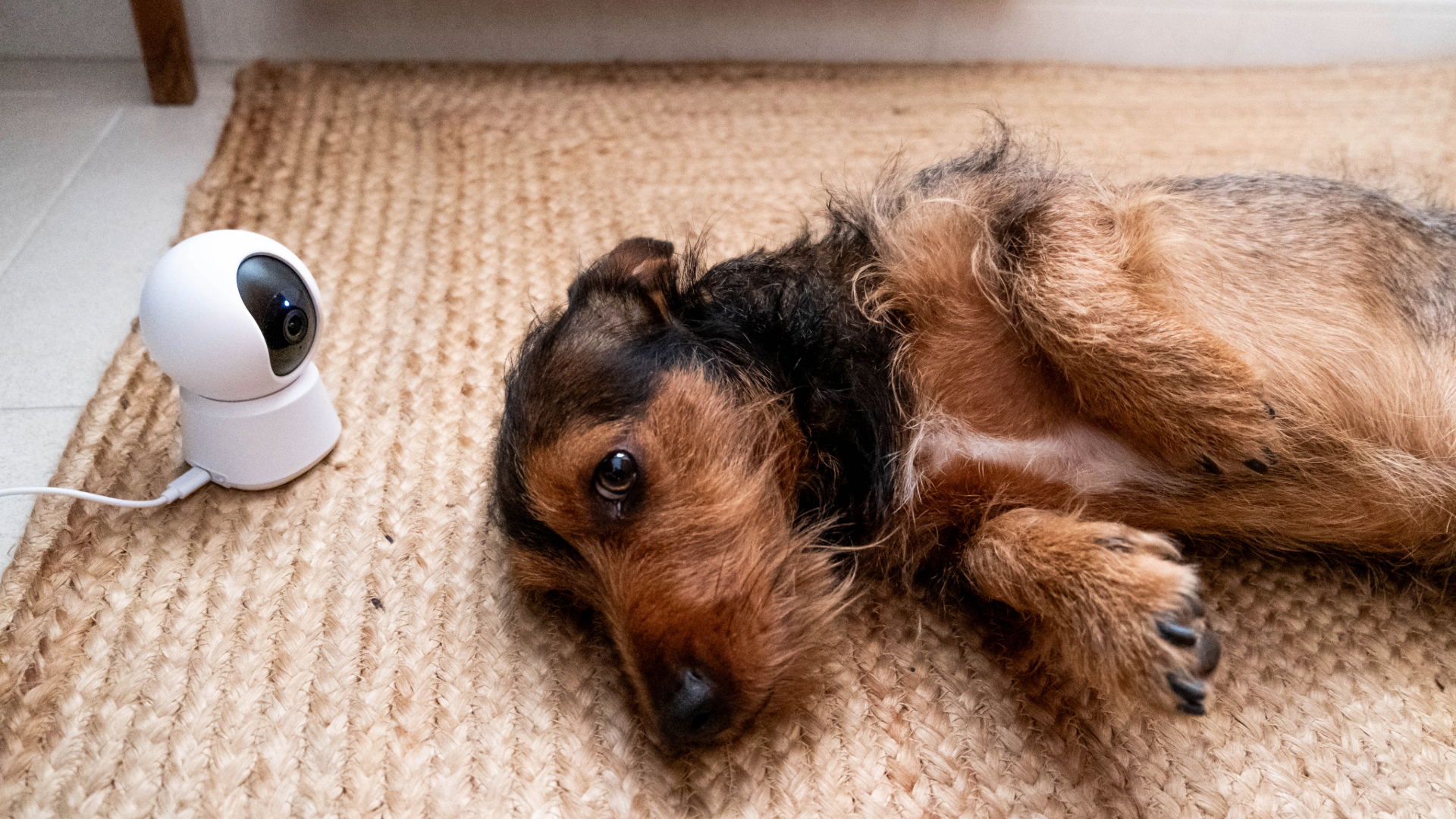
Leaving your dog home alone can make a normal workday feel stressful. You may be in the middle of a meeting, but part of your mind is still at home: Is your dog barking? Sleeping? Chewing the couch? Waiting by the door?
That is why Dog Cameras For Home have become so useful for pet owners. A good dog camera does more than show a live feed. It helps you understand what your dog does when you are away, whether they are calm, restless, anxious, or simply bored.
But not every dog owner needs the most expensive pet camera. Some dogs need treat tossing, bark alerts, and two-way audio. Others only need a simple indoor camera with live view, night vision, and local storage. The best dog cameras for home depend on your dog’s behavior, your home layout, your privacy preferences, and your long-term budget.
This guide breaks down the best Dog Cameras For Home in 2026 by real use case, not just product specs. You will find quick picks, product recommendations, subscription comparisons, placement advice, privacy tips, and a clear buying guide to help you choose the right camera without overpaying.
Quick Answer: Best Dog Cameras For Home in 2026
Here are the best Dog Cameras For Home, based on what different dog owners actually need:
Best overall dog cameras for home: Furbo 360 — best for treat tossing, bark alerts, two-way audio, and a full pet-camera experience.
Best dog camera with treat dispenser: Petcube Bites 2 Lite — best for food-motivated dogs and remote reward-based check-ins.
Best dog camera without subscription: Eufy Pet Camera D605 — built-in 16GB local storage, treat tossing, and no forced cloud plan.
Best 360 dog cameras for home: Petcube Cam 360 — compact full-room viewing with pan, tilt, night vision, and zoom.
Best home security camera for watching dogs: Wyze Cam Pan v4 — 4K video, pet tracking, 360° coverage, and local microSD storage.
Best budget dog camera alternative: TP-Link Tapo C210/C225 — affordable indoor monitoring with pan/tilt, two-way audio, and local storage.
Best privacy-first indoor dog camera: Eufy Indoor Cam E30 — 4K video, local storage, on-device AI, and no forced monthly fee.
The simple rule: choose a dedicated dog camera if you want interaction. Choose a regular indoor security camera if you mainly need live view, motion alerts, two-way audio, and a lower long-term cost.
Quick Picks: Best Dog Cameras For Home by Use Case
Different dogs need different cameras. Use this table as the fastest way to narrow your choice.
Use Case | Top Pick | Why It Fits | Main Limitation |
|---|---|---|---|
Best Overall Dog Cameras For Home | Furbo 360 | Treat tossing, bark alerts, two-way audio, pet-focused app | Subscription costs can add up |
Best Treat Dispenser | Petcube Bites 2 Lite | 1080p video, 160° view, night vision, remote treats | Smart alerts may require Petcube Care |
Best No Subscription | Eufy Pet Camera D605 | 16GB local storage, treat tossing, pet clips | Indoor use only |
Best 360° View | Petcube Cam 360 | 350° pan, 55° tilt, 8x zoom | No treat dispenser |
Best Budget Dog Camera Alternative | TP-Link Tapo C210/C225 | Affordable, pan/tilt, motion alerts, local storage | No pet-specific interaction |
Best Security Camera Alternative | Wyze Cam Pan v4 | 4K, pet tracking, 512GB microSD support | No treat tossing |
Best Privacy-First Pick | Eufy Indoor Cam E30 | 4K, local storage, on-device AI | Not a true pet camera |
If you only need a live view, start with Wyze, Tapo, or Eufy. If you want treat tossing, bark alerts, or a pet-focused app, start with Furbo, Petcube, or Eufy Pet D605.
Do You Really Need Dog Cameras For Home?

Not every owner needs a dedicated pet camera. The better question is: what do you need to know when your dog is alone?
A dedicated dog cameras for home makes sense if:
Your dog barks, howls, paces, scratches, or waits near the door.
You want bark-specific alerts instead of generic motion alerts.
You want to toss treats from your phone.
You want two-way audio check-ins during the day.
You use dog walkers or sitters and want to confirm visits.
You want to observe separation-related behavior more clearly.
A regular indoor security camera may be enough if:
You only need live view.
Your dog sleeps most of the day.
You want local storage without a monthly fee.
You do not need treat tossing, pet diaries, or bark-specific alerts.
You already use Wyze, Eufy, Tapo, Ring, Blink, or Nest at home.
A dog camera can help you observe barking, pacing, chewing, whining, or other alone-time behaviors. It cannot fix separation anxiety by itself. Use the camera as a monitoring tool, not a replacement for training, enrichment, exercise, or professional advice.
For many buyers, this is the most important decision in the whole guide. If your dog is calm, a cheaper indoor security camera may be smarter. If your dog reacts strongly when left alone, a dedicated dog camera for the home may give you more useful tools.
Dog Cameras For Home vs Regular Indoor Security Camera
The biggest difference is interaction.
Regular indoor cameras now offer strong features: two-way audio, night vision, motion alerts, pan/tilt, local storage, activity zones, and even 2K or 4K video. For many owners searching for Dog Cameras For Home, that is already enough.
Dedicated dog cameras go further. Furbo, Petcube, and Eufy Pet D605 focus on pet-specific needs like treat tossing, bark alerts, pet clips, and food-based check-ins. They are built around your dog’s behavior, not just home security.
Feature | Dog Camera | Indoor Security Camera |
|---|---|---|
Main Use | Pet monitoring and interaction | General home monitoring |
Interaction | Treat tossing, bark alerts, two-way audio | Usually two-way audio only |
Storage | Often cloud-based | Often supports microSD or local storage |
Best For | Anxious, active, or food-motivated dogs | Calm dogs and budget-focused owners |
Examples | Furbo, Petcube, Eufy D605 | Wyze, Tapo, Eufy Indoor Cam |
If your dog mostly sleeps, a Tapo or Wyze camera may be enough. If your dog barks, reacts to being alone, or responds well to treats, a dedicated dog cameras for home is easier to justify.
The other major difference is long-term cost. Many dedicated pet cameras rely on cloud plans for video history, smart alerts, or advanced pet features. Indoor cameras with microSD storage may cost less over three years, especially if you do not need treat tossing.
How We Chose the Best Dog Cameras For Home
We compared these cameras based on real dog-owner needs, not just spec sheets.
Video quality: 1080p is the minimum. 2K or 4K helps in larger rooms where you need to see details clearly.
Field of view: wide viewing or pan/tilt matters because dogs rarely stay centered in the frame.
Night vision: important for dim rooms, early mornings, evening monitoring, and short winter days.
Bark alerts: useful, but not perfect. TV noise, traffic, other pets, and household sounds can trigger false alerts.
Treat dispenser: helpful for food-motivated dogs, but not necessary for every home.
Storage and subscriptions: local storage and no-fee features improve long-term value.
Privacy: 2FA, local storage, app permissions, and privacy modes matter inside the home.
Daily usability: the app should open quickly, alerts should make sense, and setup should not feel like a technical project.
We did not treat the longest feature list as the winner. The best Dog Cameras For Home are the ones that match how your dog actually behaves when you are away.
Best Overall Dog Cameras For Home: Furbo 360
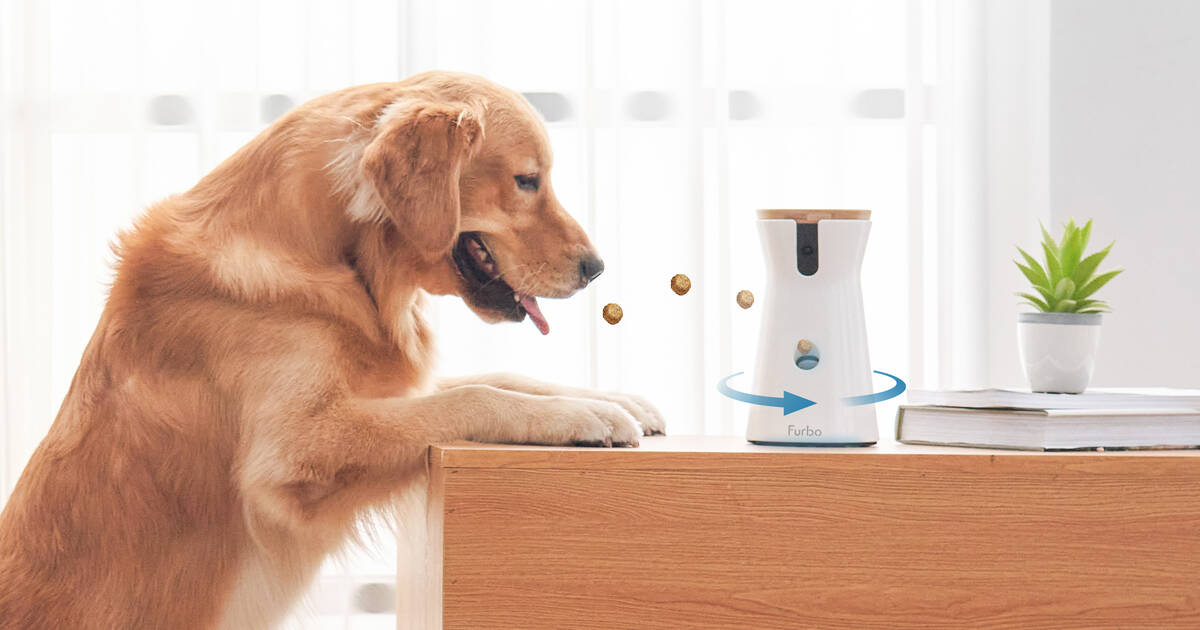
Furbo 360 is the best overall pick if you want a real pet-camera experience. It is built around interaction: treat tossing, bark alerts, two-way audio, night vision, and a dog-focused app.
This is the kind of camera that makes sense if you want to do more than watch. You can check in, talk to your dog, send a treat, and get alerted when barking happens. For anxious dogs, noisy apartments, or owners who like active check-ins, that combination can be valuable.
Best for:
Dogs that bark, pace, or get restless when alone.
Owners who want to treat tossing and bark alerts in one device.
People who want more than a basic live feed.
Apartment owners need to know when barking starts.
Where it falls short:
Subscription costs can add up.
Some advanced features depend on Furbo Nanny.
It may be more camera than you need if your dog mostly sleeps.
It is not the strongest pick for local storage or privacy-first buyers.
Choose Furbo 360 if interaction matters most. Skip it if you only need simple monitoring and local recording.
Best Dog Camera with Treat Dispenser: Petcube Bites 2 Lite

Petcube Bites 2 Lite is one of the best Dog Cameras For Home if your dog responds well to food rewards. It offers 1080p video, a 160° wide-angle view, night vision, 8x digital zoom, two-way audio, and remote treat tossing.
The main reason to buy this camera is the treat dispenser. It works best for dogs that are food-motivated, calm around treats, and responsive to reward-based interaction. If your dog hears your voice and waits for a treat instead of getting more anxious, this type of camera can make daily check-ins feel more useful.
Best for:
Food-motivated dogs.
Owners who want remote rewards.
People are comparing Furbo vs Petcube.
Dogs that respond well to occasional check-ins.
Where it falls short:
No local microSD storage.
Smart alerts and video history may require Petcube Care.
Not ideal for food-guarding dogs.
Not ideal for multi-dog homes where treats may cause competition.
Use small, dry, firm treats. Soft, sticky, oversized, or crumbly treats may jam the dispenser or launch inconsistently. Test treats before you rely on the camera during a full workday.
Best Dog Camera Without Subscription: Eufy Pet Camera D605
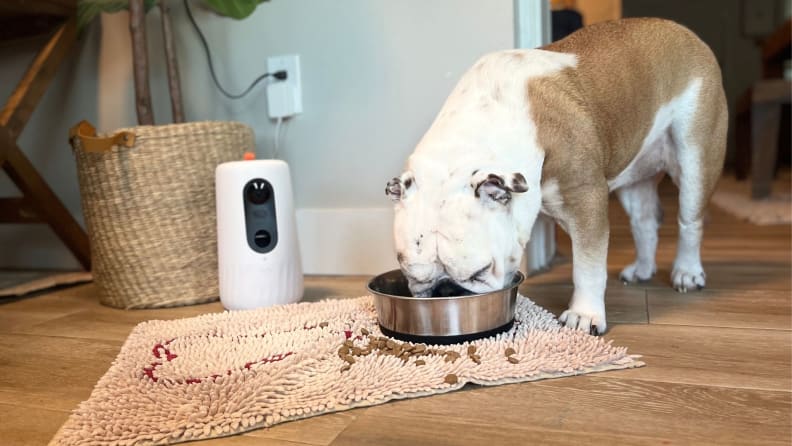
Eufy Pet Camera D605 is the best choice if you want a dedicated dog camera without a monthly fee. It includes 16GB built-in local storage, so basic recording does not depend on cloud storage.
That makes it different from many pet cameras. You still get pet-focused features, but you are not pushed as hard into a recurring plan. For buyers who want treat tossing, local storage, and lower long-term cost, this is one of the strongest dog cameras for home.
Key features:
1080p video.
170° wide-angle view.
Infrared night vision.
Two-way audio.
Treat dispenser.
AI dog tracking.
Free pet clips.
16GB built-in local storage.
Where it falls short:
Indoor-only design.
No cloud backup support.
Treat quantity can vary by treat size and shape.
Not ideal if you need outdoor coverage or multi-camera storage.
For owners who want pet-camera features without subscription pressure, Eufy D605 is one of the most practical Dog Cameras For Home.
Best Budget Dog Cameras For Home: TP-Link Tapo C210/C225

Not every dog owner needs a treat dispenser. Sometimes you just need to know your dog is safe.
TP-Link Tapo C210/C225 is a strong budget alternative because it offers pan/tilt viewing, night vision, two-way audio, motion alerts, and local microSD storage at a low price. It is not built as a pet camera, but it works well as a simple dog monitoring camera.
Best for:
Calm dogs that sleep most of the day.
Apartment owners who need basic monitoring.
Budget-conscious buyers.
Owners who want local storage over pet-specific features.
People who only need to check in during work hours.
Where it falls short:
No treat dispenser.
No pet diary.
No premium pet-focused app experience.
Bark-related features may be less advanced than dedicated dog cameras.
For many people looking for Dog Cameras For Home, this type of indoor camera is enough. It gives you visibility, basic alerts, and local recording without turning a simple need into an expensive pet-tech purchase.
Best 360 Dog Cameras For Home: Petcube Cam 360

Petcube Cam 360 is a compact choice for owners who want full-room coverage without a treat dispenser. It offers 1080p streaming, 350° horizontal pan, 55° vertical tilt, 8x zoom, night vision, and two-way audio.
This camera makes sense when your dog moves around one main space. Maybe they start on the sofa, walk to the crate, sit by the door, then wander back to the food bowl. A fixed narrow camera can miss that. A 360-style dog camera for the home gives you more control over the room view.
Best for:
Small apartments.
Single-room monitoring.
Dogs that move between a bed, crate, sofa, and doorway.
Owners who want wide coverage without treat tossing.
Where it falls short:
No treat dispenser.
No local microSD storage.
Advanced features may require Petcube Care.
Not ideal for multi-room monitoring.
Choose Petcube Cam 360 if you want to see more of the room. Choose Petcube Bites 2 Lite if you want remote treat tossing.
Best Home Security Camera for Watching Dogs: Wyze Cam Pan v4
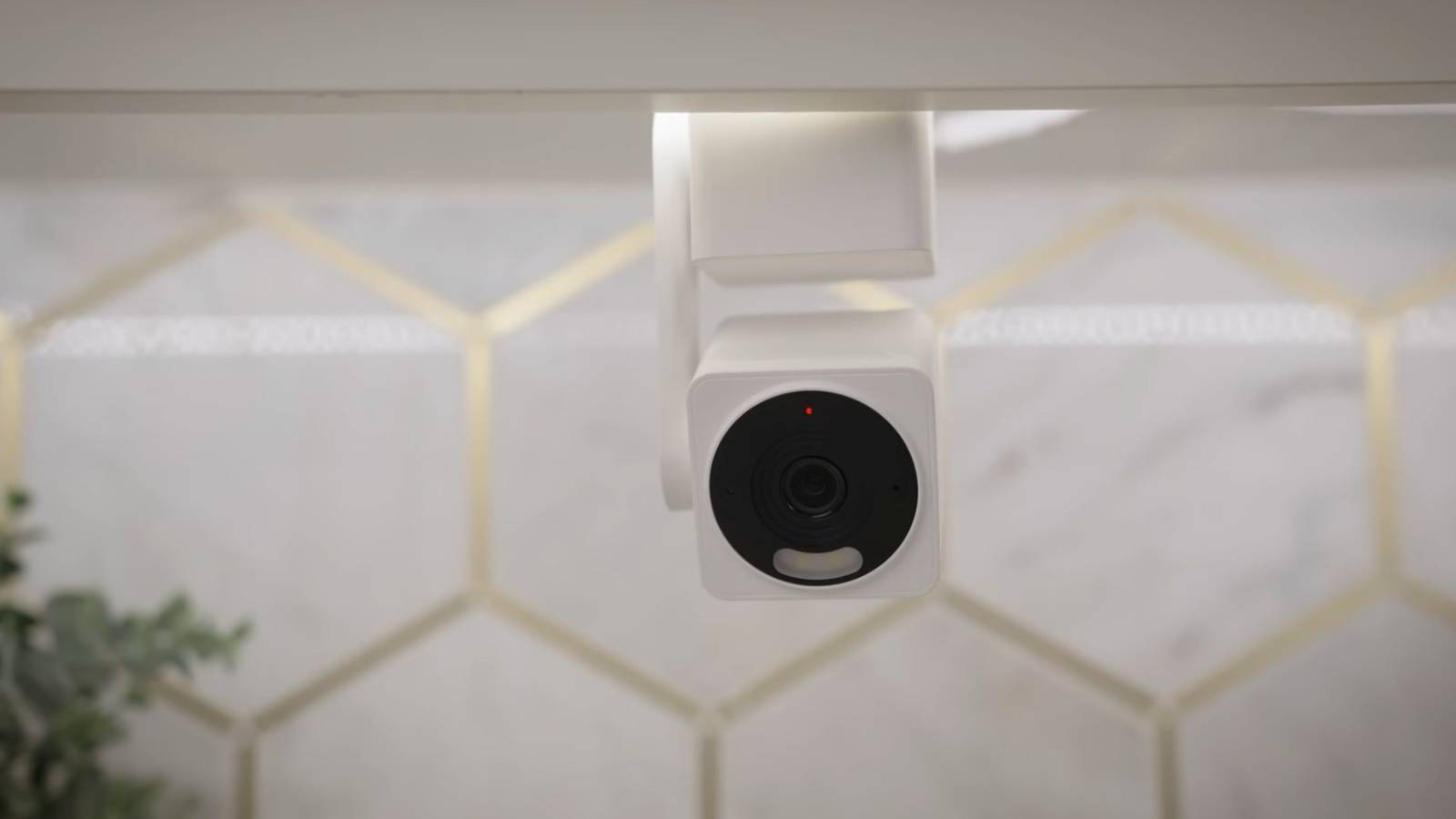
Wyze Cam Pan v4 is not a dedicated pet camera, but it is one of the strongest alternatives for watching dogs at home.
You get 4K video, 360° pan, 180° tilt, color night vision, two-way audio, AI-powered tracking, and local microSD recording up to 512GB. That makes it a strong fit for owners who want camera performance and local storage more than pet-specific extras.
Best for:
Owners who want dog monitoring and home security in one device.
People who prefer local storage.
Buyers who do not need treat tossing.
Homes where the dog moves around one main room.
Users who want higher video quality without paying for a pet-camera ecosystem.
Skip it if:
Your dog needs treat-based engagement.
You want a purpose-built pet app.
You need pet diaries or dog-specific summaries.
For pure monitoring, Wyze Cam Pan v4 gives you strong value. It is one of the best security-camera alternatives to dedicated Dog Cameras For Home.
Best Privacy-First Indoor Dog Camera: Eufy Indoor Cam E30
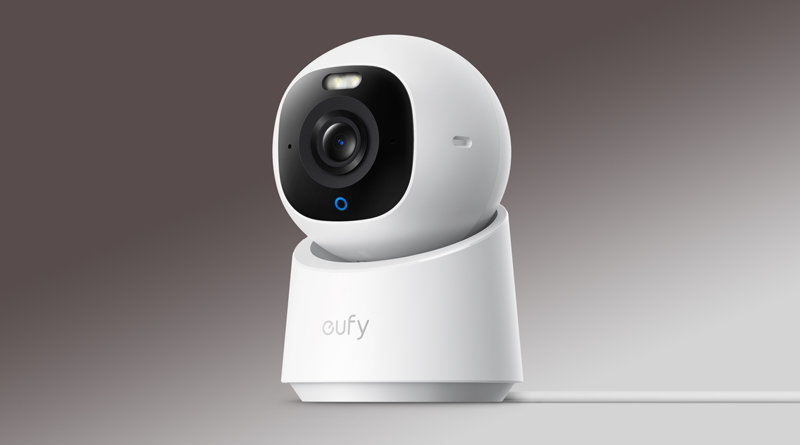
Eufy Indoor Cam E30 is best for owners who want privacy, local storage, and high-quality indoor monitoring. It offers 4K video, 360° room coverage, two-way audio, local storage, and on-device AI.
It is not a true pet camera, and that is fine. Its strength is clean indoor monitoring without forcing every important feature into the cloud. For families, privacy-conscious users, or anyone uncomfortable with always-on cloud recording, this matters.
Best for:
Privacy-conscious dog owners.
Families with children.
Owners who dislike forced cloud storage.
People who need monitoring more than interaction.
Users already in the Eufy ecosystem.
Where it falls short:
No treat dispenser.
No pet diary.
No bark-only alert system like some dedicated pet cameras.
If privacy matters more than interaction, the Eufy Indoor Cam E30 is a strong dog camera for a home alternative.
Other Dog Cameras For Home We Considered
Not every camera belongs in the main list. Some models are useful for specific buyers but less balanced for the average dog owner.
Ring Indoor Cam: good for Ring or Alexa users, but less pet-focused and more subscription-dependent.
Blink Mini 2: simple and affordable, but weaker for pet interaction and advanced dog monitoring.
Google Nest Cam Indoor: strong for Google Home users, but local storage is limited compared with Wyze, Tapo, or Eufy.
Petlibro Scout: interesting AI pet features, but subscription cost and product positioning make it less universal.
Skymee Owl / Enabot ROLA Mini: fun interactive options, but less reliable than fixed cameras for stable monitoring.
These options may still work if they match your ecosystem or use case. They are not as strong as the main picks for most buyers, compared to Dog Cameras For Home.
Dog Camera Subscription Costs Compared
Subscription cost is one of the biggest reasons buyers regret a pet camera. Some cameras look affordable at checkout, then lock video history, smart alerts, downloads, or pet reports behind a paid plan.
Camera | Local Storage | Subscription Risk | Best For |
|---|---|---|---|
Furbo 360 | No strong local option | High | Full pet-camera experience |
Petcube Bites 2 Lite | No | High | Treat tossing |
Petcube Cam 360 | No | Medium–High | 360° pet monitoring |
Eufy Pet D605 | 16GB built-in | Low | No-subscription pet camera |
Wyze Cam Pan v4 | microSD up to 512GB | Low–Medium | Local monitoring |
Tapo C210/C225 | microSD | Low | Budget monitoring |
Eufy Indoor Cam E30 | microSD / HomeBase | Low | Privacy-first monitoring |
Before buying any dog cameras for home, check what stops working without a subscription. Can you still watch live video? Can you review clips? Are bark alerts free? Can you save footage locally? These questions matter more than the discount price on the product page.
A cheaper indoor camera with local storage may cost less over three years than a premium pet camera tied to a monthly plan. If you want the lowest long-term cost, Wyze, Tapo, and Eufy Indoor Cam are usually stronger than cloud-heavy pet cameras.
What Features Matter Most in Dog Cameras For Home?

Most feature lists are longer than they need to be. Focus on what actually changes in daily use.
1080p or higher video: enough detail to see if your dog is resting, pacing, chewing, or getting into something unsafe.
Night vision: essential for dark rooms, early mornings, evening monitoring, and apartments with limited natural light.
Wide view or pan/tilt: important if your dog moves around the room instead of staying in one bed or crate.
Two-way audio: useful for some dogs, stressful for others. Test it before depending on it.
Bark alerts: helpful for apartments, anxious dogs, and owners worried about noise complaints.
Treat dispenser: useful for food-motivated dogs, but not every dog needs one.
Local storage: important for lower long-term cost and better privacy.
App reliability: A slow app can ruin even the best camera hardware.
The best Dog Cameras For Home are not the ones with the longest feature list. They are the ones that match your dog’s real behavior.
Can Dog Cameras For Home Help with Separation Anxiety?
Dog cameras can help you observe separation-related behavior. They cannot cure it.
A camera can show barking, pacing, chewing near doors, scratching crates, whining, or waiting by the entryway. That footage can help you understand what happens after you leave. It can also help you explain the behavior to a trainer or veterinarian if the problem continues.
But a camera cannot train your dog, replace exercise, diagnose anxiety, or fix panic behavior. Two-way audio may calm some dogs, but it may confuse or stress others. Treat tossing may distract a food-motivated dog, but it will not solve serious anxiety.
If your dog shows repeated panic, destructive escape attempts, injury risk, or distress across multiple days, use the footage as evidence and consider help from a trainer or veterinarian.
Where to Place a Dog Camera at Home
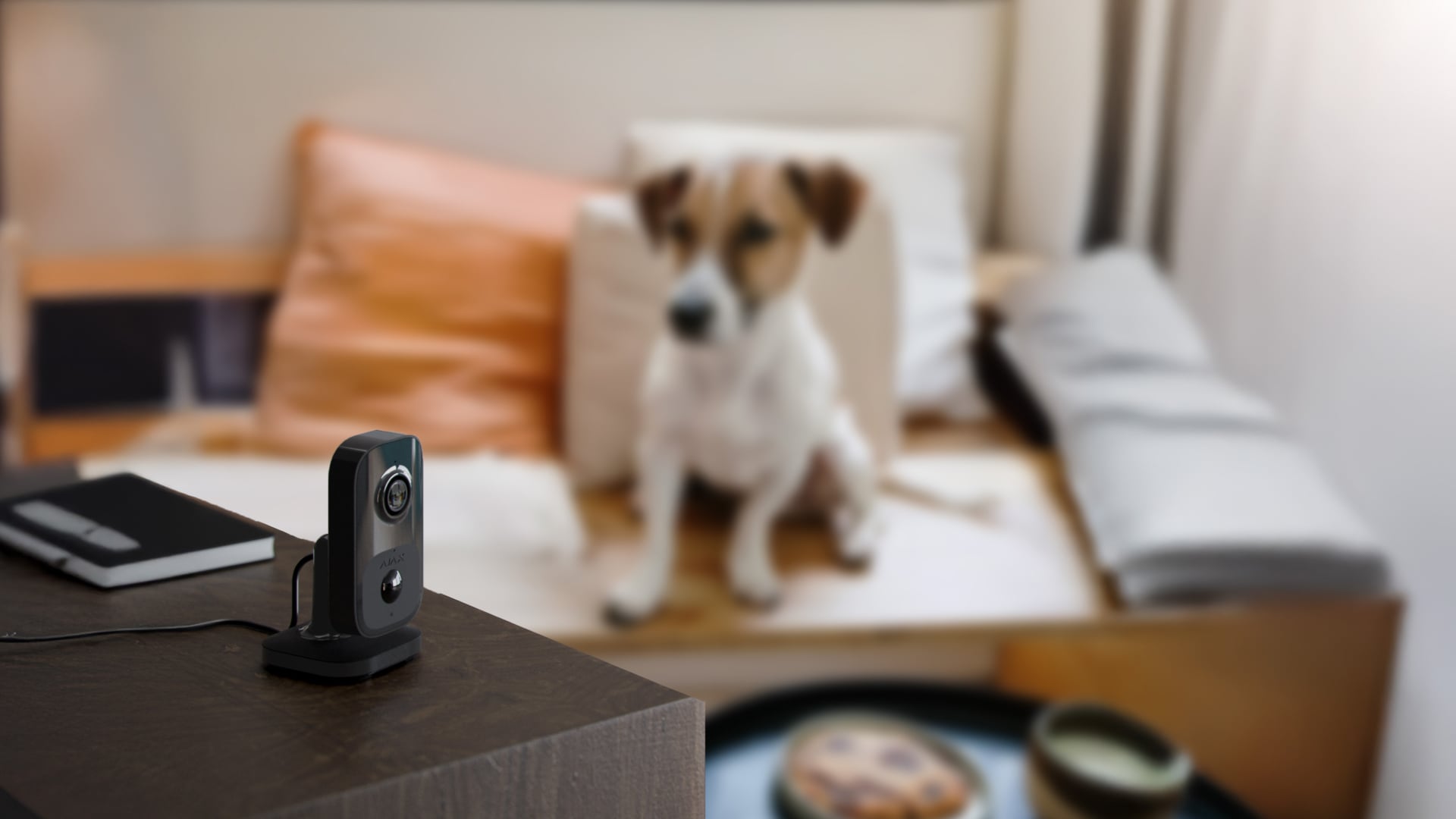
Placement decides what you see. Do not aim for the prettiest view of the room. Aim for the place your dog actually uses.
Dog bed or main resting area: best for calm dogs that sleep most of the day.
Crate area: angle the camera from the side, not directly into your dog’s face.
Entryway: useful if your dog waits by the door, barks, or paces after you leave.
Feeding area: helpful if you want to monitor eating behavior.
Open room corner: best for 360° cameras that need rotation clearance.
Keep the camera high enough to protect cables. Avoid bright windows, heaters, vents, and TV speakers. Test live view, night vision, audio, alerts, and treat tossing before relying on the camera for a full day.
If your dog may have separation-related behavior, point the camera toward the reaction zone. That may be the door, crate, hallway, or sofa — not necessarily the center of the room.
Dog Camera Privacy and Security Checklist
A dog camera is still a camera inside your home. It may capture family members, visitors, private conversations, and daily routines.
Use a strong, unique password.
Enable two-factor authentication if available.
Keep firmware and app software updated.
Turn off audio recording if you do not need it.
Use privacy mode or lens shutoff when available.
Remove old shared users.
Check app permissions.
Use secure Wi-Fi.
Prefer local storage if privacy is a priority.
Avoid placing the camera in bedrooms, bathrooms, or children’s private spaces.
If children are in the home, place the camera only in shared spaces. A dog cameras for home should help you watch your dog, not turn into household surveillance.
Dog Camera Buying Guide: How to Choose the Right One
Use this simple framework before buying:
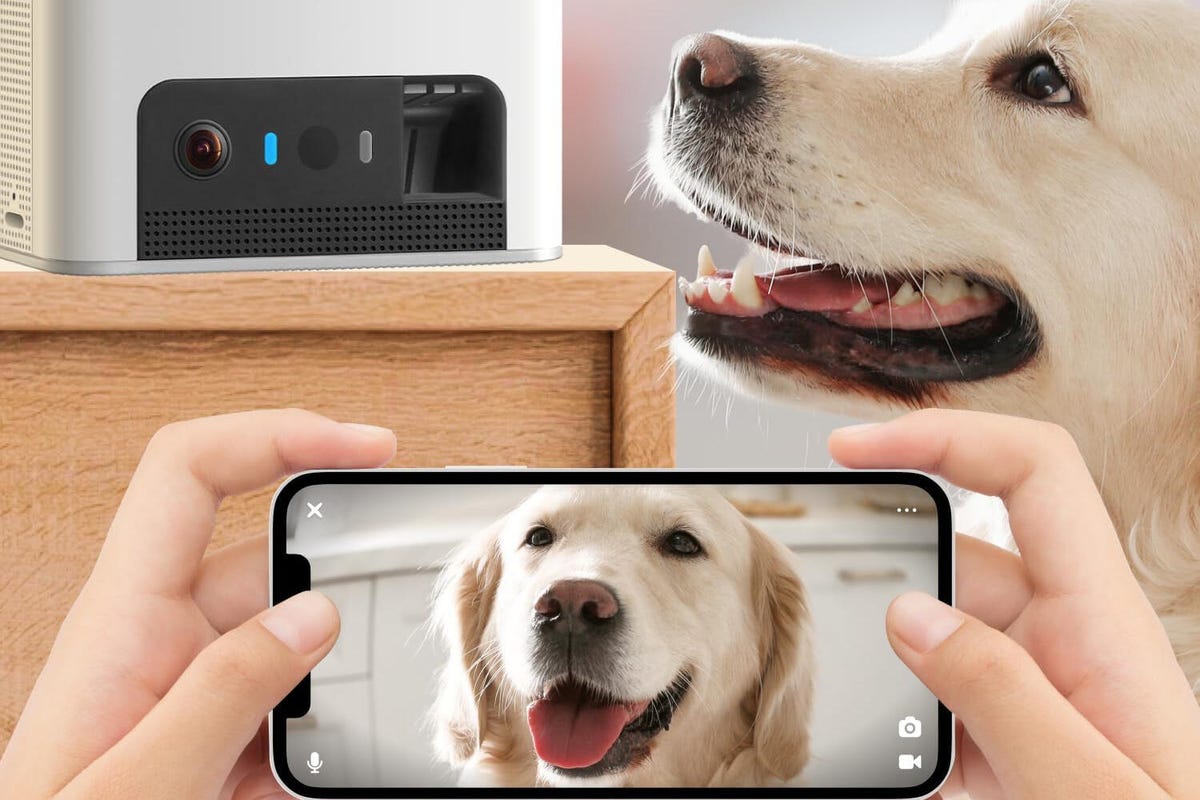
Choose a true dog camera if you want treat tossing, bark alerts, pet clips, or pet-specific interaction.
Choose an indoor security camera if you only need live view, motion alerts, two-way audio, and local storage.
Choose local storage if you want lower long-term cost and better privacy.
Choose 360° viewing if your dog moves around the room.
Choose treat tossing only if your dog is food-motivated and safe around remote treats.
Choose privacy-first models if the camera will be used in a family space.
Buy the simplest camera that solves your actual problem. That is usually better than paying for features you will not use.
Common Mistakes to Avoid When Buying Dog Cameras For Home
Buying a treat camera you do not need: calm dogs may only need a basic indoor camera.
Ignoring subscription costs: check what features require a paid plan.
Assuming two-way audio always helps: test it first, because some dogs become more stressed.
Using treat tossing in multi-dog homes: it can create competition or food-guarding problems.
Skipping night vision: dim rooms are common dog-monitoring spaces.
Forgetting Wi-Fi requirements: many cameras need 2.4GHz Wi-Fi.
Placing the camera too low: puppies and chewers can knock it over or chew the cord.
Treating the camera as an anxiety fix: it shows behavior; it does not change behavior by itself.
Good Dog Cameras For Home help you understand what is happening. They do not replace judgment, training, or safe setup.
Final Verdict: Which Dog Cameras For Home Should You Buy?
Choose based on your actual dog, not the longest feature list.
Choose Furbo 360 for the best full pet-camera experience.
Choose Petcube Bites 2 Lite for remote treat tossing.
Choose Eufy Pet D605 for a no-subscription dog camera.
Choose Petcube Cam 360 for compact full-room viewing.
Choose Wyze Cam Pan v4 for local storage and high-value monitoring.
Choose Tapo C210/C225 for budget indoor dog monitoring.
Choose Eufy Indoor Cam E30 for privacy-first monitoring.
The best dog cameras for home fit your dog’s habits, your home layout, and your real budget. If you need interaction, pay for interaction. If you only need monitoring, do not overbuy.

FAQ About Dog Cameras For Home
What are the best dog cameras for home in 2026?
Furbo 360 is the best overall choice if you want treat tossing, bark alerts, and a full pet-camera app. Eufy Pet D605 is better if you want no subscription. Wyze Cam Pan v4 and Tapo C210 are better for basic live monitoring.
Are Dog Cameras For Home worth it?
Yes, if your dog barks, paces, chews, reacts to being alone, or you use pet sitters. If your dog sleeps calmly all day, a regular indoor camera may be enough.
Can a regular security camera work as a dog camera?
Yes. You lose treat tossing and pet diaries, but you still get live view, night vision, motion alerts, two-way audio, and often local storage.
What is the best dog camera without a subscription?
Eufy Pet Camera D605 is one of the strongest no-subscription pet cameras. Wyze Cam Pan v4, Tapo C210/C225, and Eufy Indoor Cam E30 are strong indoor camera alternatives.
Do dog cameras help with separation anxiety?
They help you observe behavior, but they do not cure separation anxiety. Use camera footage to understand patterns and decide whether training or professional help is needed.
Can dog cameras detect barking accurately?
Some dog cameras offer bark alerts, but accuracy depends on room noise, TV sound, traffic, other pets, and microphone quality. Treat bark alerts as useful signals, not perfect proof.
Are treat-dispensing dog cameras safe?
They can be safe for the right dog and the right treats. Avoid remote treat tossing with food-guarding dogs, strict diets, swallowing issues, or multi-dog homes where treats may cause conflict.
What treats work best in a dog camera?
Small, dry, firm treats usually work best. Soft, sticky, oversized, or crumbly treats may jam the dispenser or launch inconsistently.
Do dog cameras record all the time?
Some indoor cameras support continuous local recording with microSD cards. Many pet cameras record events or store video history through a subscription plan. Always check recording rules before buying.
Do dog cameras work without Wi-Fi?
Most smart dog cameras need Wi-Fi for live view, alerts, two-way audio, and treat tossing. Some local-storage cameras may keep recording without internet, but remote access usually stops.
Where should I place a dog camera at home?
Place it where your dog spends the most time, such as the living room, crate area, dog bed, or entryway. Keep cords out of reach, avoid bright windows, and test the view before leaving.
Which is better: Furbo, Petcube, Wyze, or Tapo?
Furbo is best for a full pet-camera experience. Petcube is strong for treat tossing and compact pet monitoring. Wyze is better for high-resolution local recording. Tapo is better for budget indoor monitoring.
Conclusion
The right Dog Cameras For Home come down to three things: your dog’s behavior, your home setup, and your real long-term cost.
If your dog needs interaction, choose Furbo, Petcube, or Eufy Pet D605. If you only need monitoring, choose Wyze, Tapo, or Eufy Indoor Cam. If privacy matters, prioritize local storage, 2FA, and careful camera placement.
The best dog camera is not the one with the longest feature list. It is the one that fits your actual dog. Choose the model that solves your real problem, test it for a few days, and adjust the placement, alerts, and audio before relying on it fully.