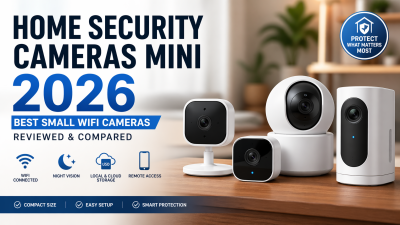
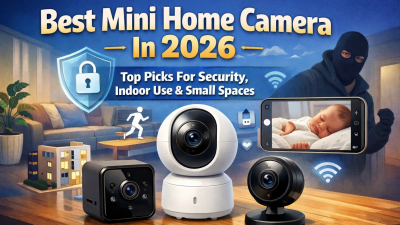
You don’t need a bulky camera to protect what matters most. Home security cameras mini have evolved fast in the past few years. Today’s compact indoor cameras are smart enough to tell a package thief from a passing squirrel, small enough to disappear on a bookshelf, and affordable enough that there’s little reason to go without one.
The challenge? The market is crowded heading into 2026. Dozens of mini security cameras look similar on paper, but real-world performance tells a different story. Choose the wrong one, and you could end up with delayed alerts, weak night footage, unreliable WiFi, or a subscription plan that costs more than the camera itself.
This guide cuts through the noise. You’ll find tested comparisons of the best home security cameras mini, practical use-case recommendations, and clear insights on what to avoid—so you can choose the right small WiFi camera the first time.
Best Home Security Cameras Mini (Quick Picks 2026)
After months of hands-on testing, these are the home security cameras mini that actually deliver in real-world use. Each pick below is selected based on what matters most: size, reliability, storage costs, and how easy it is to live with day to day.
If you just want one safe pick: go with the eufy Indoor Cam Mini 2K — it offers the best balance of size, performance, and zero subscription cost for most users.
No Subscription Required (Best Long-Term Value)
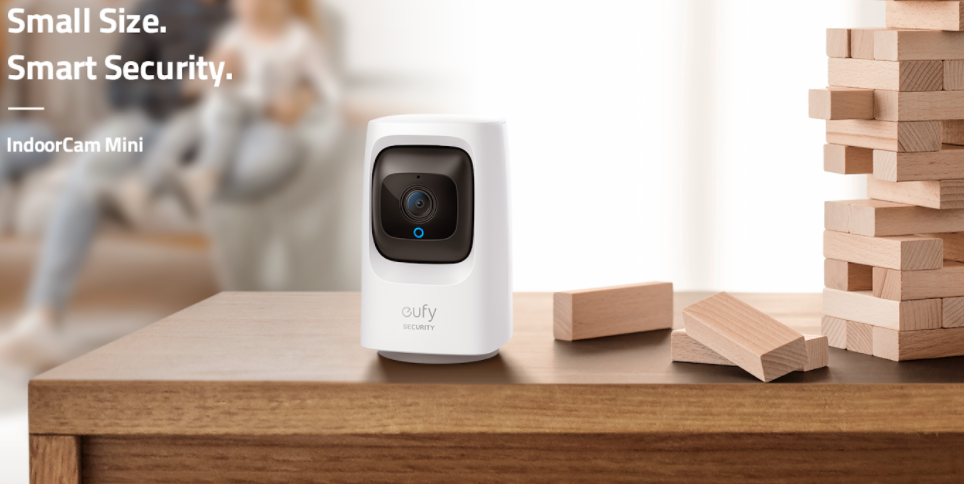
eufy Indoor Cam Mini 2K — True mini size, on-device AI (human + pet detection), and full local storage with no monthly fees
Reolink E1 Pro — Reliable pan-and-tilt coverage with dual-band WiFi and no subscription required
TP-Link Tapo C120 — Strong all-rounder with color night vision and free local storage via microSD
Budget-Friendly & Compact Mini Cameras
TP-Link Tapo C100 — One of the smallest and cheapest mini cameras available, ideal for basic indoor monitoring
Blink Mini (2K) — Ultra-compact and easy to set up, but cloud storage requires a subscription for full functionality
Wyze Cam v4 — Affordable with solid features, though app experience and stability can vary
Advanced Features & Smart Home Integration
Aqara Camera Hub G350 — 4K mini PTZ camera with smart home hub features (ideal for Apple HomeKit users)
Reolink E1 Pro — Also fits here, thanks to smart tracking and wide coverage in a compact form
Quick note on placement & privacy:
Mini cameras are generally legal for monitoring your own property. Always avoid placing cameras in private areas (like bathrooms or guest bedrooms), and check local laws if audio recording is enabled.
Home Security Cameras Mini Comparison Table (Size, Latency, AI & Storage)
Specs matter — but only the right ones. This comparison breaks down how the top home security cameras mini perform where it actually counts: size, speed, detection accuracy, and storage costs.
Camera | Size | Alert Latency | AI Detection | Storage |
|---|---|---|---|---|
eufy Indoor Cam Mini 2K | Palm-size | 1–2s (fast) | Human + pet (on-device) | Local (microSD), no subscription |
TP-Link Tapo C120 | Compact mini | 2–3s | Human + pet (free AI) | Local (microSD) + optional cloud |
Reolink E1 Pro | Small PTZ | 2–4s | Human + pet + tracking | Local (microSD / NVR), no subscription |
Blink Mini (2K) | Ultra-compact | 2–5s | Motion + zones (AI via subscription) | Cloud (subscription) + limited local |
Wyze Cam v4 | Compact cube | 2–4s | Human detection (AI limited) | Local (microSD) + subscription optional |
TP-Link Tapo C100 | Ultra mini | ~2s | Basic motion detection | Local (microSD) + optional cloud |
What These Mini Camera Specs Actually Mean
Raw specs can be misleading. Here’s how to interpret them when choosing the right home security cameras mini:
Latency (Speed):
Most mini cameras respond within 1–3 seconds. That’s the real-world standard. Anything above 5 seconds starts to feel delayed — especially for live alerts.
Storage (Hidden Costs):
Most compact mini cameras support local microSD storage (typically up to 128GB–512GB), which means no monthly fees.
Blink is the main exception — full functionality relies on a cloud subscription.
AI Detection (False Alert Control):
Cameras with on-device AI (like eufy, Tapo, Reolink) can distinguish between people and pets.
Basic models only detect motion, which often leads to false alerts from light changes or movement.
WiFi Stability (Critical but Overlooked):
Most mini cameras use 2.4GHz WiFi. Dual-band models (like Reolink E1 Pro) handle interference better and stay more stable through walls.
Weak signal = dropped footage or delayed alerts.
Night Vision Performance:
IR night vision typically covers 20–30 ft indoors.
Color night vision (Tapo C120, Wyze v4) gives more usable detail in low light — especially for identifying people.
Quick Takeaways
Best overall balance (no subscription + strong AI): eufy Indoor Cam Mini 2K
Best value with advanced features: TP-Link Tapo C120
Best for full-room coverage: Reolink E1 Pro
Best ultra-compact option: TP-Link Tapo C100
In-Depth Reviews of the Best Home Security Cameras Mini
Not all home security cameras mini perform the same in real homes. The models below stand out because they deliver consistent performance where it matters most: reliability, alert speed, storage flexibility, and day-to-day usability — not just spec sheet claims.
eufy Indoor Cam Mini 2K — Best Overall Mini Security Camera (No Subscription)

If you want a simple, reliable home security camera mini without ongoing fees, this is the safest pick.
What makes it stand out is the combination of true mini size, fast response time (around 1–2 seconds), and on-device AI that can accurately distinguish between people and pets — all without a subscription.
Best for: renters, pet owners, and anyone who wants privacy-first monitoring with no monthly cost
What it does well:
On-device AI detection (human + pet) with low false alerts
Local microSD storage — no cloud required
Compact size that blends easily into shelves or corners
Reliable performance with minimal setup
Limitations to know:
Wired only (no battery option)
The field of view is good, but not wide enough for large spaces with a single unit
Reolink E1 Pro — Best Mini Camera for Full-Room Coverage (PTZ)
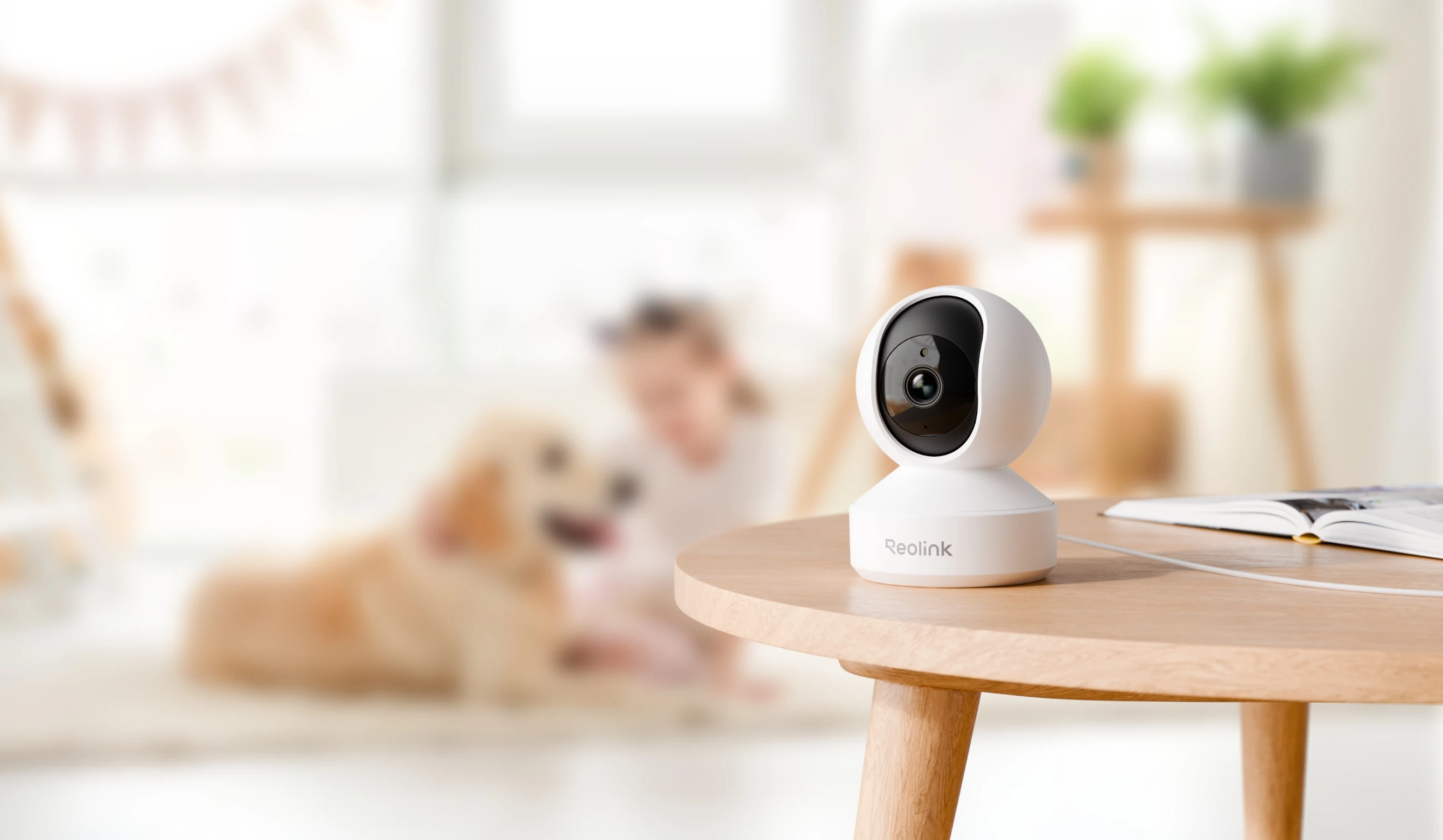
The Reolink E1 Pro is ideal if you want one mini security camera to cover an entire room without installing multiple units.
Its pan-and-tilt (PTZ) functionality allows it to track movement and eliminate blind spots — something fixed mini cameras can’t match.
Best for: small apartments, full-room monitoring, users who want fewer cameras
What it does well:
Dual-band WiFi (2.4GHz + 5GHz) for stronger, more stable connection
Smart tracking with person and pet detection
Local storage + NVR support with no subscription
Reliable performance for continuous indoor monitoring
Limitations to know:
Larger than ultra-mini models (less discreet)
Visible placement — not designed to blend in completely
TP-Link Tapo C120 — Best Value Home Security Camera Mini

The Tapo C120 offers one of the best price-to-performance ratios among mini home security cameras.
It combines solid 2K video, color night vision, and free AI detection — features that are often locked behind subscriptions in competing models.
Best for: budget-conscious users who still want strong features
What it does well:
Color night vision for better low-light detail
Free AI detection (human + pet)
Flexible placement (magnetic base, adhesive, or mount)
Local microSD storage with optional cloud
Limitations to know:
WiFi stability depends on signal strength (2.4GHz only)
App experience is functional, but not the most polished
Blink Mini (2K) — Most Affordable Compact Mini Camera

If your priority is price and simplicity, the Blink Mini is one of the easiest entry points into home security cameras mini.
It’s extremely compact, quick to set up, and works well for basic indoor monitoring — especially in smaller spaces.
Best for: first-time buyers, simple room monitoring, tight budgets
What it does well:
Ultra-compact size — easy to place anywhere
Fast setup and solid basic performance
Works well with the Alexa ecosystem
Limitations to know:
Full functionality requires a subscription (cloud storage + AI)
Limited local storage without additional hardware
Detection is basic compared to on-device AI competitors
Quick Decision Guide
If you don’t want to compare specs, start here — these are the best home security cameras mini based on common priorities:
Your Priority | Best Pick |
|---|---|
No subscription + best overall balance | eufy Indoor Cam Mini 2K |
Full-room coverage with one camera | Reolink E1 Pro |
Best value for the price | TP-Link Tapo C120 |
Lowest upfront cost | Blink Mini (2K) |
How to Choose Home Security Cameras Mini (Step-by-Step Decision Guide)

Most people end up buying the wrong home security cameras mini — not because they didn’t research enough, but because they focused on the wrong specs. This guide breaks down what actually matters in real-world use so you can choose the right mini security camera the first time.
Step 1: Define Your Purpose First (Most Important Step)
Before comparing any home security cameras mini, start with a simple question: what are you actually trying to monitor?
A single front door setup is very different from covering multiple entry points, hallways, or a full apartment layout. Most homes need 2–6 compact indoor cameras, depending on layout and blind spots.
Key takeaway: Don’t buy based on specs — buy based on coverage needs.
Step 2: Match the Camera Type to Your Space
Different types of mini security cameras solve different problems:
Fixed mini cameras — Simple, affordable, and ideal for corners, shelves, or doorways
Mini PTZ cameras
— Pan, tilt, and zoom functionality; one camera can replace multiple fixed units in small rooms
Indoor vs outdoor usage — Only use weatherproof-rated cameras outdoors (IP65/IP66 minimum)
For most users searching for home security cameras, mini, fixed indoor models are the best starting point.
Step 3: Resolution Matters — But Don’t Overpay
For most home security cameras mini, 2K (1440p) is the practical sweet spot.
1080p → acceptable for general monitoring
2K (1440p) → best balance of clarity and storage
4K → only useful for high-detail identification (faces, plates at close range)
Going above your actual need increases storage cost without a meaningful real-world benefit.
Step 4: Prioritize Night Vision Performance
Night coverage is where most mini cameras fail.
Look for:
IR night vision — reliable black-and-white visibility up to ~20–30 ft indoors
Color night vision — better detail in low light, especially for identifying people or objects
In real-world home security, nighttime performance is often more important than daytime clarity.
Step 5: Understand Storage Before You Buy
This is where long-term costs are decided.
Recording Type | Storage Demand |
|---|---|
Continuous 4MP (multiple cameras) | High (TB-level monthly usage) |
1080p continuous recording | Moderate (~hundreds of GB/week) |
Motion-based recording | Efficient (saves 70–80% storage) |
Most home security cameras mini models support microSD storage, which avoids monthly fees. Cloud plans typically range from $5–$15 per camera/month, which adds up quickly in multi-camera setups.
Rule of thumb: local storage = lower long-term cost.
Step 6: Check WiFi Compatibility Before Installation
A major failure point for mini security cameras is a WiFi mismatch.
Most home security cameras mini operate on 2.4GHz WiFi
Dual-band (2.4GHz + 5GHz) improves stability in larger homes
Weak signals = delayed alerts, dropped footage, or poor video quality
Always test the WiFi strength at the installation point before mounting the camera.
Budget Reality Check (What You Should Expect to Pay)
Type | Price Range |
|---|---|
Basic mini indoor camera | $50–$100 |
Mini PTZ camera | $150–$250 |
Multi-camera home setup | $300–$800+ (storage not included) |
Important insight: most users overpay for the resolution they don’t actually need.
Final Insight: Don’t Overbuy on Specs
A common mistake with home security cameras mini is chasing unnecessary specs like 8K resolution or ultra-wide FOV.
In most home environments:
2K resolution is more than enough
Placement matters more than resolution
Stability matters more than features
The best system is the one that records reliably — not the one with the highest spec sheet.
Best Home Security Cameras Mini by Use Case
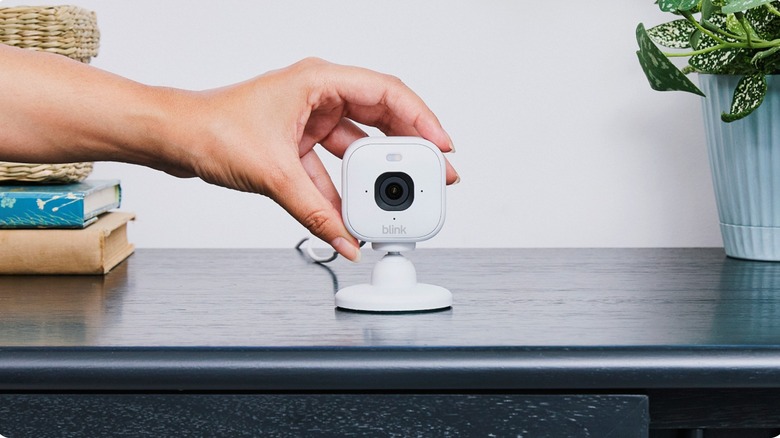
Not every home security camera mini is built for the same job. The best choice depends entirely on how and where you plan to use it — not just specs or resolution.
Below is a practical breakdown of the best mini security cameras by real-world scenario.
Discreet Indoor Monitoring (Low-Profile Placement)
If you want a home security camera mini that blends into your space, size and simplicity matter more than anything else.
Blink Mini (2K) — Ultra-compact design, easy shelf placement, strong Alexa integration
TP-Link Tapo C100 — One of the smallest indoor mini cameras, ideal for basic monitoring
eufy Indoor Cam Mini 2K — Best balance of size, clarity, and no subscription
Best choice: eufy Indoor Cam Mini 2K (most reliable long-term option)
Apartment & Small Space Monitoring (No Drilling Setup)
For renters or small apartments, flexibility and installation simplicity matter most.
eufy Indoor Cam Mini 2K — Compact, stable WiFi, local storage
TP-Link Tapo C120 — Flexible mounting (magnetic/adhesive), color night vision
Wyze Cam v4 — Budget-friendly with decent smart features
Key insight: In small spaces, placement matters more than resolution
Baby & Pet Monitoring (AI Detection Focus)
For family monitoring, accuracy and low false alerts are more important than stealth.
eufy Indoor Cam Mini 2K — On-device AI (human + pet detection)
TP-Link Tapo C120 — Free AI detection with good night visibility
Reolink E1 Pro — Better for wider room coverage with PTZ tracking
Best overall: eufy Indoor Cam Mini 2K
Budget Mini Security Cameras (Lowest Cost Entry)
If you’re just getting started with home security cameras mini, these are the entry-level options.
TP-Link Tapo C100 — Ultra-budget, basic indoor monitoring
Blink Mini (2K) — Affordable, but a cloud subscription may be required
Wyze Cam v4 — Feature-rich at a low price, but stability varies
Full-Room Coverage (Single Camera Solution)
If you want to reduce the number of devices, consider PTZ-style mini cameras.
Reolink E1 Pro — Pan-and-tilt coverage, dual-band WiFi, no subscription required
Aqara Camera Hub G350 — Smart home integration with wide-angle monitoring
Best for: small apartments or single-room full coverage
Use Case Summary Table (Quick Decision View)
Use Case | Best Pick | Why |
|---|---|---|
Discreet indoor monitoring | eufy Indoor Cam Mini 2K | Best balance of size + privacy |
Apartment setup | Tapo C120 | Flexible install + color night vision |
Baby/pet monitoring | eufy Indoor Cam Mini 2K | Accurate AI detection |
Budget option | Tapo C100 | Cheapest reliable mini camera |
Full-room coverage | Reolink E1 Pro | PTZ + stable performance |
Common Problems with Home Security Cameras Mini (And How to Avoid Them)
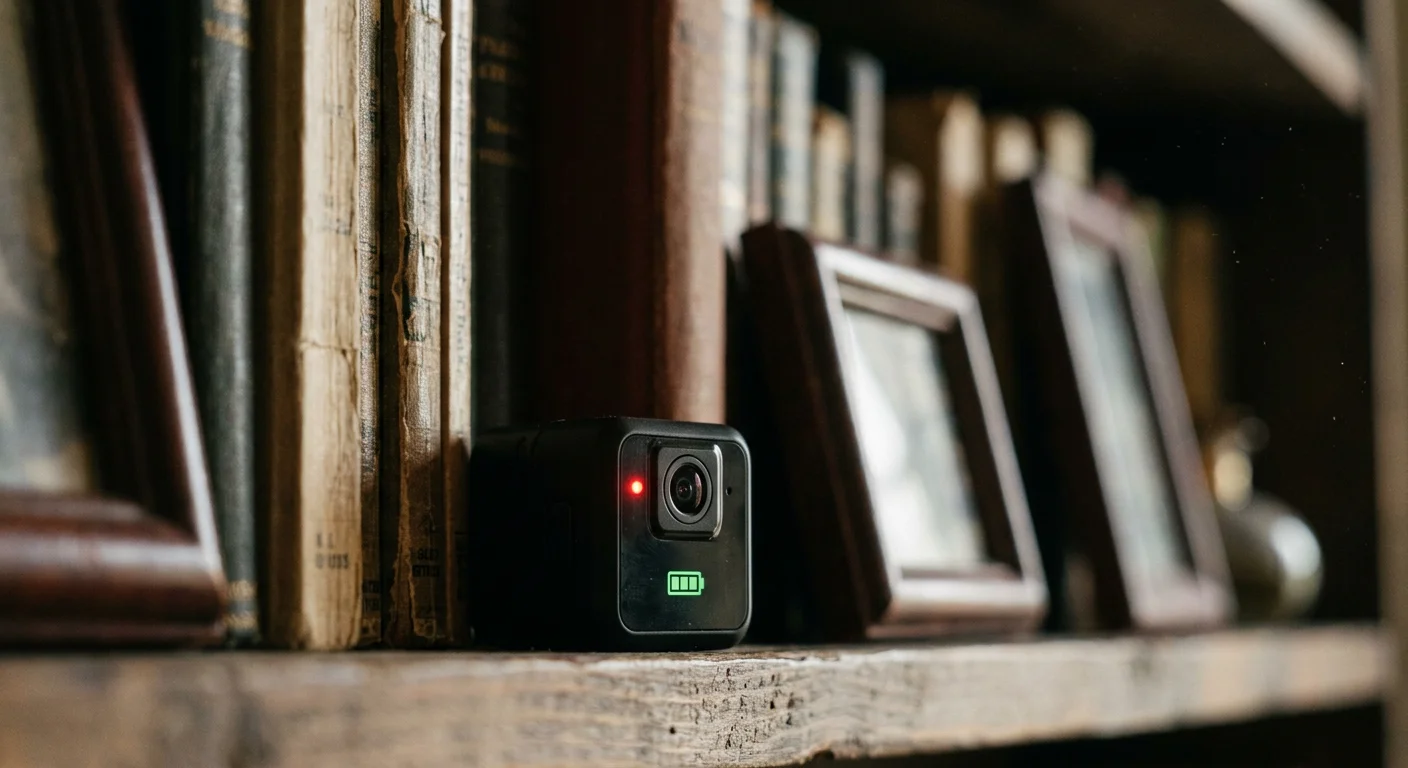
Even the best home security cameras mini can run into predictable issues once installed in real homes. The difference between a good and bad experience usually comes down to setup, environment, and expectations — not just the hardware itself.
Below are the most common problems users face, and how to avoid them before they happen.
1. Resolution Drops in Real Conditions
Many mini security cameras advertise 2K or 4K resolution, but real-world performance often drops when WiFi is under load.
In some cases, cameras automatically reduce recording quality to maintain a stable connection.
How to avoid it:
Check the actual recording resolution in app settings
Use strong 2.4GHz WiFi coverage near the camera
Avoid placing cameras behind thick walls or metal objects
2. Night Vision Quality Is Overestimated
Night vision is one of the most misunderstood features in home security cameras mini.
Most compact cameras rely on IR night vision, which typically performs well only within 20–30 feet.
Beyond that range, footage becomes grainy and loses detail.
How to avoid it:
Add motion-activated lighting for key areas
Prefer models with stronger low-light sensors (not just IR specs)
Avoid placing cameras too far from the target zone
3. Lens Dirt and Environmental Interference
Mini cameras are often placed in corners, shelves, or near ceilings — areas that collect dust faster than expected.
Even a thin layer of dust or spider webs can significantly reduce image clarity.
How to avoid it:
Clean the lens monthly with a microfiber cloth
Avoid placing cameras near vents or open windows
Check footage quality periodically instead of assuming it’s fine
4. Firmware and Software Instability
A common issue with many home security cameras mini is software-related instability rather than hardware failure.
This includes:
Random disconnects
Frozen live view
Missed motion events
How to avoid it:
Enable automatic firmware updates
Restart cameras after major updates
Regularly verify live feed and recording status
5. Motion Detection Overload or Missed Alerts
Out-of-the-box motion sensitivity settings are rarely optimized.
If set too high, you’ll get constant false alerts. If too low, you may miss important events.
How to avoid it:
Start with medium sensitivity
Use activity zones where available
Adjust based on real-world testing (not default settings)
6. Power and Connectivity Failures
Power and WiFi issues are the most overlooked problems in home security cameras mini setups.
Common causes include loose USB connections, weak WiFi signals, or improper router placement.
How to avoid it:
Test signal strength before mounting
Secure all power cables properly
Use WiFi extenders if coverage is weak in certain rooms
Key Takeaway
Most issues with home security cameras mini are not product failures — they are setup and environment problems.
A properly installed low-cost camera often outperforms a high-end model placed incorrectly.
Legal & Privacy Considerations for Home Security Cameras Mini
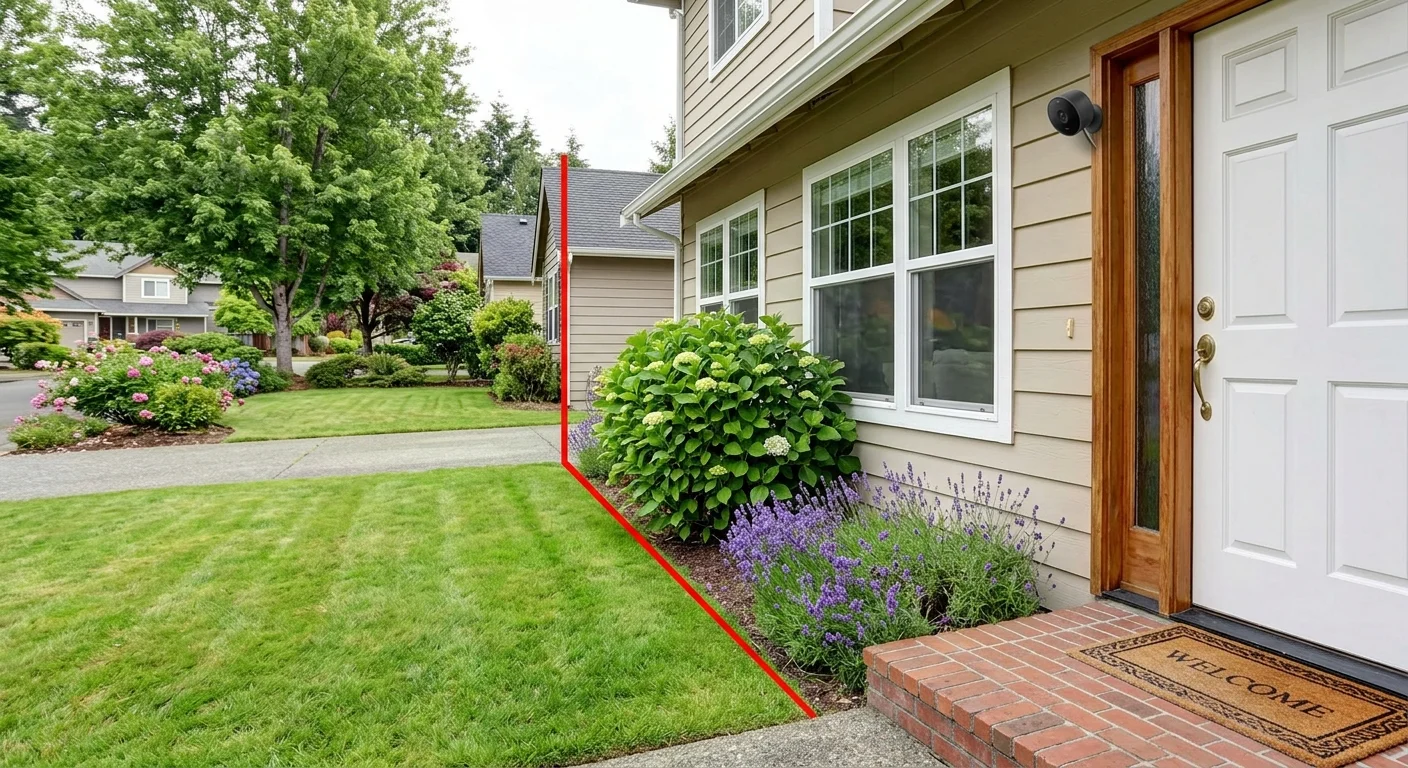
When using home security cameras mini, privacy and legal compliance are just as important as installation and performance. Most issues don’t come from the devices themselves, but from where and how they are used.
1. Camera Placement and Legal Boundaries
A home security camera mini is generally legal when used inside your own property or to monitor areas you own or manage.
However, placement must respect reasonable privacy expectations.
Avoid placing cameras in:
Bedrooms or bathrooms
Guest rooms or shared private spaces
Areas where individuals expect complete privacy
Safe usage zones include:
Front doors
Living rooms
Hallways
Garages or entry points
2. Audio Recording Regulations (Often Overlooked)
Audio laws are stricter than video laws in many regions.
Under U.S. federal law, one-party consent is generally allowed — meaning you can record if you are part of the conversation.
However, some states require all-party consent for audio recording.
Best practice for home security cameras mini:
Disable audio recording by default unless needed
Review local regulations before enabling sound features
Use video-only recording for maximum compliance and safety
3. Respecting Neighbor and Public Privacy
Even if video recording is legal on your property, directing a camera toward someone else’s private space can create legal and civil issues.
Avoid:
Pointing cameras directly into neighbors’ windows or yards
Recording private indoor areas outside your property boundary
Safe alternative:
Adjust camera angle downward toward the entry points
Use privacy masking zones (if supported by your camera app)
4. Data Security and Cloud Storage Awareness
Many home security cameras mini rely on cloud storage, which introduces data privacy considerations.
Potential risks include:
Unauthorized account access
Cloud data breaches
Third-party data processing
Recommended practices:
Use local storage ( microSD or NVR) when possible
Enable two-factor authentication on camera apps
Regularly update firmware for security patches
5. Best Practice Checklist (Quick Compliance Guide)
To safely use home security cameras mini, follow these simple rules:
Keep cameras focused on your own property only
Avoid private indoor areas (bathrooms, bedrooms)
Disable audio if unsure about local laws
Use privacy zones where available
Secure cloud accounts with strong passwords
Key Takeaway
Most legal issues with home security camera mini come down to placement and usage, not the devices themselves.
When installed responsibly, mini security cameras are a fully legal and effective way to improve home safety and awareness.
FAQ: Home Security Cameras Mini
Here are the most common questions people ask before buying home security cameras mini, based on real user concerns and real-world usage.
How long does the battery last?
Battery life varies depending on usage, but most mini security cameras follow a similar pattern:
Standby mode: lasts a few days
Active recording: typically around 3–6 hours continuously
Plugged-in power: unlimited runtime
Key insight: Most home security camera mini are designed for constant wired power rather than long-term battery use.
Can home security cameras mini work without WiFi?
Yes — most home security camera mini can still record without WiFi.
Local storage (microSD or internal memory) continues working
Motion detection still functions offline
Recordings are saved locally on the device
However, without WiFi, you lose:
Remote viewing via phone app
Instant alerts and notifications
Cloud backup features
Best setup: Use WiFi + local storage together for full functionality.
What resolution is actually worth it?
For most users, resolution should match real usage — not marketing numbers.
720p → outdated, not recommended
1080p → minimum acceptable standard
2K (1440p) → best balance for most home security cameras mini
4K → useful only for facial detail or long-distance identification
Rule of thumb: 2K is the “sweet spot” for most home setups.
How small are home security cameras mini?
Modern home security cameras are extremely compact.
Many models are under 2 inches in size
Some are small enough to fit in the palm of your hand
Most can be placed on shelves, corners, or desks without being noticed
Key takeaway: Size is no longer a limitation — placement is what matters most.
Is setting up difficult for mini security cameras?
No. Most home security camera mini are designed for quick installation.
Typical setup process:
Plug into power (USB or adapter)
Download the mobile app
Connect to WiFi
Finish setup in 10–15 minutes
Most users complete the setup without technical experience.
What happens if the WiFi signal is weak?
Weak WiFi is one of the most common issues with home security cameras mini.
Possible effects:
Delayed live view
Lower video quality
Missed or delayed alerts
How to fix it:
Place the camera closer to the router
Use WiFi extenders or mesh systems
Avoid thick walls or metal obstructions

Final Verdict: Which Home Security Cameras Mini Should You Buy in 2026?
The best home security cameras mini are not defined by the longest spec sheet or the flashiest marketing claims. They’re defined by how seamlessly they fit into your real life — matching your space, your WiFi reality, and your willingness to pay (or not pay) monthly fees.
Here’s the clear recommendation for most people:
Best overall (80% of users): eufy Indoor Cam Mini 2K
Zero subscription, true palm-size design you can hide behind a socket or on a shelf, on-device AI that cuts false alerts, and fully local storage. It’s the smartest long-term choice for renters, pet owners, and privacy-conscious households.
Best value with premium features: TP-Link Tapo C120
Excellent color night vision, flexible mounting, and strong free AI — all at a budget price.
Best for full-room coverage with one camera: Reolink E1 Pro
PTZ tracking + dual-band WiFi stability when you want maximum coverage without buying multiple units.
If you followed the decision guide earlier, you already know which path fits you. The only wrong choice is buying based on hype instead of your actual needs.
Bottom line:
Effective home security in 2026 isn’t about the most advanced device — it’s about the right small WiFi camera in the right place, running reliably every single day without friction or surprise bills.
Home security cameras mini give you exactly that: subtle, powerful protection that disappears into your home instead of complicating it.
Now you have the data, the comparisons, and the decision framework. The only thing left is to pick the one that fits your home — and start protecting what matters most.