Over 40% of outdoor security systems in 2025 now rely on solar power—a clear sign that solar-powered security cameras are becoming the preferred choice for energy-efficient surveillance. These systems offer flexible installation, zero wiring, and continuous operation even during power outages. But here’s what many users overlook: proper solar security camera installation directly affects performance, reliability, and service life. A poorly placed panel or camera can reduce charging efficiency by half or cause signal drops, even with high-end equipment.
To get the most out of your solar CCTV setup, you need to understand how the environment and local climate impact operation. Sunlight exposure, temperature range, and humidity all play major roles in energy conversion and long-term durability. Placement and mounting methods matter just as much—they determine how well your system performs year-round.

This guide explains everything you need to know, from how solar security cameras work to the best practices for positioning, installation, and maintenance in different weather conditions.
How Solar Security Cameras Work: Core Components and Technology
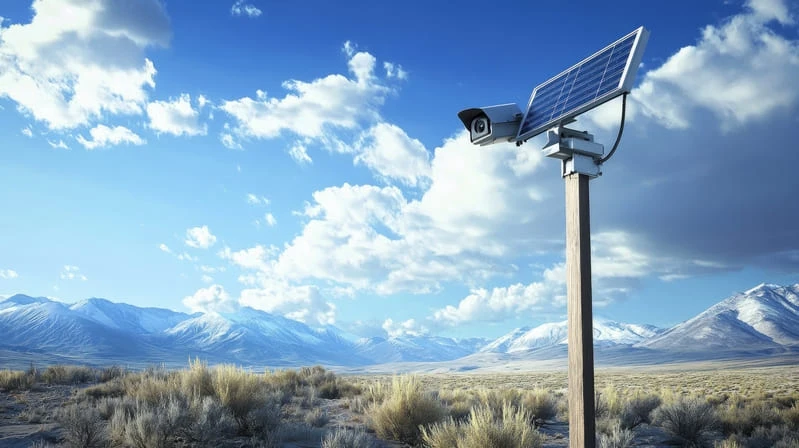
Solar security cameras use photovoltaic solar panels to convert sunlight into electricity. This electricity powers the camera system or charges its built-in batteries. You get a reliable solar powered camera system that is wireless. I like this because installation is easy. No complicated wiring needed. No external power sources required.
Key Components of a Solar Security Camera
Photovoltaic Solar Panels: These panels capture solar energy. They generate electrical current. The energy can power your camera right away. Or it can be stored for later use.
Rechargeable Lithium-Ion Batteries: The panels generate electricity. This electricity is stored in high-capacity lithium-ion batteries. Your camera keeps working at night. It also works on cloudy days. Based on my experience, this gives you true 24/7 protection. Just make sure the battery capacity matches your local sunlight conditions.
Camera Unit Features: Modern solar WiFi cameras include many advanced features. You get motion detection. You get night vision (infrared or LED). You get pan-tilt-zoom (PTZ) capability. You also get two-way audio. I recommend these features. They give you more surveillance options. You can talk to anyone near the camera.
Wireless Connectivity: Cameras connect to your home network via WiFi. In areas with no landline internet, they use 4G cellular connections. You can view your camera feed in real time. You can control it from your smartphone or tablet. This makes security more convenient.
Benefits of a Solar Powered Camera System
True Wireless Installation: No cables needed. No power outlets required.
Continuous Coverage: Your camera works even in low light. It works during power outages.
Remote Access: Monitor and control your camera from anywhere. Use any smart device.
I suggest a solar security camera for property surveillance. It’s energy-efficient. It’s scalable. Use it in locations where traditional wiring is expensive or hard to install.
Environmental Factors That Affect Solar Security Camera Performance
Where you install a solar security camera matters a lot. It affects both charging efficiency and signal stability. I’ve seen many cases where poor site selection leads to power loss or weak connectivity, even with top cameras.
Impact on Charging Efficiency
Solar panels need direct sunlight to charge the camera battery. The best energy output is 15-22% per square meter. But real conditions often cut this by 50% or more. (How Efficient Are Solar Panels)
Sunlight Exposure & Shading: Direct sun is a must. Trees, buildings, or eaves can block light and hurt output. Here’s something I find surprising: just 10% shading can drop panel output by up to 80%. This is called the “Christmas tree effect.” I recommend choosing spots that get 4-6 or more hours of direct sun each day.
Orientation & Tilt: In the Northern Hemisphere, point panels south. Angle them to match your local latitude (like 30-40°). This gives you the most energy. Wrong tilt or direction can reduce output by 20-30%. Urban areas are tough. Buildings often block low-angled sunlight.
Weather & Maintenance: Cloudy weather cuts panel efficiency by 20-70%. Dust and pollution lower output by 10-20% if you don’t clean panels often. Extreme heat also hurts performance. For every degree above 25°C, you lose about 0.5% output.
In poor locations, I suggest adding backup charging options or bigger panels. This keeps your camera running.
Impact on Signal Stability
Your solar camera’s connectivity depends on the wireless signal strength.
Obstructions and Distance: Walls, thick plants, and hills cut Wi-Fi range sharply. In open air, you might get 300 meters. But obstacles can reduce this to below 50 meters. Metal roofs and tight urban spaces create signal problems. They cause dead zones and packet loss.
Interference & Weather: Other wireless devices and power lines create interference. This is most common on the 2.4 GHz band. Rain or snow weakens signals too. Heavy rain can cut 5 GHz Wi-Fi range by 10-20 dB per kilometer.
Temperature Extremes: Cold below -10°C reduces signal strength by 5-10%. Extreme heat can damage antennas or make signals unstable.

Best Working Conditions for Solar Security Cameras
Solar security cameras work best under the right conditions. I find two main factors matter most: tough construction and good solar panel placement.
Weather Resistance & Material Durability
For long-term outdoor use, I suggest picking models with IP65 or higher ratings. These cameras handle dust, rain, moisture, and even lightning.
I recommend housings made from ASA plastic instead of the cheaper ABS in budget models. ASA plastic offers great UV stability. It won’t crack or fade after years in direct sun.
Harsh environments need special materials. Think about coastal areas or industrial zones. High-grade aluminum alloys with protective coatings work best. Use SUS304 stainless steel screws too. These prevent rust and corrosion. Your camera mount stays secure through all seasons.
Solar Panel Exposure Requirements
Direct sunlight is critical. Panels need at least 4–6 hours of direct sunlight daily. This ensures reliable charging.
In the Northern Hemisphere, mount panels facing south. Keep them away from trees or nearby buildings.
Most solar cameras use 2–5 watts. Premium panels provide 3–8 watts with up to 23% conversion efficiency. This matters for consistent camera uptime.
Battery Capacity & Backup
Battery storage ranges from 4,000mAh to 13,000mAh. This supports 2–7 days of operation without new sunlight, cameras keep running during cloudy weather.
Do you live in areas with frequent bad weather? Or maybe higher latitudes? I suggest installing a larger solar panel. You can also use a bigger battery bank. This gives reliable performance all year.
Solar Camera Temperature Range & Weatherproof Performance
I recommend checking how well your solar security camera handles tough temperatures and weather. The solar camera temperature range changes based on the model:
- Commercial-grade models work well from -20°C to +50°C (-4°F to 122°F). This range fits most outdoor home and business uses.
- Professional/military-grade units run from -30°C to +60°C (-22°F to 140°F). Some special models handle temps as low as -42°C (-43.6°F). These are perfect for tough locations.
- Entry-level options like the Tapo Solar Panel and Tapo C425 KIT suit environments between -20°C and 45°C (-4°F to 112°F).
- The Vosker V150 as a top example, it operates in -40°C to 50°C (-40°F to 122°F). This makes it one of the best choices for extreme cold or heat.
Outdoor Solar Security Camera Weatherproof Ratings
For long-term use, weatherproof featurer matters for outdoor solar security cameras:
I suggest looking for IP66 or IP67 ratings on cameras, these protect against dust, water, snow, and heavy rain.
Solar panels should match at least IP65 or IP66. This stops corrosion and weather damage year-round.
Performance in Harsh Weather
In freezing climates, frost, ice, or snow can block the camera lens. This hurts image quality. The electronics may still work fine. You need to clear the lens by hand to keep the view clear.
Some advanced models have internal heaters, coolers, or active temperature control. These help the system run well in long severe conditions. They also cut down on maintenance needs.
Sunlight is the key factor for solar charging. 2 hours of direct sunlight per day is often enough in good models. An internal battery backup is critical. For example, the Eufy SoloCam S340 needs just 2 hours of sun to stay powered. It can run through up to 3 months of low-light days on its backup power.
Humidity Tolerance & Waterproof Performance: Solar Security Cameras for Harsh Climates
It is wise to choose a humidity tolerance solar camera if you live in areas with tropical storms, coastal moisture, or monsoon rains. High humidity and water can ruin standard units. So pay close attention to waterproof ratings and real-world specs.
Waterproof Ratings and Material Protection
Top models like the Milesight 4G solar camera kit have an IP67 waterproof rating. This means they can handle heavy rain and dust. They can even survive temporary submersion up to 1 meter. In flood-prone areas or severe storms, that’s a huge advantage.
Some cameras achieve IP68 for the toughest conditions. These protect against rainfall rates up to 100mm/hour. The cameras keep working during intense weather.
Key build features include:
- Marine-grade aluminum housings resist corrosion
- Waterproof connectors use heavy-duty silicone seals to block moisture
- All-weather camera enclosures handle continuous 90% relative humidity
Humidity Range and Real-World Resilience
A durable solar CCTV system should handle environments from 10%–90% RH humidity. Most leading brands meet this standard:
- Wansview Solar S1: Works at 10–90% RH and –10°C to +50°C. It fits hot, humid, or temperate locations.
- Cinnado 2K Solar Wall Light Camera: Supports 10–90% RH. It’s ideal for Southeast Asia and the southeast US, where humidity swings are extreme.
During monsoons or rainy seasons, sunlight can drop by 20%. Based on my experience, I advise using a battery buffer of at least 30% above the baseline. This guarantees continuous video—even during weeks of rain.
Installation for Humidity & Flood Safety
For a true waterproof solar CCTV setup, I recommend mounting cameras at least 300mm above ground. This avoids flash flood risk and surface water.
Passive cooling designs matter in tropical climates. They prevent performance loss in heat waves. Cameras like Toucan Solutions work well in urban heat islands. These areas run much hotter and more humid than surrounding zones.
I believe these durability measures and smart placement help solar cameras offer up to 95% uptime annually. This holds true even in high-humidity or monsoon regions.
Best Placement for Solar Security Cameras: How to Choose the Optimal Location
I recommend finding a spot that gives your solar panel maximum sun exposure. At the same time, you need reliable coverage and safety. These steps will give you an effective and long-lasting setup.
Mounting Height: I suggest installing your solar camera 8 to 10 feet above ground. This height gives you a clear view. It stops tampering. It keeps the system out of easy reach. You’ll also get better footage angles for entrances and wide areas.
Solar Panel Placement for Security Camera: Pick spots with direct sunlight all year. Avoid locations shaded by trees, fences, or nearby buildings. Partial shade cuts charging efficiency significantly.
Panel Orientation: I recommend facing the solar panel south if you’re in the Northern Hemisphere. Point it north in the Southern Hemisphere. Use a 30–45° tilt. This captures the most sunlight across all seasons.
Surveillance Priorities: Focus on major entry points. Cover front and back doors, ground-floor windows, driveways, and main walkways. Here’s an important fact: 34% of break-ins happen at the front door. I like using building corners or eaves to overlap camera views. This removes blind spots.
Weather and Structure: Mount under eaves or soffits on exterior walls. This protects from rain, dust, and UV rays. Your equipment will last longer. You’ll need less routine maintenance. Avoid trees or poles unless no structures are nearby.
Connectivity: Make sure you have strong Wi-Fi or cellular signal at every camera site. Wi-Fi works best near routers or range extenders. For remote spots, 4G models offer flexibility. They will add to your data costs though.
Lens Selection: In large, open areas, I suggest wide-angle lenses. They cover more ground. Use standard or zoom lenses for entrances or narrower zones. Don’t point cameras into direct artificial lights or bright backdrops. This lowers nighttime image quality.
Preventing Water and Wildlife Issues: In harsh climates, use protective casings and cable conduits. They keep out moisture and pests. Always seal cable holes for safety.
Step-by-Step Guide to Install Solar Powered Camera: DIY Solar CCTV Installation
Start your DIY solar CCTV installation with a clear checklist and good prep work. Here’s how I suggest you set up your solar-powered camera for best results.
Pre-Installation: Unpack and Inspect Components
Before you begin: Open your solar security camera kit. Check for the solar panel, mounting brackets, screws, cables, and batteries. Make sure all items are present. Look for any damage. Missing or broken parts will slow you down later.
Pick the Best Installation Spot
Choose a location with strong sunlight. Avoid shadows from trees, walls, or roofs during the day. The spot should: Give you a clear view for watching your property and have good 4G/WiFi signal if you use wireless setup.
Essential Tools for Setup
You’ll need Drill and screwdriver, Mounting brackets, screws, anchors, Ladder, and Safety gear for working at heights
Solar Panel Mounting: Key Steps
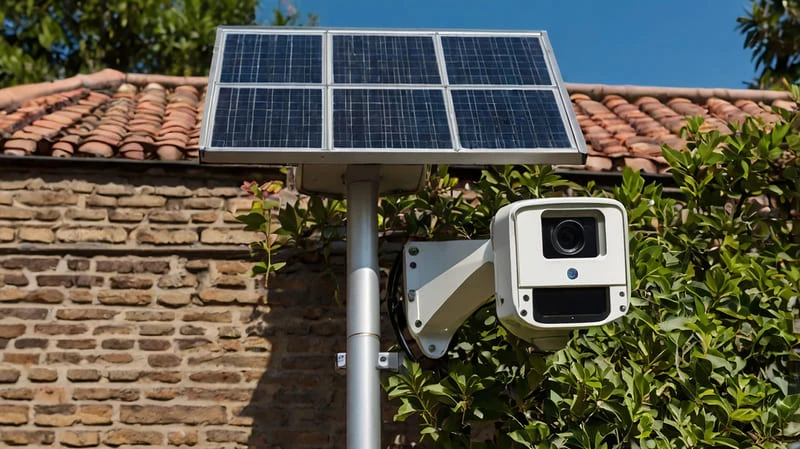
- Use the brackets or arm that came with your kit. Position the solar panel at a 45° angle. This helps it catch more sunlight.
- In the Northern Hemisphere, point the panel south. In the Southern Hemisphere, point it north.
- Mark where the bracket holes go. Drill the holes. Use anchors for brick or concrete. Use screws alone for wood.
Slide the panel onto the arm. Tighten all nuts and screws. The panel needs to stay secure in wind and bad weather.
Camera Mounting & Connections
- Mount your camera on a solid wall or pole. Use the brackets and screws provided. Angle it to watch doors or open spaces. Make sure there are no blind spots.
- Connect the solar panel’s cable to the camera’s power port. Check that plugs fit snugly. Add batteries if your model needs them.
- For 4G cameras, put in your SIM card first. Activate it before you start.
Cable Management, Testing & Fine-Tuning
- I like using waterproof tubes or cable clips. These keep wires safe from rain, dirt, and damage.
- Turn on your system. Check the live video on your phone app or computer.
- Watch the real-time picture. Adjust the panel angle for better sun. Move the camera angle for better coverage.
A well-installed solar powered security camera system does more than just record—it delivers consistent power, stable connectivity, and a longer working life. Proper panel orientation, durable materials, and weatherproof construction all combine to keep your system running smoothly, even in harsh climates. From sunlight exposure to mounting height, every detail in your solar CCTV setup determines how efficiently it performs year-round.
If you want a system that’s reliable, scalable, and built for your environment, it’s worth investing in professional design and setup. At iCSeecam, we design and customize high-performance solar surveillance solutions for global brands and distributors. Whether you need OEM services or tailor-made camera systems for your market, our engineering team can help you build a solution that fits your needs perfectly.
Ready to explore a smarter way to power your security network? Contact us today to learn more about our OEM and custom solar camera options.